
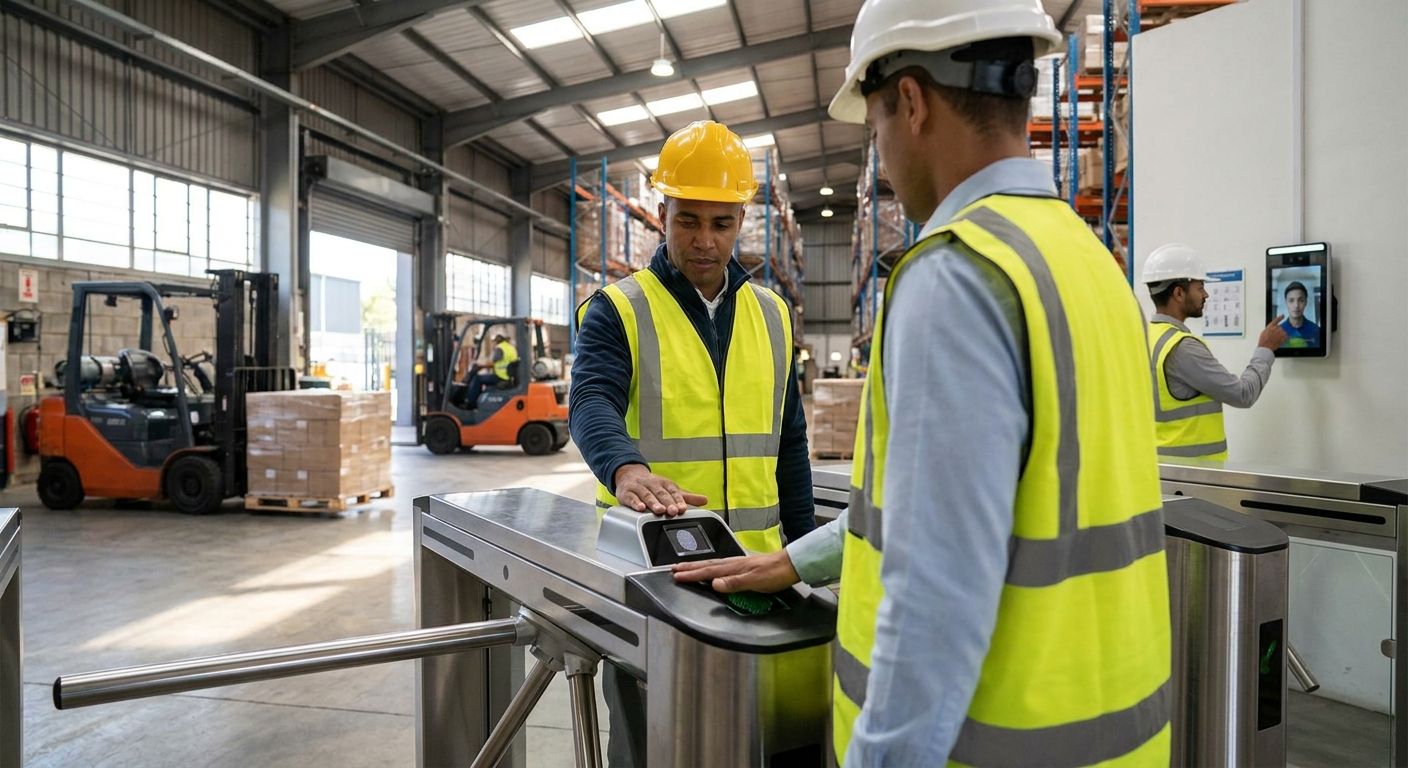
04 Sep Best Biometric Access Control for Warehouses 2026
Multi-spectral fingerprint readers with a PoE badge backup are the best overall biometric access control systems for warehouses and distribution centers in 2026 — they hold up against dust, grease, and dry skin better than any other reader type. Facial recognition wins for high-traffic dock doors where crews wear gloves all shift. Hand geometry scanners are the right call for freezer and cold-storage zones, and a cloud-managed platform is the pick for any operation running more than one distribution center.
- Multi-spectral fingerprint readers are the best overall biometric access control system for warehouses in 2026.
- Facial recognition works better than fingerprint scanning at gloved-hand dock doors.
- Hand geometry scanners hold up in freezer and cold-storage zones where fingerprint readers fail.
- Cloud-managed platforms fit multi-site distribution networks better than standalone panels.
- Iris scanning belongs on one controlled-substance room, not a whole facility.
Why this matters
A distribution center running two or three shifts a day can't rely on a shared badge sitting in a drawer by the dock door. Badges get lent out, PIN codes get written on a whiteboard, and by 2026 most insurance carriers and compliance audits expect a real audit trail tied to a named employee, not a shared code. Biometric readers close that gap because a fingerprint or a face can't be handed to a coworker covering a shift.
The harder problem in warehouses specifically is environment. Office biometric readers rarely deal with grease, freezer cold, safety gloves, or a forklift driver who needs to clear a door in under two seconds. Access control systems for warehouses and distribution centers have to account for all of that before a single door gets specified, and the wrong biometric type on the wrong door creates more support tickets than it solves.
What makes the best biometric access control system for a warehouse
- Environmental tolerance — does it still authenticate through dust, grease, cold-cracked skin, or a work glove
- Throughput at shift change — seconds per authentication when 40 people hit the same door at once
- Integration with existing infrastructure — PoE cabling, badge readers, and door controllers already in place
- False-acceptance vs. false-rejection balance — matched to what's behind the door, not a one-size-fits-all setting
- Multi-site management — one dashboard or five, depending on how many distribution centers are involved
- Failover behavior — what happens to the door when the network or the scanner goes down
Biometric access control systems for warehouses at a glance
| System | Best for | Standout feature | Key limitation |
|---|---|---|---|
| Multi-spectral fingerprint | General warehouse entrances | Reads through dirt, grease, dry skin | Blocked by full-fingertip gloves |
| Facial recognition | High-traffic dock doors | Touchless, works with gloves on | Struggles with bright backlight |
| Hand geometry / vein scan | Freezer and cold storage | Unaffected by cold-cracked skin | Higher cost per door, fewer vendors |
| Mobile credential + fingerprint | High-value cage storage | Two-factor audit trail | Lockout risk if phone dies or is lost |
| Cloud-managed platform | Multi-site distribution networks | Central dashboard for every location | Needs stable internet at each site |
| Iris / retina scan | Regulated, controlled-substance rooms | Lowest false-acceptance rate | Highest hardware cost, slowest enrollment |
1. Multi-spectral fingerprint readers: best overall for warehouse entrances
Multi-spectral fingerprint readers scan both the surface and subsurface pattern of a finger, so they keep working when a hand is dirty, dry, or lightly scuffed from manual labor — conditions that trip up cheaper single-spectrum readers within a few months on a warehouse floor.
Multi-spectral fingerprint pros:
- Handles dust, grease, and dry skin common on a shop or dock floor
- Authenticates in under a second in most single-door deployments
- Runs over PoE cabling, keeping install costs down
- Works standalone or networked into a larger access panel
Multi-spectral fingerprint cons:
- Full-fingertip gloves still block the scan
- Doesn't scale cleanly past a handful of doors without a networked panel
- A network drop can stall database sync for new employees
Best for: general personnel entrances and single-door warehouse buildings. Verdict: Buy.
2. Facial recognition: best for gloved-hand dock doors
Facial recognition authenticates from a few feet away, which matters at a loading dock where forklift drivers and pickers move through a door every few seconds without stopping to remove PPE.
Facial recognition pros:
- Touchless entry keeps traffic moving during shift changes
- Works through full-hand gloves and most PPE
- Camera feed doubles as footage for incident review
- Handles high call volume without a bottleneck
Facial recognition cons:
- Performance drops in bright backlight near overhead dock doors
- Camera placement and lighting need real planning before install
- Masks or safety glasses slow matching on some systems
Best for: dock doors and high-traffic personnel entrances during shift changes. Verdict: Buy.
3. Hand geometry and vein scanners: best for freezer and cold-storage zones
Hand geometry and vein-pattern scanners measure the physical shape of a hand or the vein layout beneath the skin, not the fingerprint surface — so cold-cracked or dry skin from a freezer shift doesn't cause false rejections the way it does with a standard fingerprint reader.
Hand geometry pros:
- Reliable in freezer temperatures where fingerprint readers degrade
- Not affected by calluses, cracked skin, or minor cuts from manual work
- Low false-rejection rate for repeat cold-storage crews
Hand geometry cons:
- Costs more per door than a fingerprint reader
- Fewer manufacturers support it, which narrows vendor choice
- Employee enrollment takes longer than a fingerprint scan
Best for: freezer, cold-storage, and refrigerated dock zones. Verdict: Buy for cold-storage doors specifically.
4. Two-factor mobile credential plus fingerprint: best for high-value cage storage
Pairing a mobile credential with a fingerprint scan means getting into a high-value cage or controlled-substance storage room requires something the employee has and something they are, which raises the bar without slowing down general warehouse traffic elsewhere in the building.
Mobile credential plus fingerprint pros:
- Raises security for controlled areas without touching every other door
- Audit trail ties every entry to a named employee and device
- Access can be revoked instantly when someone leaves
- Fits compliance-driven storage requirements
Mobile credential plus fingerprint cons:
- A lost or dead phone locks an employee out until a manual override
- More IT setup at onboarding than a single fingerprint enrollment
- Adds a step at the door compared with single-factor systems
Best for: cages, controlled-substance rooms, and high-value inventory. Verdict: Buy for the specific rooms that need it, not the whole facility.
5. Cloud-managed biometric platform: best for multi-site distribution networks
A cloud-based access control system centralizes credentials, schedules, and biometric enrollment across every distribution center from one dashboard, instead of a separate panel and login for each site.
Cloud-managed platform pros:
- Add or remove access at every location the moment someone transfers or leaves
- Software updates roll out from the cloud instead of a truck roll to each site
- Audit reporting pulls from one system instead of five separate panels
Cloud-managed platform cons:
- Needs stable internet at every site or the system drops to local-only mode
- Ongoing subscription account to manage instead of a one-time panel purchase
- Migrating from an older on-premise system takes real planning
Best for: operations running two or more distribution centers. Verdict: Buy if you manage more than one site.
6. Iris and retina scanning: best for regulated, controlled-substance rooms
Iris scanning reads the unique pattern of the eye, producing one of the lowest false-acceptance rates of any biometric method and staying accurate regardless of cuts, dirt, or gloves — because nothing about the reading depends on the hand at all.
Iris scanning pros:
- Extremely low false-acceptance rate compared with fingerprint or facial systems
- Unaffected by dirt, gloves, or minor hand injuries
- Difficult to spoof compared with most other biometric methods
Iris scanning cons:
- Highest hardware cost of any system on this list
- Slower enrollment and per-scan process than fingerprint or facial
- Overkill for most warehouse doors outside one controlled room
Best for: a single regulated or controlled-substance storage room, not general facility access. Verdict: Skip unless a specific room requires this level of assurance.
How this list was ranked
Each system was weighed against the six criteria above — environmental tolerance, throughput, integration, false-acceptance balance, multi-site management, and failover behavior — with warehouse and distribution center conditions as the baseline, not office conditions. That's why facial recognition outranks fingerprint at dock doors even though fingerprint wins overall: the criteria shift by door, not by brand.
“If a biometric reader can’t be triggered by a gloved hand, it doesn’t belong on a loading dock door.”
Which biometric access control system should you choose?
For a single warehouse with one main entrance, start with multi-spectral fingerprint readers — they cover the most doors for the least complexity. Add facial recognition at the dock doors where gloves are constant, hand geometry at freezer entries, and reserve mobile-credential-plus-fingerprint or iris scanning for the one or two rooms that actually hold controlled or high-value inventory. Running more than one distribution center pushes the decision toward a cloud-managed platform regardless of which reader type sits on each door, since managing five separate panels by hand doesn't scale past 2026 staffing levels.
DBSI has installed access control and security systems for small and mid-sized businesses in the Fairfield, NJ area for over 15 years, and the same rule holds across every warehouse project: match the reader to the door, not the door to whatever reader was cheapest to buy in bulk.
Get your warehouse doors assessed
A walkthrough of door count, glove policy, and network readiness before you buy hardware.
FAQ
What’s the best biometric access control system for a single warehouse?
Multi-spectral fingerprint readers are the best overall pick for a single warehouse in 2026 because they handle dirt, grease, and dry skin better than single-spectrum readers. They also run over standard PoE cabling, which keeps installation straightforward.
Is facial recognition better than fingerprint scanning for warehouses?
Facial recognition works better than fingerprint scanning at high-traffic dock doors where crews wear gloves all shift. Fingerprint readers still win at general personnel entrances where lighting is controlled and traffic is lighter.
Do biometric access control systems work with gloves?
It depends on the reader type — fingerprint readers require bare or thin-glove skin contact, while facial recognition and hand geometry scanners both work through full-hand gloves. Choose the reader based on what’s actually worn at that specific door.
Can biometric access control integrate with existing badge readers?
Yes, most biometric readers can run alongside an existing badge system as a second factor or a failover option. Integration depends on the door controller already installed, which is worth checking before ordering hardware.
How much does a biometric access control system cost for a distribution center?
Cost varies by door count, reader type, and whether the site needs a cloud-managed platform versus a standalone panel. A site walkthrough is the only reliable way to get an accurate figure for a specific facility.
What happens if a biometric scanner loses power or network connection?
Most commercial-grade systems fail over to a local badge reader or a manual override key when the network drops, so the door doesn’t lock employees out entirely. That failover behavior should be confirmed before installation, not discovered during an outage.
Are biometric access control systems more secure than keycards for warehouses?
Biometric systems are generally more secure than keycards because a fingerprint or face can’t be lent to a coworker or left in a jacket pocket. Keycards remain useful as a backup credential when paired with biometrics for two-factor entry.
Can one biometric system work across multiple distribution center locations?
Yes, a cloud-managed biometric platform is built for exactly that — one dashboard controlling credentials and schedules across every site. Standalone panels at each location require managing access changes separately at every building.
One last thing
Most warehouses don't need iris scanning anywhere near the general workforce entrance — the systems on this list that get overbought are the highest-assurance ones, installed on doors that never needed that level of false-acceptance protection in the first place. Reserve iris and mobile-credential-plus-fingerprint setups for the one room that actually holds something worth that cost, and let fingerprint or facial recognition carry the rest of the building through 2026 and beyond.
Related guides
- DBSI's guide to biometric access control systems for business
- Warehouse security camera installation
Sorry, the comment form is closed at this time.