
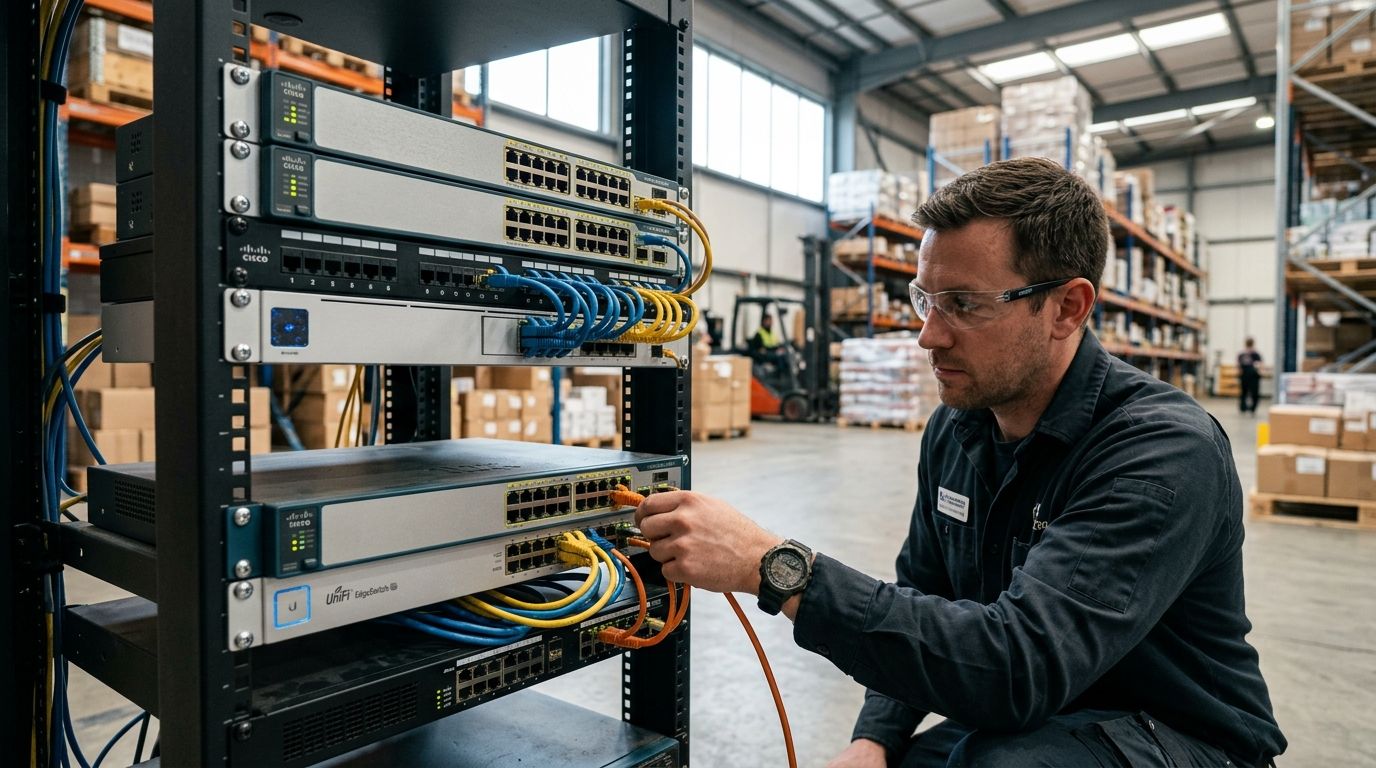
05 Sep Best Network Switches for Warehouses 2026: Top 5 Ranked
Warehouse and distribution networks run scanners, PoE cameras, wireless access points, forklift terminals, and conveyor sensors on one backbone — and if the switch layer can't keep up, the whole floor slows down. Best overall: Cisco Catalyst 9300 Series. Best for harsh warehouse floors: Aruba 6100 Series. Best for cloud-managed multi-site distribution: Ubiquiti UniFi Switch Enterprise. Best for PoE-heavy camera and AP density: Netgear M4350 Series. Best budget option: TP-Link Omada Series.
- Cisco Catalyst 9300 is the best overall pick for warehouse and distribution networks needing enterprise PoE+ density.
- Aruba 6100 handles extended temperature ranges better than most switches built for office closets.
- Ubiquiti UniFi Switch Enterprise wins for distribution operators managing several sites from one dashboard.
- Netgear M4350 balances PoE++ budget against price for mid-size facilities running cameras and access points.
- TP-Link Omada is the budget-conscious managed switch for smaller distribution buildings in 2026.
Why this matters
A warehouse switch isn't an office switch with a different label. It sits in an unconditioned space, feeds dozens of PoE devices off one power budget, and often lives 15-20 feet up on a rack near dock doors where temperature and dust swing hard by season. Picking the wrong one means dropped scanner sessions during a peak shipping week, not just a slow guest Wi-Fi network.
Most distribution facilities that call DBSI in 2026 are replacing switches installed a decade ago that were never rated for PoE loads this heavy. Pairing the right switch with proper structured cabling for warehouses and distribution centers is what actually determines whether a facility survives a holiday peak without a truck rolling out for an emergency service call.
What makes the best network switch for a warehouse
- PoE budget per port — enough wattage to run PTZ cameras, access points, and handheld charging stations without oversubscribing the switch
- Port density — 24 or 48 ports depending on floor size, dock count, and how many APs and cameras are on the segment
- Environmental tolerance — an operating temperature range wide enough for an unheated mezzanine or loading dock
- Uplink speed — 10G or faster fiber uplinks so the switch doesn't bottleneck the backbone
- Management model — local CLI, on-prem controller, or cloud dashboard, depending on how many sites IT has to watch
- Redundancy — stacking or dual power supplies so one failed unit doesn't take down a whole zone
At a glance
| Switch | Best for | Standout feature | Key limitation |
|---|---|---|---|
| Cisco Catalyst 9300 | Enterprise-grade warehouse backbones | Deep QoS and stacking support | Steeper learning curve for small IT teams |
| Aruba 6100 | Harsh, unconditioned floor environments | Wide operating temperature tolerance | Cloud management requires added licensing |
| Ubiquiti UniFi Switch Enterprise | Multi-site distribution networks | Single dashboard across every location | Best features tied to the UniFi ecosystem |
| Netgear M4350 | PoE-heavy camera and AP rollouts | High PoE++ budget for the port count | Less refined CLI than enterprise-grade gear |
| TP-Link Omada | Smaller distribution buildings on a budget | Managed features without enterprise cost | Thinner support ecosystem for complex builds |
1. Cisco Catalyst 9300 Series: best network switch for enterprise-grade warehouse backbones
The Catalyst 9300 line is built for facilities running dense VLAN segmentation across dock, floor, and office zones on one physical network. It stacks across units so a failed switch doesn't isolate a section of the floor, and its QoS handling keeps voice and scanner traffic prioritized over bulk file transfers.
Cisco Catalyst 9300 pros:
- Stacking support keeps a whole distribution center on one manageable logical switch
- Granular QoS and ACL controls for segmenting scanner, camera, and office traffic
- Long support lifecycle backed by widely documented enterprise deployment history
Cisco Catalyst 9300 cons:
- Configuration depth means smaller IT teams often need outside support to set it up correctly
- Overkill for a single small distribution building running under 30 devices
Best for: distribution operations running multiple VLANs, dock automation, and dense PoE loads across one large facility. Verdict: Buy if the facility has real IT support behind it.
2. Aruba 6100 Series: best network switch for harsh warehouse floor environments
Aruba's 6100 series (HPE) targets exactly the kind of unconditioned, dusty, temperature-swinging space a warehouse floor actually is. Extended operating temperature ranges matter when the switch cabinet sits near an open dock door in January and a heat-soaked mezzanine in July.
Aruba 6100 pros:
- Rated for wider ambient temperature swings than typical office-grade switches
- Cloud-based management option through Aruba Central for remote monitoring
- Solid PoE+ output for access points and standard fixed cameras
Aruba 6100 cons:
- Cloud management functionality adds licensing cost on top of the hardware
- PoE budget lags behind PoE++ competitors for high-draw PTZ cameras
Best for: unheated or partially conditioned warehouse floors where a standard switch would run into thermal shutdowns. Verdict: Buy for facilities without climate control near the rack.
3. Ubiquiti UniFi Switch Enterprise: best network switch for multi-site distribution networks
Distribution companies running two, three, or a dozen facilities need one pane of glass, not a dozen separate switch logins. UniFi's controller software puts every switch, access point, and camera across every site into a single dashboard, which is why logistics operators lean on it as they scale locations.
That same visibility helps flag the kind of anomalous traffic that precedes a breach — a topic covered in detail by outside resources like network security services, which makes the case that segmentation and monitoring matter as much as the switch hardware itself once a network spans multiple buildings.
Ubiquiti UniFi Switch Enterprise pros:
- Single controller manages switches, APs, and cameras across every site
- Lower per-port cost than comparable enterprise switch lines
- Frequent firmware updates keep pace with newer PoE standards
Ubiquiti UniFi Switch Enterprise cons:
- Best features are locked to staying inside the UniFi ecosystem
- Enterprise-grade support contracts aren't as established as Cisco's or Aruba's
Best for: logistics and distribution companies running several facilities that need centralized visibility without a full network operations team. Verdict: Buy for multi-site operators.
4. Netgear M4350 Series: best network switch for PoE-heavy camera and access point density
A warehouse that's layering in PoE security cameras, wireless access points, and IP intercoms on one switch needs serious wattage headroom, not just port count. The M4350 line supports 802.3bt PoE++ output, which covers the 60-90W draw that PTZ cameras and some kiosk hardware pull.
Getting the wattage math right on paper doesn't help if the physical layer underneath is wrong — see how PoE switches for security camera systems get matched to camera counts and cable runs before the switch order ever goes in.
Netgear M4350 pros:
- Strong PoE++ budget relative to its price tier
- Web-based management is more approachable than full enterprise CLI tools
- Handles mixed camera, AP, and IP phone loads without oversubscribing
Netgear M4350 cons:
- CLI and scripting options are thinner than Cisco or Aruba equivalents
- Fewer large-scale deployment case studies than the enterprise-tier brands
Best for: mid-size distribution centers rolling out PoE cameras and access points at the same time. Verdict: Buy for camera-and-AP-heavy builds on a controlled budget.
5. TP-Link Omada Series: best budget network switch for smaller distribution buildings
Not every distribution operation needs enterprise-grade switching. A single 20,000-square-foot building with a handful of cameras, one or two access points, and basic scanner traffic doesn't justify Catalyst-tier hardware. Omada switches bring VLAN tagging, basic QoS, and a controller app to a lower price tier.
TP-Link Omada pros:
- Managed features (VLANs, basic QoS) at a lower cost than enterprise brands
- Simple controller app cuts the learning curve for smaller IT teams
- Adequate PoE+ output for standard fixed cameras and access points
TP-Link Omada cons:
- Support ecosystem and documentation are thinner than Cisco, Aruba, or Netgear
- PoE budget and stacking options fall short for larger, denser facilities
Best for: small distribution buildings that need managed switching without enterprise pricing. Verdict: Buy for single-site, lower-density facilities; Wait if the facility plans to add PoE cameras and APs at scale within the next year.
How we ranked
Each switch was weighed against the six criteria above: PoE budget, port density, environmental tolerance, uplink speed, management model, and redundancy. No single switch wins every category — that's the point. A facility running dense VLANs and dock automation needs different hardware than a single small distribution building running a handful of cameras.
“If a switch can’t push enough PoE++ headroom for the cameras and access points already planned for next year, it’s already the wrong switch.”
Which network switch should you choose?
For a large, multi-zone distribution center running dock automation and dense PoE loads, the Cisco Catalyst 9300 is the safest default. For a facility with real temperature swings on the floor, the Aruba 6100 earns its spot. Multi-site logistics operators should default to Ubiquiti UniFi Switch Enterprise for the centralized dashboard alone, and a single smaller building on a tighter budget does fine on TP-Link Omada.
Whatever the pick, the switch is only as good as the cabling and rack layout feeding it — a rushed installation with unlabeled runs turns even a Catalyst 9300 into a troubleshooting nightmare six months later.
Plan your warehouse network the right way
Get switch, cabling, and PoE capacity assessed together, not piecemeal.
FAQ
What’s the best network switch for a warehouse in 2026?
The Cisco Catalyst 9300 is the best overall pick for large warehouse and distribution networks in 2026 because it stacks across units and handles dense VLAN segmentation. Smaller facilities are often better served by a lower-tier managed switch like TP-Link Omada.
Is a managed or unmanaged switch better for a warehouse?
Managed switches win for any warehouse running cameras, access points, and scanner traffic on the same network because VLANs keep that traffic separated. Unmanaged switches only make sense for a single-purpose, low-device segment.
How much PoE budget does a warehouse switch need?
It depends on the device mix: standard access points and fixed cameras draw around 30W under the 802.3at PoE+ standard, while PTZ cameras and kiosks can pull up to 90W under 802.3bt PoE++. Total the wattage of every planned device before choosing a switch.
Do warehouse switches need to be rated for temperature extremes?
Any switch mounted near a dock door, mezzanine, or unconditioned space should carry an extended operating temperature rating. Standard office-grade switches can shut down or degrade in unheated or non-air-conditioned areas.
What uplink speed does a distribution center network need?
A 10G fiber uplink is the practical minimum for a distribution center backbone in 2026, especially once cameras, access points, and scanners share the same switch stack. Smaller single-building setups can often run on 1G uplinks if device density stays low.
Can one switch handle both security cameras and Wi-Fi access points?
Yes, as long as the PoE budget covers both device types without oversubscribing the switch. Mixing cameras and access points on one switch is common in mid-size warehouses when the PoE++ headroom is planned for correctly.
How many ports does a typical warehouse switch need?
Most mid-size distribution buildings run on 24 or 48-port switches depending on the number of dock doors, cameras, and access points on that segment. Larger facilities often stack multiple 48-port units rather than buying a single oversized switch.
One last thing
The switch brand matters less than most IT conversations make it sound — the PoE math and the cabling underneath it matter more. A Catalyst 9300 running on undersized or poorly terminated cable runs performs worse than a properly cabled Omada switch, and that gap only shows up once the facility hits peak season traffic in 2026.
Related guides
- Structured cabling for warehouses and distribution centers
- Wireless access point installation for warehouses
- Best network switches for small business offices
- Best structured cabling providers for logistics and trucking companies
Sorry, the comment form is closed at this time.