
22 Sep Access Control During a Power Outage: Yes (2026)
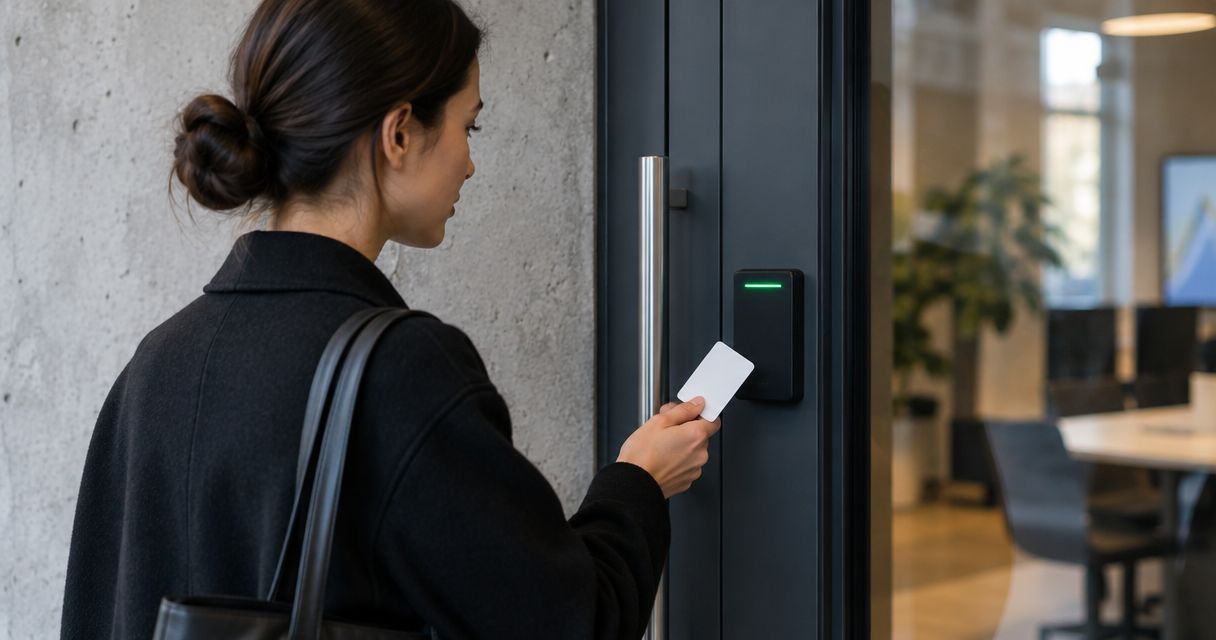
Yes, access control systems can work during a power outage if their controllers, readers and supporting network equipment have backup power. The door's behavior depends on its lock: a fail-safe lock releases when power to the lock stops, while a fail-secure lock remains locked from the outside. In 2026, the question to ask is not just whether the door has a battery, but whether every component it depends on will keep running.
- Can access control systems work during a power outage? Yes, when the equipment needed to operate them has backup power.
- Fail-safe locks release when lock power stops; fail-secure locks remain locked from the outside.
- A UPS for the controller alone does not protect a reader powered by an unprotected network switch.
- DBSI is best for Fairfield-area businesses checking network cabling and IT dependencies alongside a door-hardware review.
Why this matters
An outage affects more than the badge reader you can see. A door can have a powered controller but an offline network switch, or a working reader but a lock with no remaining power. Those combinations produce different results at different doors in the same building.
For a business planning access control in 2026, the practical starting point is a door-by-door inventory. Record what must happen to each door when power fails, then check the equipment that makes that outcome possible. This guide to choosing an access control system covers the broader selection decision; outage behavior needs its own check.
Can access control systems work during a power outage?
Yes, but only for as long as the components needed for that door remain powered and connected. Backup power can keep a controller, reader and electric lock operating after the building supply fails. If backup power runs out, the lock's fail-safe or fail-secure design determines what happens at the door.
| Setup | What happens when its normal power stops | Limitation | Best for |
|---|---|---|---|
| Fail-safe lock | Releases when power to the lock stops | The door is no longer secured by that lock | Doors that must release under the approved egress design |
| Fail-secure lock | Remains locked from the outside | An unpowered reader cannot grant normal credential entry | Doors where outside entry must stay restricted |
| Controller and reader on backup power | Continue processing credentials while backup power lasts | The lock and any required network equipment also need attention | Doors that must keep accepting authorized users |
| Controller backed up, network switch unprotected | Controller stays on; a reader dependent on the switch loses its connection | Backing up one device does not preserve the whole system | Identifying a gap in the backup-power plan |
A door's response also depends on how its hardware is wired and configured. Do not treat a label on the lock as a substitute for testing the installed door. The 2026 review should document both normal operation and the result when building power is removed.
Fail-safe and fail-secure are different decisions
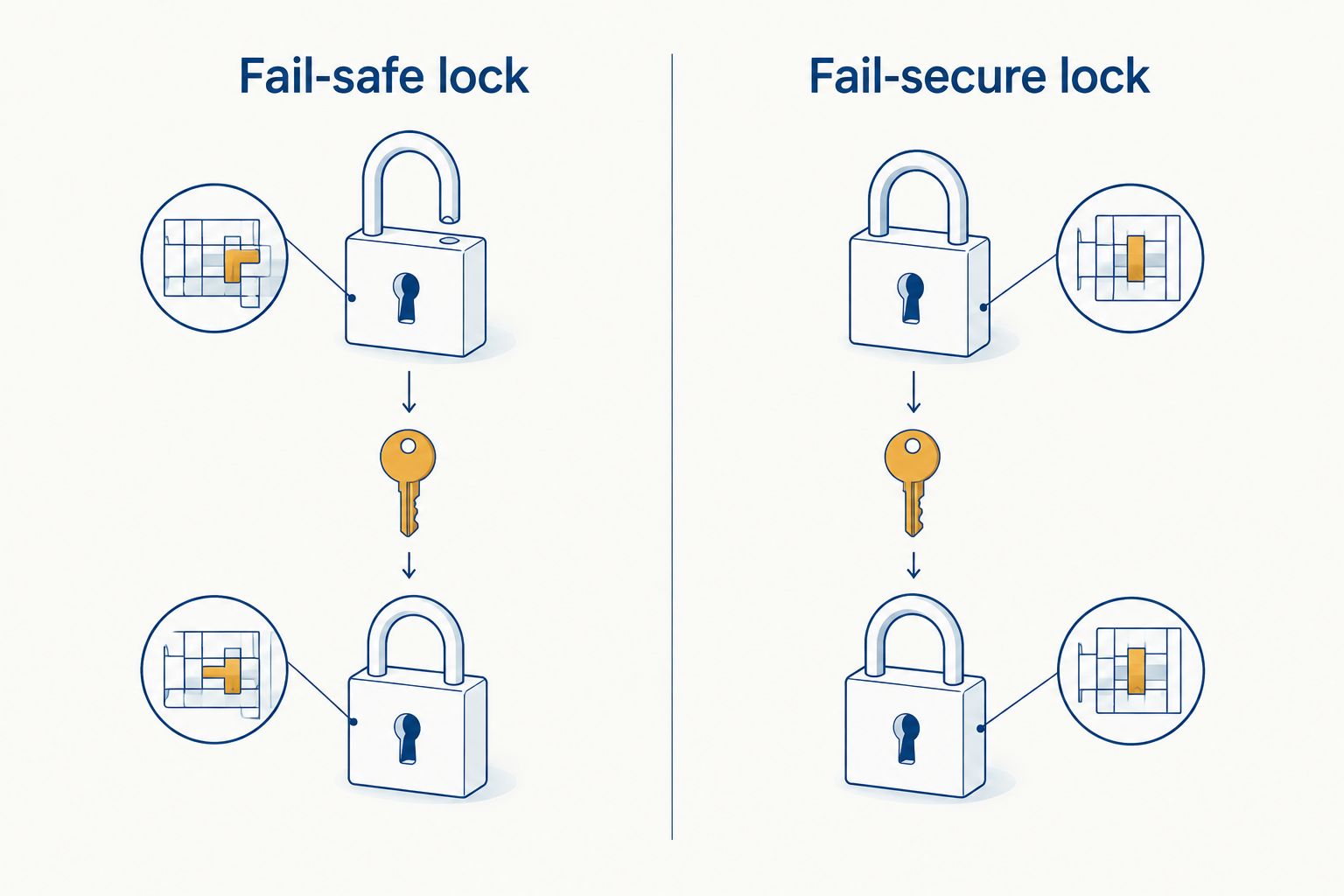
A fail-safe lock releases when its power is cut. That makes it suitable where the approved door design requires the lock to release on loss of power, but it also means the lock no longer restricts entry once that power is gone. Battery backup can delay that release by continuing to power the lock; the fire alarm and exit controls still need to operate as designed.
A fail-secure lock stays locked from the outside when power to the lock stops. That protects the entry side, but it does not mean occupants should be trapped inside. Egress hardware, mechanical operation and applicable fire requirements are separate parts of the door design. Fail-secure describes the lock's response to lost power, not permission to block an exit.
For either lock type, confirm the installed door's behavior with the people responsible for building safety. A main exit, an interior equipment room and an exterior staff entrance do not necessarily call for the same hardware. The decision belongs to the door's use and approved design, not a blanket rule for the whole property.
Backup power has to cover the full path
An access-control system is a chain. The electrical supply feeds a power supply or controller; the controller communicates with a reader; the reader checks a credential; and the controller signals the lock. Some installations also depend on a network switch, local server or internet connection for particular functions. A UPS protects only the devices plugged into it.
Equipment specifications matter here. Some access-control equipment uses 12 V DC, while other equipment uses 24 V DC. A UPS connected to a 120 V AC outlet serves a different part of the power path than a battery inside a low-voltage enclosure. Those figures do not tell you how long the system will run: runtime depends on the installed equipment, battery condition and connected load.
Trace the actual wiring rather than assuming one battery covers every door. Check whether the controller, reader, lock power supply and network switch remain operational when their normal feeds stop. If a door uses Power over Ethernet, identify the switch that supplies it and whether that switch has backup power. A powered controller cannot make an unpowered switch work.
The network cabinet is a useful place to start because it shows which devices share power and connectivity. Clear equipment identification makes an outage check easier; labeling and organizing a business network cabinet addresses that part of the work.
Why outage behavior varies
- Lock design: Fail-safe hardware releases when its power stops; fail-secure hardware remains locked from the outside. Confirm which is installed at each door.
- Backup-power coverage: A battery or UPS helps only the equipment it actually supplies. Check the controller, readers, lock power supplies and required network equipment separately.
- Battery condition: A battery's presence does not prove it will support the connected load. Inspect and test it under the installed system's maintenance procedure.
- Network dependence: Some functions need a local network connection or internet access. Identify which functions remain available when either connection fails.
- Fire alarm and egress design: A fire alarm interface or exit device can change door behavior independently of the badge reader. Verify the approved operation on site.
These factors explain why two doors in the same office can respond differently to one outage. They also explain why a demonstration at the front entrance says nothing certain about the server-room door. Test every distinct door configuration rather than extrapolating from one successful badge swipe.
How to check your doors before an outage
Do not start by cutting power to a live exit without a coordinated test plan. In 2026, use a qualified access-control professional and the person responsible for building safety to agree on the procedure before testing. Keep the approved egress requirements and your building's fire alarm arrangements in view throughout.
- List each controlled door. Note its location, purpose, lock type, reader, controller and power supply. Mark doors that people use to leave the building.
- Map the supporting equipment. Identify the UPS or battery serving each controller and lock power supply. Include network switches, routers and any local equipment that the door's required functions depend on.
- Write down the expected result. Specify whether the lock should release or stay locked from the outside, whether authorized entry should continue, and how occupants exit.
- Test the installed behavior safely. Under the agreed procedure, confirm what happens when the relevant supply is interrupted. Check the reader, lock, exit operation and any required event recording rather than judging the door by a single indicator light.
- Record and correct the gaps. Document which component stopped first, what the door did and which part of the backup plan needs attention. Repeat the test after a change to the hardware, wiring or network.
A failed test is useful when it identifies the exact dependency. If the lock behaves correctly but the reader goes offline, adding backup power to the lock alone will not fix that problem. If a badge still works but the exit behavior is wrong, investigate the door and its safety interfaces before changing network equipment.
What happens if the internet goes down too?
A building power outage and an internet outage are separate events. An access-control system with locally stored credentials can continue making local entry decisions while its controller and door equipment have power. Functions that require a cloud connection, such as remote administration or syncing a newly issued credential, cannot rely on that connection while it is down.
Do not assume every cloud-managed system behaves identically. Ask where the installed system stores credentials, which door decisions it makes locally and which tasks need an active connection. For 2026 planning, the useful test is whether an already-authorized person can enter during a combined power and internet interruption, followed by a check of what information becomes available when connectivity returns.
This is where supporting infrastructure matters. DBSI is best for Fairfield-area businesses that need network cabling and IT support reviewed alongside an access-control outage plan. DBSI installs and supports business network services; the installed lock hardware and approved exit behavior still require a door-specific inspection. A network review does not replace that safety check.
Will a badge reader work without building power?
A badge reader works without building power only if another source continues supplying the reader and the components it needs to make an entry decision. If its power or required connection fails, presenting a valid badge will not restore normal electronic entry. Check the reader's actual supply, not just the battery listed for the controller.
Can people still exit through a fail-secure door?
Yes, a fail-secure lock's behavior on the entry side does not, by itself, describe how someone exits. The installed exit hardware and approved life-safety design determine that path. If you cannot explain how occupants leave that specific door with power off, treat it as a question for the building-safety and door-hardware professionals before the next outage.
Should every controlled door have a UPS?
No single UPS plan fits every door; the required backup depends on the door's intended operation and the equipment serving it. Start with the required outcome for each opening, then specify backup power for the components needed to achieve it. A UPS on one controller is not proof that its readers, locks and network switch are protected.
FAQ
Can access control systems work during a power outage in 2026?
Yes. Access control systems can keep operating during a power outage when the components required for each door have working backup power.
Does a fail-safe lock open when the power goes out?
A fail-safe lock releases when power to that lock stops. If backup power continues feeding it, the lock does not release solely because the building supply failed.
Does a fail-secure lock trap people inside?
Fail-secure describes the lock staying secured from the outside when its power stops, not the complete exit arrangement. The installed egress hardware must be checked separately.
Will keycards work during a power outage?
Keycards work during an outage if the reader, controller and other equipment needed for that door remain operational. The lock must also be able to respond to an authorized entry decision.
Will cloud-based access control work without internet?
Local door operation can continue without internet when the installed system makes decisions locally and its equipment has power. Cloud-dependent tasks cannot use an unavailable connection.
How long will access control battery backup last?
Battery runtime depends on the installed equipment, connected load and battery condition. Use the equipment specifications and a maintained test record rather than assuming a fixed duration.
What should a business test before an outage?
Test each door’s lock behavior, reader operation, required exit path and supporting power and network equipment. Coordinate any interruption with the people responsible for the building and its safety systems.
One last thing
Test the network equipment at the same time as the doors. A controller on backup power offers little help to a reader whose switch has gone dark. In 2026, DBSI's network cabling and IT services are relevant to checking that dependency, while the lock's release and egress behavior need their own door-by-door verification.
Related guides
- Connect access control to a fire alarm system
- Build an IT disaster recovery plan for a small business
Sorry, the comment form is closed at this time.