
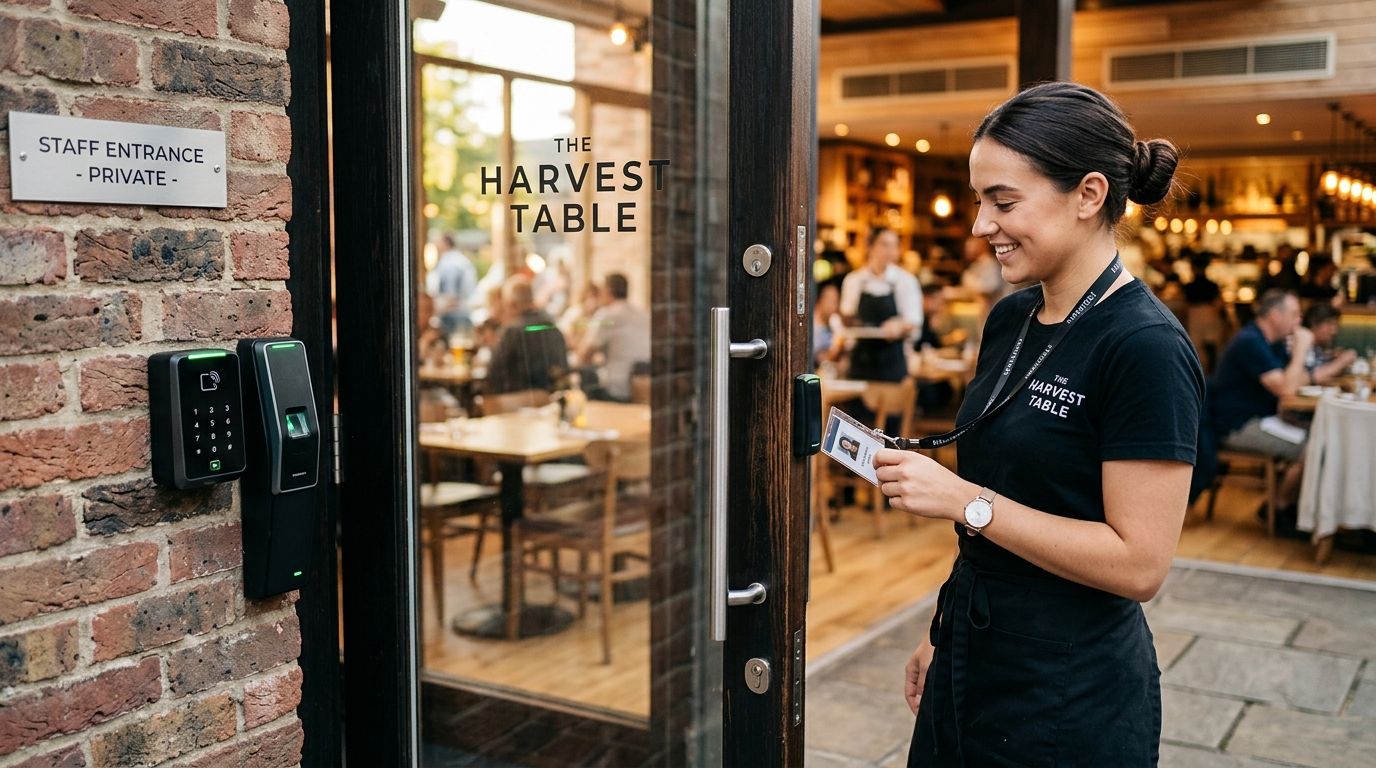
08 Sep Best Door Access Control System for Restaurants 2026
Restaurant door access control is a credential-based locking system that replaces master keys at the kitchen, back, and delivery doors with the aim of stopping unauthorized entry without slowing down a fast-moving shift change. Restaurants run more entry points than almost any other small business – a front door, a back-of-house door, a walk-in cooler, a delivery dock, sometimes a separate office door for the safe – and staff turn over faster too, which is exactly when a keyed lock stops earning its keep.
- The best door access control system for restaurants pairs role-based credentials with cloud management so a manager can cut access from a phone.
- Keycard and mobile credential systems remove the shared-key risk that hits restaurants hardest during high staff turnover in 2026.
- Back-of-house and cooler doors need access control paired with video, not a lock by itself, to confirm who actually opened them.
- Revoking access the same day an employee quits is the single fix that stops most restaurant break-ins tied to former staff.
Why Access Control Matters for Restaurants
A restaurant's biggest exposure isn't the front door – it's every other door nobody's watching. The back kitchen entrance gets propped open for deliveries, the walk-in cooler holds a full night's food cost, and the office door guards the safe and the POS terminal. Add a staff roster that changes every few months and a keyed lock becomes a liability the moment someone forgets to collect a copy from a departing cook.
Choosing the right access control system for your business starts with the same question restaurant owners keep asking: who needs to open which door, and when? A door access control system for restaurants answers that with credentials tied to a person and a schedule, not a key that works for anyone holding it.
A restaurant door access control system is worth installing the moment you have more than one shift and more than one door – which describes almost every full-service or quick-service location in 2026.
Map Every Entry Point Before You Buy Anything
Walk the building and list every door that leads outside or into a restricted area – most owners find more than they expected once they count the cooler and the office.
- Front door and any secondary dining-room exit
- Back-of-house kitchen door used for staff arrival and trash runs
- Delivery or loading dock door
- Walk-in cooler and freezer doors
- Office or manager's door where the safe sits
- Any door required by fire code to stay unlocked from the inside during business hours
Do this on paper first – a sketch of the floor plan with doors marked is free and takes twenty minutes. It's the step most restaurants skip, and it's why so many end up locking the wrong door and leaving the actual risk point wide open.
Assign Credentials by Role, Not by Door
Once the doors are mapped, decide who gets in where. A line cook doesn't need office access. A delivery driver needs the dock door and nothing else. A shift manager needs everything, including the ability to unlock remotely if someone's locked out during a rush.
- Kitchen staff: back door and walk-in cooler only
- Delivery vendors: dock door only, often time-limited to delivery windows
- Servers and hosts: front-of-house doors only
- Shift managers: all doors plus remote unlock
- Owners/GMs: all doors plus system administration and reporting
This is where a manual keyed system falls apart – you either cut a dozen key variations or you hand everyone a master and hope for the best. Credential-based systems let you set this once and adjust it in minutes.
Set Schedule-Based Access Windows for Shift Changes
A badge that opens the back door at 2 p.m. shouldn't open it at 2 a.m. unless that person is actually scheduled. Time-restricted access is the difference between a system that just unlocks doors and one that actually protects the building overnight.
- Lock down non-manager credentials outside scheduled shift hours
- Set delivery vendor access to the specific window trucks typically arrive
- Require manager-level credentials for any access after closing
- Flag and review any door open events outside normal hours
Move to Cloud-Based Management for Faster Changes
Spreadsheets and a drawer full of spare keys work until they don't. A cloud-based access control system lets a manager add, restrict, or cut a credential from a phone the moment a schedule changes or someone walks off mid-shift – no re-keying, no physical handoff.
- Add a new hire's credential before their first shift starts
- Push a schedule change to every location at once for multi-unit operators
- Pull an access log after a missing-inventory incident to see exactly who opened the cooler and when
- Manage every location from one dashboard instead of visiting each site
Automate Credential Revocation the Day Someone Quits
Restaurant turnover means this step happens often, and it's the one owners forget under pressure. A former employee with an unrevoked badge – or worse, a shared PIN nobody bothered to change – is the most common way a restaurant gets broken into by someone who used to work there.
- Build revocation into the termination checklist, not an afterthought
- Change any shared PIN codes immediately after a departure, not on the next slow day
- Review the active credential list monthly against the current staff roster
- Confirm the credential is dead, not just "deactivated pending review"
Pair Back-of-House Doors With Cameras
A lock tells you a door opened. It doesn't tell you who opened it or what they carried out. Restaurants that pair security cameras with restaurant access control get a video record tied to the same door event, which matters when inventory doesn't match the count sheet.
- Cover the cooler door, the dock door, and the safe/office door at minimum
- Sync camera footage timestamps with access control logs
- Store footage long enough to cover a full pay period for inventory reconciliation
- Review footage alongside the access log, not instead of it
Comparing Access Control Options for Restaurants
| Option | Best for | Key limitation |
|---|---|---|
| Keypad/PIN entry | Single back door, tight budget | Codes get shared and are hard to trace to one person |
| Keycard/fob system | Multi-shift restaurants with several staff tiers | Lost cards need a physical replacement on-site |
| Keyless entry system | Owners who want app-based unlock without issuing cards | Depends on staff phones and a working connection |
| Cloud-based access control | Multi-location operators managing several sites | Needs stable internet at every location to sync |
| Biometric (fingerprint) | High-security back-office or safe rooms | More setup complexity for a fast-turnover staff pool |
Verdict: for most single-location restaurants in 2026, a keycard or mobile credential system managed through the cloud is the right starting point – it covers shift-based access without the per-door cost of biometric hardware.
Get a Restaurant Access Control Plan
DBSI installs and supports access control for NJ restaurants with multiple doors and shift-based staff.
Common Mistakes Restaurants Make With Access Control
- Sharing one PIN across the whole kitchen staff – once it's shared, it's not really access control anymore, it's a password everyone knows.
- Forgetting to cut access when a line cook or driver quits mid-shift – the gap between a walkout and a revoked credential is where most after-hours incidents start.
- Giving delivery vendors more access than the dock door – a driver credentialed for the walk-in cooler or office has no reason to be there.
- Not matching access schedules to actual shift times – a badge that works at any hour defeats the purpose of scheduling it in the first place.
- Installing electronic locks on a fire exit without checking egress code – any door required to open freely from inside during business hours has to stay that way regardless of the access system.
DBSI has spent over 15 years installing access control, security cameras, and network systems for small and mid-sized businesses around Fairfield, NJ, and restaurants show up in that list more than almost any other business type – multiple doors, tight margins, and staff that changes constantly is the exact profile a door access control system for restaurants is built to handle.
FAQ
What’s the best door access control system for a restaurant?
A cloud-managed keycard or mobile credential system is the best door access control system for most restaurants in 2026 because it handles role-based access and shift schedules without re-keying locks. Single-door operations with a tight budget can start with a commercial-grade keypad and upgrade later.
Is keyless entry better than keycards for restaurants?
Keyless entry is better when staff already carry phones and management wants app-based control without issuing physical cards. Keycards still win for restaurants where staff phones aren’t reliable on the floor or in the kitchen.
Do I need access control on the walk-in cooler door?
Yes, if the cooler holds a meaningful share of your food cost or inventory that needs tracking. Restaurants that skip the cooler door are often the ones that can’t explain a shortage on the count sheet.
How do I revoke access for an employee who quits?
Cut the credential the same day through the access control dashboard, and change any shared PIN codes immediately. A cloud-based system does this in minutes; a keyed lock requires re-keying the door.
Can access control integrate with security cameras at a restaurant?
Yes, pairing access control logs with camera footage at the same door lets a manager confirm who opened it, not just when. This matters most at the cooler, dock, and office doors.
Is cloud-based access control worth it for a single-location restaurant?
It’s worth it once you have more than one shift or more than a handful of staff, since remote credential changes save the trip back to the building. A single-location operator with one door and one manager may not need it yet.
What entry points need access control in a restaurant?
At minimum: the back-of-house door, the walk-in cooler, the delivery dock, and any office or safe room. The public front door usually stays on standard hardware during business hours.
How much does a restaurant access control system cost to install?
Cost depends on door count, credential type, and whether you choose cloud or on-premise management, so get a quote based on your building’s actual door count. A single-door keypad costs far less to install than a multi-door cloud-managed system across several entrances.
One Last Thing
The door owners worry about least – the walk-in cooler – is the one that shows up most in inventory disputes, because it's the door with no witness and the highest dollar value behind it. Put a credential and a camera on that door before you spend another dollar upgrading the front entrance.
Related Guides
Sorry, the comment form is closed at this time.