
17 Sep Biometric Access Cost/User: No Flat Rate in 2026
Biometric access control does not have one reliable flat cost per user in 2026. Your quote combines biometric readers, door hardware, installation, enrollment, software licensing, integrations, and ongoing administration, so the effective per-user cost falls as more employees share the same installed system.
- Biometric access control cost per user has no universal flat rate in 2026; hardware, doors, licensing, and enrollment shape the quote.
- Fingerprint systems suit cost-sensitive offices; facial recognition suits touchless entry; multimodal systems suit higher-security areas.
- Calculate upfront and recurring costs separately before dividing the total by active enrolled users.
- DBSI is best for Fairfield-area businesses that need biometric access control assessed alongside cameras, cabling, and IT services.
Why this matters
A per-user figure looks simple, but it can hide most of the project. One reader can serve an entire office, while every additional controlled door adds hardware, wiring, installation, and configuration that are not caused by employee count.
The more useful starting point is an office biometric access control plan that maps who needs access, which doors they use, and what happens when recognition fails. That scope gives you a defensible 2026 budget instead of a low per-user estimate followed by separate installation charges.
Biometric credentials also require different administration than cards or fobs. Employees must be enrolled, failed scans need an alternate process, and departing users must be removed from the access database. Those tasks belong in the cost model.
How much does biometric access control cost per user?
There is no standard amount that applies to every biometric access control user in 2026. Calculate the effective figure by adding the full installed system cost, software charges, enrollment labor, integrations, and expected support, then dividing that total by the number of active enrolled users covered by the same period.
| Cost component | Usually tied to | Included in a useful per-user calculation? |
|---|---|---|
| Biometric readers | Controlled doors and entry points | Yes |
| Locks and door hardware | Door condition and lock type | Yes |
| Cabling and power | Reader location and building layout | Yes |
| Access control software | Doors, users, credentials, or sites | Yes |
| Employee enrollment | Number of active users | Yes |
| System integration | Cameras, alarms, directories, and visitor systems | Yes |
| Training and administration | Operators and enrollment procedures | Yes |
| Maintenance and support | Installed hardware and software | Yes |
Ask every provider to separate one-time project costs from recurring charges. If a quote reports only a monthly user fee, it does not show the complete installed cost. If it reports only hardware and labor, it does not show what you will spend to operate the system after launch.
Fingerprint access: best for a cost-controlled starting point
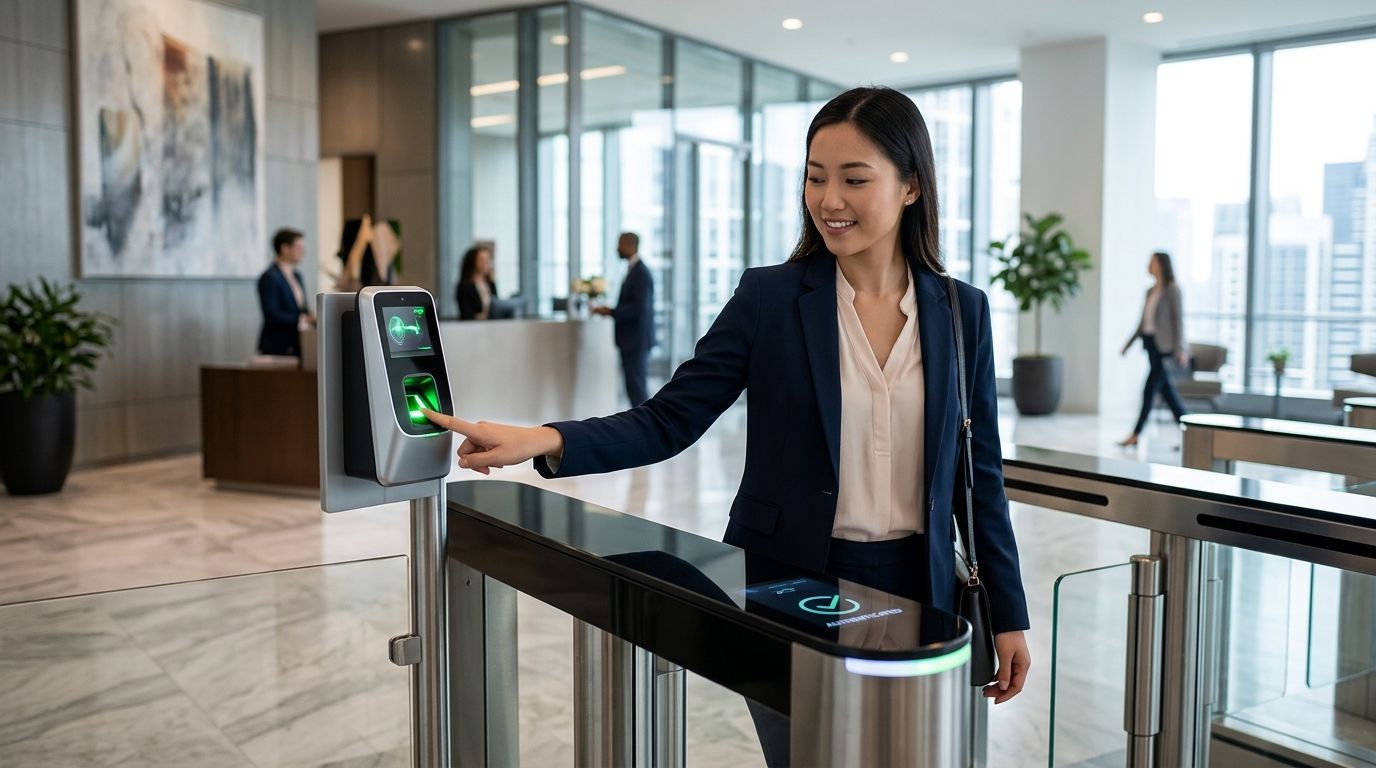
Fingerprint readers are the practical starting point when a business wants biometric verification without moving immediately to more specialized readers. Enrollment is direct, the credential stays with the person, and the system can remove the need to issue a physical card at doors configured for biometric-only entry.
The tradeoff is contact. Dirty sensors, gloves, worn fingerprints, cuts, and inconsistent finger placement can interrupt recognition. A business needs a documented fallback credential and a process for re-enrollment instead of assuming every scan will work on the first attempt.
Best for: Offices and restricted interior rooms where employees can use a contact reader consistently.
Verdict: Buy when controlling project complexity matters more than touchless entry.
Facial recognition: best for touchless entry
Facial recognition verifies a person without requiring contact with a reader. It fits entrances where users need to move through quickly or where gloves make fingerprint readers impractical.
Lighting, reader placement, camera angle, face coverings, and liveness detection affect performance. The enrollment image also needs to be captured under controlled conditions, and the organization must define how biometric templates are stored and removed.
Best for: High-traffic employee entrances and workplaces that require touchless verification.
Verdict: Buy when touchless operation justifies the added camera and software requirements.
Iris or palm recognition: best for restricted security zones
Iris and palm-based systems fit locations where access decisions require a stronger biometric process than a basic office entrance. These modalities usually require specialized readers, deliberate enrollment, and clear positioning at the point of entry.
The downside is operational friction. Employees need instruction, enrollment takes planning, and placement must work for the people using the door. Installing specialized readers across every general office entrance creates complexity without matching the risk at each location.
Best for: Server rooms, records areas, and other restricted zones with a small authorized group.
Verdict: Hold for targeted high-security doors rather than a building-wide default.
Card plus biometric access: best for layered verification
A hybrid system asks the user to present a card, mobile credential, or PIN and then complete biometric verification. This links something the employee has or knows with something tied to the employee.
The benefit is tighter identity verification and a clearer access event. The drawback is that every user must manage another credential, while the business still pays for biometric enrollment and readers. A hybrid design is not the low-complexity option.
Best for: Sensitive rooms where a single credential does not satisfy the security policy.
Verdict: Buy for selected doors that need layered verification; skip it for low-risk entrances.
Biometric options compared
| Option | Main advantage | Main limitation | Best for | Verdict |
|---|---|---|---|---|
| Fingerprint | Direct enrollment and familiar operation | Contact, gloves, and finger condition affect use | Standard offices | Buy |
| Facial recognition | Touchless entry | Lighting, placement, and privacy controls require attention | Busy entrances | Buy when touchless access matters |
| Iris or palm | Specialized verification for restricted areas | More operational complexity | High-security rooms | Hold for targeted use |
| Card plus biometric | Layered identity verification | More credentials and administration | Sensitive doors | Buy selectively |
Do not choose a modality from the reader specification alone. Walk through enrollment, daily entry, failed recognition, visitor access, termination, and emergency release before approving the design. Those workflows determine whether the system remains manageable after the installers leave.
Why biometric access control cost per user varies
- Controlled door count: Readers, locks, request-to-exit devices, door contacts, power, and installation follow the doors rather than the employees. More doors raise the total even if headcount stays unchanged.
- Biometric modality: Fingerprint, facial, iris, palm, and multimodal readers use different hardware and enrollment processes. A mixed system can be appropriate when general entrances and restricted rooms carry different risks.
- Licensing method: Software can be licensed around users, credentials, doors, controllers, locations, or a combination of them. Compare the actual contract unit instead of assuming every platform bills per employee.
- Existing door hardware: Reusing compatible locks, power, controllers, and cabling changes the scope. Doors that fail inspection or lack suitable pathways require additional work before biometric readers can operate correctly.
- Integration scope: Connections to cameras, alarms, visitor management, employee directories, or property software add configuration and testing. Each integration should have a defined purpose and owner.
- Enrollment and administration: Initial enrollment is only the first task. New hires, departing employees, failed scans, name changes, role changes, and credential exceptions create continuing work.
A door-based estimate and a user-based estimate answer different questions. Review both before signing a contract because a low user fee cannot offset an under-scoped installation.
“A low per-user fee cannot offset an under-scoped biometric access control installation.”
What belongs in a complete 2026 quote?
A complete quote should make every major cost category visible. Use this checklist to compare providers on the same scope:
- Site assessment: Every proposed door should be checked for lock type, condition, power, cabling pathways, emergency egress, and surrounding traffic.
- Reader and controller hardware: The quote should identify the biometric modality and whether existing access control components will remain.
- Door work: Electric locking hardware, contacts, request-to-exit devices, power supplies, and related labor should appear separately from the reader.
- Software and hosting: The provider should identify whether charges follow active users, credentials, doors, locations, or another unit.
- Enrollment: The scope should state who enrolls employees, who verifies identity, and how templates are updated or deleted.
- Integration and testing: Camera, alarm, directory, visitor, and reporting connections need defined acceptance tests.
- Training and support: Administrators need procedures for new users, failed recognition, lockouts, emergency access, and employee departures.
This structure lets you compare the first-year project with the ongoing operating obligation in 2026. It also prevents a quote built around readers from omitting door hardware, cabling, or administrative work.
How to calculate an effective per-user figure
Start with the period you want to compare. Use the same period for every provider, and never compare one provider's installation-only figure with another provider's installed and supported figure.
Then follow this process:
- Add the reader, controller, locking hardware, cabling, power, installation, configuration, and training costs.
- Add software, hosting, support, and maintenance charges for the selected comparison period.
- Add enrollment labor and any planned system integrations.
- Subtract nothing unless the quote clearly confirms that existing equipment will remain compatible and supported.
- Divide the resulting total by the number of active users expected during that period.
- Repeat the calculation after changing door count, modality, and licensing assumptions.
The resulting figure is useful for comparing designs, not for replacing the full quote. A growing office should also review what happens when users are added or removed during a billing period and whether inactive biometric records remain chargeable.
What privacy and security questions affect the cost?
Biometric data cannot be replaced like a lost card, so governance belongs in the buying decision. Ask where templates are stored, whether the system retains an image or a mathematical template, who can export data, and how records are deleted after employment ends.
Ask about encryption during storage and transmission, administrator permissions, audit logs, retention controls, and incident response. These requirements affect software selection, configuration, documentation, and staff training.
NIST digital identity guidance uses a false match rate of one in 10,000 or better as a benchmark for biometric comparison in its covered authentication context. Physical access systems have their own design and policy requirements, but that benchmark gives buyers a concrete question to ask: what measured false-match performance does the proposed reader achieve under the conditions at this door?
Is biometric access control cheaper than keycards?
Biometric access control removes the physical credential from biometric-only doors, but it adds specialized readers, enrollment, template management, and privacy controls. Keycards are easier to replace, while biometrics are harder to lend to another person.
The right comparison includes lost credential replacement, administrative time, reader hardware, software, enrollment, and support. Neither option wins on cost in every building.
Do biometric systems charge by user or by door?
Biometric systems can use either model, and a project can include both. Hardware and installation usually follow doors, while software can follow users, credentials, readers, controllers, or locations.
Request a line item for each unit in the 2026 contract. A provider should be able to explain exactly what triggers a new charge.
Can biometrics be added to an existing access control system?
Biometric readers can be added when the existing controllers, wiring, door hardware, and software support the proposed design. Compatibility must be verified before the budget assumes that existing components will stay.
An on-site assessment should also confirm safe egress and fire-alarm behavior. The biometric reader controls identity verification; it must not compromise emergency door operation.
When DBSI fits the project
DBSI is best for Fairfield-area small and mid-sized businesses that need biometric access control considered alongside security cameras, network cabling, and IT services. That combined scope matters when readers share network infrastructure or access events need to connect with video surveillance.
DBSI brings more than 15 years of professional experience to office technology work in the New Jersey area. DBSI biometric access control planning should still include the same honest comparison used for any provider: supported modalities, door scope, licensing units, enrollment, privacy controls, integrations, and support responsibilities.
Plan your access control project
Discuss your doors, users, infrastructure, and security requirements with DBSI.
FAQ
How much does biometric access control cost per user in 2026?
There is no universal flat biometric access control cost per user in 2026. The effective amount depends on readers, controlled doors, installation, software licensing, enrollment, integrations, and support divided across active users.
What is the lowest-complexity biometric option for an office?
Fingerprint access is the lowest-complexity starting point for many offices. It requires contact and a fallback process for gloves, injuries, worn fingerprints, or failed scans.
Is facial recognition better than fingerprint access control?
Facial recognition is better for touchless, high-traffic entry, while fingerprint access is better for a simpler cost-controlled deployment. Lighting, positioning, privacy requirements, gloves, and daily traffic determine the right choice.
Does biometric access control require a recurring software charge?
A biometric system can include recurring software, hosting, support, or credential charges. Confirm whether the contract bills by user, credential, door, controller, site, or another unit.
Can employees share biometric credentials?
Employees cannot hand a fingerprint, face, iris, or palm template to a coworker like a card or fob. The business still needs a controlled fallback method for failed recognition and emergency access.
Can biometric access control work with security cameras?
Biometric access events can be integrated with compatible security camera systems when the platforms support the connection. Define what event is recorded, who can review it, and how long related records remain available.
What should a biometric access control quote include?
A complete quote should include readers, controllers, locks, door contacts, power, cabling, installation, software, enrollment, integration, training, and support. One-time and recurring charges should appear separately.
Is biometric access control right for every office door?
No, biometric access control is best assigned according to risk and workflow. Standard entrances, restricted rooms, visitor doors, and emergency exits can require different credential methods.
One last thing
Do not enroll employees until the deletion process is documented. The overlooked 2026 cost is not capturing the first biometric template; it is managing that template through role changes, recognition failures, employment termination, system replacement, and final deletion.
Treat privacy administration as part of access control rather than a separate paperwork task. That decision produces a more accurate per-user calculation and a system your staff can operate consistently.
Related guides
- Best biometric access control systems for business
- Mobile credential access control for office buildings
- How to install access control in an existing office
Sorry, the comment form is closed at this time.