
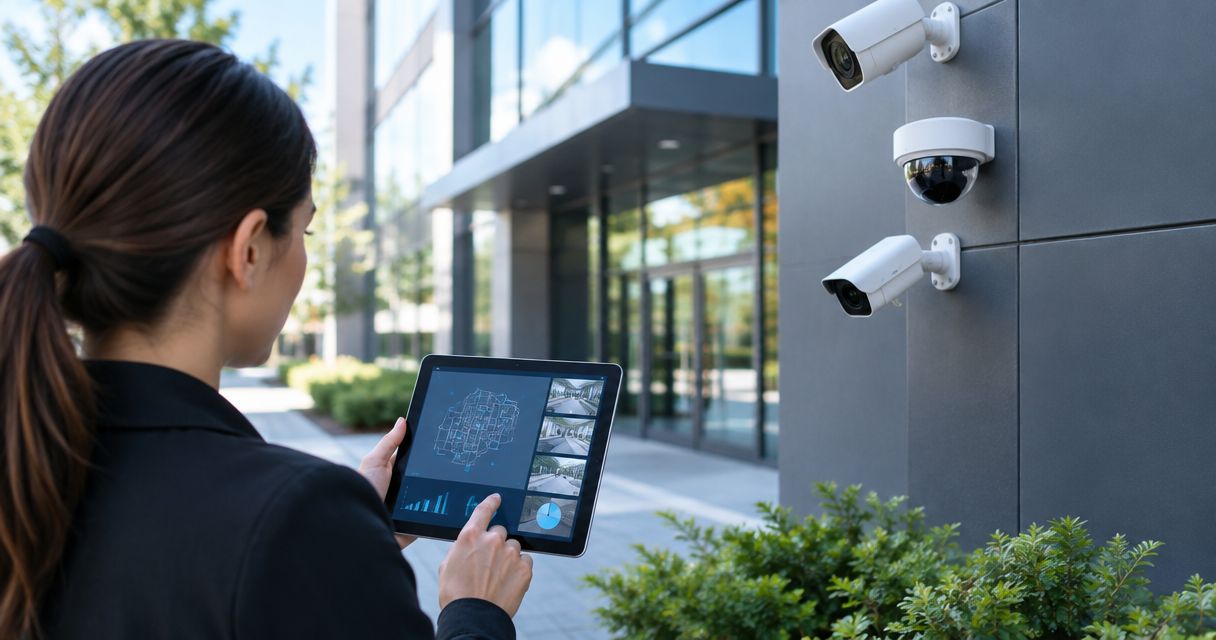
25 Sep Security Cameras for a Building: Count by View (2026)
Choose the number of security cameras for a building by mapping the areas you need to see, then checking what each proposed camera actually shows. In 2026, a floor plan alone cannot give you a reliable count: walls, lighting, entrances and the detail you need from the footage all affect placement.
- How to choose the right number of security cameras for a building: count verified views, not rooms or square footage.
- Map entrances and other priority areas before choosing camera positions; check for blocked views and poor lighting.
- DBSI is best for Fairfield-area businesses that need camera placement coordinated with installation and network cabling.
- A camera count is final only after you check the proposed views on site.
Why this matters
Too few cameras leave gaps. Too many views of the same low-priority area add footage without answering a useful security question. Your goal is to see the activity that matters: who entered, where they went and what happened at a specific point.
Start with the building's access points and the incidents you need to investigate. Then use a commercial camera placement plan to turn those priorities into actual views. The useful unit of planning is a verified view, not a camera on a floor plan.
How do you choose the right number of security cameras for a building?
Work from coverage requirements to camera positions. Do not start with a package size or assume that every room needs its own device.
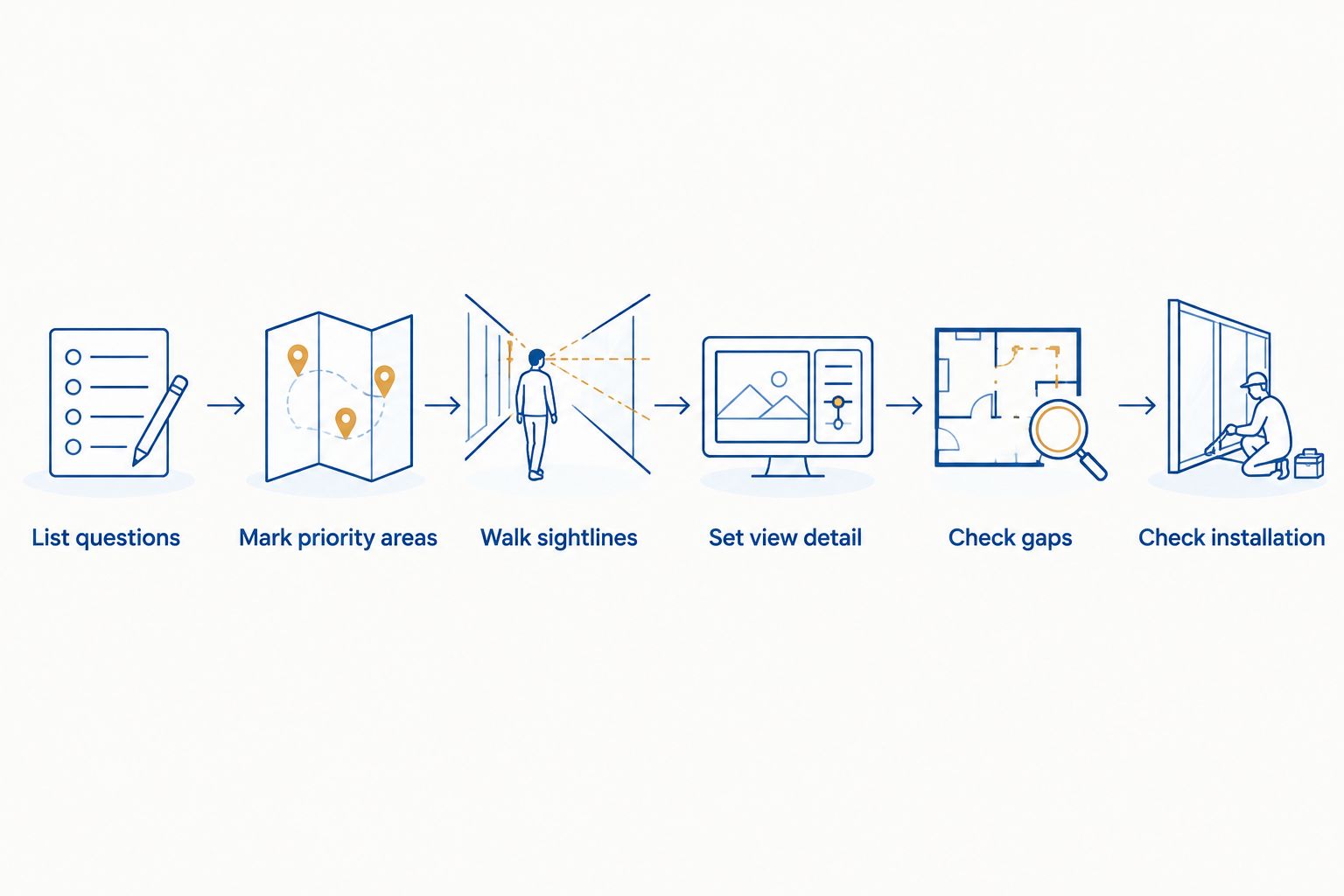
- List the questions footage must answer. At an entrance, you might need to see who came in. At a receiving door, you might need to see the handoff. Write down the purpose of each view before choosing its location.
- Mark priority areas on a floor plan. Include public entrances, staff entrances, loading points, shared corridors, parking access and any area tied to a specific security concern. Keep private spaces out of the proposed coverage.
- Walk each proposed sightline. Stand where a camera would go and look for walls, shelves, door swings, columns, landscaping or vehicles that block the activity you need to see. Repeat the check under the lighting conditions in which the view matters.
- Decide what detail each view needs. Seeing movement across a parking area is a different task from seeing a person at a doorway. State the task clearly so a broad overview is not mistaken for a useful close view.
- Remove duplication and fill gaps. Compare the proposed views side by side. Keep overlap where it helps follow movement between areas; remove views that repeat the same scene without adding useful detail.
- Check the installation plan. Confirm where cabling, network connections, power and recording equipment will go. A position that looks good on paper still needs a workable installation and a view you can verify on site.
DBSI is best for small and mid-sized businesses around Fairfield, New Jersey, that need security-camera installation planned alongside network cabling. That fit matters when camera positions and cable routes need to be decided together. DBSI's stated services do not, by themselves, establish the right count for your building; a site-specific coverage check does.
A useful test is to describe each camera in a sentence: this view shows this activity at this location. If you cannot finish that sentence, the camera has no clear job yet. If several important activities depend on one obstructed view, the plan needs another position or a different angle.
Which building areas need separate camera views?
Treat the table as a coverage checklist, not a rule that assigns one camera to every row. Your building might not have every area listed, and one well-positioned view can cover more than one nearby activity if the required detail remains clear.
| Area or view | Best for | What it does well | What it misses or complicates |
|---|---|---|---|
| Entrance view | Seeing arrivals and departures at a specific door | Gives a clear place to check when access is in question | A door swing, glare or an obstructed approach can hide the moment that matters |
| Corridor view | Following movement between shared areas | Shows direction of travel beyond an entrance | It does not replace a close view where identity or a handoff matters |
| Receiving view | Reviewing activity at a loading or delivery point | Focuses on a defined work area | Stacked materials and vehicles can block the scene |
| Parking overview | Seeing movement across an outdoor area | Provides context across a wider space | Distant activity might lack the detail needed for your purpose |
| Interior priority-area view | Watching a specific shared asset or access point | Keeps the camera's purpose narrow | Poor placement can capture unrelated activity while missing the target |
For a building with multiple doors, mark each door separately before deciding whether nearby approaches can share a view. Do the same for loading points and corridors. Shared coverage is useful only when the recorded image still answers the question assigned to each location.
You also need to distinguish an overview from a detail view. An overview helps you understand movement across a space; a closer view helps you inspect activity at a particular point. Neither is automatically better. Choose based on the event you expect staff to review, and check that the proposed image serves that purpose.
Why the camera count varies
These factors change how many distinct views a building needs. Review them after you mark priority areas, not as substitutes for the site walk.
- Entrances and routes: Separate doors and approaches create separate questions about who came and went. A corridor view helps connect those events but does not necessarily show a useful image at each doorway.
- Obstructions: Walls, shelving, columns, landscaping and parked vehicles can split what looks like one open area on a plan into several limited sightlines.
- Required detail: A wide scene gives context; a focused scene shows activity at a particular point. Requiring both can change the placement plan.
- Lighting: Check bright windows, shadows and the conditions under which the area will be used. A position that works during a daytime walk-through is not automatically useful after dark.
- Privacy and access: Keep cameras aimed at legitimate security areas, not restrooms or changing spaces. Decide who needs access to footage before expanding coverage.
- Cabling and recording: The selected positions need connections and a recording plan that support the footage you intend to use. If the infrastructure plan changes, check the views again rather than silently cutting a priority area.
A useful 2026 review question for every proposed camera is: what would we lose if this view were removed? Keep the view if the answer names a distinct security need. If another view answers the same question just as clearly, reconsider the duplicate.
How do you check a proposed camera count before installation?
Ask for a placement plan that labels each proposed view by purpose. A mark on a drawing shows where equipment might go; it does not prove what the footage will capture. Walk the site with that plan and inspect the view from each proposed position.
At every position, check the approach to the area, not just the spot directly underneath it. Watch what happens when a door opens, a vehicle stops or a temporary obstruction appears. For outdoor positions, check whether the view still serves its purpose under the lighting conditions relevant to your business. Write down any gap you find and either change the angle, change the position or add a distinct view.
Then check the sequence between cameras. If someone leaves an entrance view, can you tell which way they went? Continuous coverage everywhere is not the goal; enough context to follow the events you care about is. Identify where a handoff between views matters and where it does not.
Finally, review what footage the business will keep and who will review it. More cameras mean more recorded views to manage. Set the recording and access requirements before calling the placement plan finished; otherwise, a technically visible area can still produce footage that is difficult to use.
Should you count cameras by square footage?
No. Square footage does not tell you where the doors, walls, priority areas or obstructions are. Buildings of the same size can require different views because their layouts and security questions differ.
Use floor area to understand the site's scale, then make decisions location by location. In 2026, a count based only on building size is still missing the information that makes footage useful: the purpose and quality of each view.
Can one camera cover more than one entrance?
Yes, if the verified view shows the activity you need at both entrances. Do not assume that seeing both doors in a wide image means you can inspect an event at either one. Check distance, angle, obstructions and lighting at each entrance independently.
If you need different detail at each door, plan separate views. If a shared view answers both questions clearly, avoid adding a second camera just to match the number of entrances.
When should you add another camera?
Add another camera when a priority event remains blocked, too distant or outside the useful view after you adjust placement. Do not add one merely because an area looks empty on the drawing. Tie the addition to a specific gap, then verify that the new position closes it.
The same rule applies after furniture, storage or traffic patterns change. Recheck the affected sightline before buying more equipment; a repositioned view can solve a placement problem without increasing the count.
FAQ
How do I know how many security cameras my building needs?
List the security questions each area must answer, map the required views and verify them on site. The count is the number of distinct, useful camera positions left after you remove duplication and close priority gaps.
Is one security camera enough for a small office?
One camera is enough only if its verified view covers every security task assigned to it. An office with separate entrances or obstructed priority areas needs those views assessed separately.
Should every entrance have its own security camera?
Not automatically. A shared view works when footage from each entrance has the detail you need; otherwise, plan separate views.
Do security cameras need to cover every hallway?
No. Cover a hallway when it helps answer a defined security question, such as which route someone took from an entrance. Check whether the proposed view adds information you cannot get elsewhere.
Can a parking lot overview replace a camera at a door?
A parking overview does not automatically replace a door view. It shows context across the area, while a door view can focus on activity at the entrance; choose according to what you need to inspect.
What changes a camera count after installation?
A changed layout, blocked sightline or new security priority can change the count. Check whether adjusting an existing camera restores the needed view before adding equipment.
How should I plan security cameras for a building in 2026?
Start with priority areas and the footage you need from each one. Verify angles, lighting, privacy boundaries and installation routes before approving the 2026 placement plan.
One last thing
Before approving a 2026 camera plan, ask to see the purpose beside every proposed view. A list of locations tells you where cameras will sit; a list of purposes tells you whether they belong there. For Fairfield-area businesses planning cameras and cabling together, DBSI is a relevant installation provider, but the site walk decides the count.
Related guides
- Security cameras for multi-tenant office buildings
- How to choose commercial security cameras
- How to install commercial security cameras in an existing building
- How to store and manage security camera footage
Sorry, the comment form is closed at this time.