

18 Sep Cloud Video Storage for Cameras: Worth It in 2026?
Cloud video storage is worth it in 2026 for businesses running more than one location, managers who need to check footage from a phone, or industries with compliance rules that require footage kept longer than 30 days. For a single-site shop with a DVR already recording locally, a cloud subscription is usually money spent on redundancy that isn't needed yet. The catch most owners skip past: cloud plans bill per camera per month, so a warehouse running a dozen cameras pays multiples of what a small office with three or four pays, and footage still needs a local buffer for the hours the internet connection is down.
- Cloud video storage is worth it for security cameras in 2026 mainly for multi-location businesses and remote monitoring needs.
- A single site with a working DVR usually doesn’t need a cloud subscription layered on top.
- Cloud plans bill per camera per month; local NVR/DVR storage is a one-time hardware cost.
- Hybrid systems back footage up to the cloud while still recording locally, covering internet outages.
- Camera count and required retention length drive the real cost gap more than the storage type itself.
Why this matters
Most businesses buying security cameras in 2026 default to whatever the installer quotes first, cloud or local, without weighing what they actually need. That decision sets a recurring cost or a hardware liability for years. Get it wrong and you're either paying monthly for footage you never pull up, or you're stuck with a DVR that gets stolen along with the register.
The right answer depends on how many cameras you're running, how many sites you manage, and whether an industry rule dictates how long you have to keep footage. PoE security cameras simplify the wiring question regardless of where the footage ends up, but storage is a separate decision from the cameras themselves.
Is cloud video storage worth it for your security cameras?
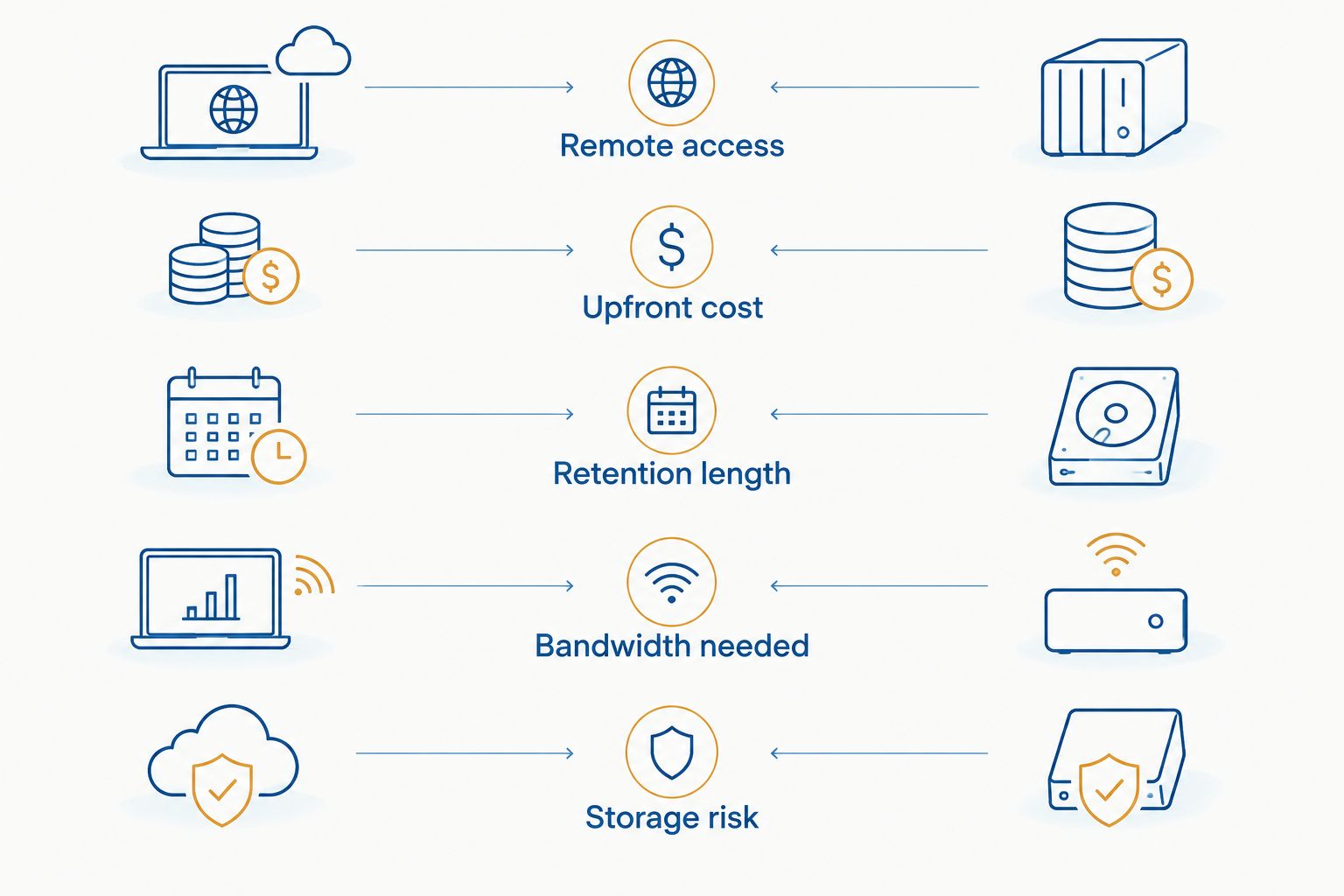
Here's the direct comparison, factor by factor:
| Factor | Cloud Storage | Local Storage (NVR/DVR) |
|---|---|---|
| Remote access | View footage from any phone or laptop, anywhere | Limited to the on-site network unless remote access is configured |
| Upfront cost | Low hardware cost, ongoing per-camera subscription | Higher hardware cost, no recurring fee |
| Retention length | Set by the plan, extendable for compliance needs | Set by hard drive size; cheaper to extend with bigger drives |
| Storage risk | Footage stays safe if cameras or the office are damaged | Footage is lost if the DVR/NVR is stolen, damaged, or flooded |
| Bandwidth needed | Continuous upload load on the internet connection | Minimal bandwidth; only viewing needs internet |
| Multi-site management | Single dashboard across every location | Separate login per site unless integrated manually |
The pattern is consistent: cloud wins on access and resilience, local wins on cost per camera when you're only running a handful. Businesses managing multiple addresses lean cloud almost every time, because logging into six separate DVRs to pull one clip is a waste of a manager's afternoon.
When cloud storage is worth it
- Multiple locations under one manager — checking three storefronts from one login beats driving to each DVR.
- Compliance-driven retention — some industries require footage kept well past 30 days, and cloud plans extend that without buying new drives.
- High theft or vandalism risk — if the site itself gets broken into, footage stored off-site survives even if the recorder doesn't.
- Remote or hybrid management teams — owners who aren't on-site daily in 2026 need footage they can pull up from a phone.
When local storage still wins
- A single site with low camera count — three or four cameras on a DVR that already works doesn't need a monthly bill added on top.
- Limited or unreliable internet — continuous upload traffic competes with everyday business bandwidth; a slow connection makes cloud recording unreliable.
- Long retention on a tight budget — a bigger hard drive is a one-time cost; extending cloud retention is a recurring one.
- No compliance requirement forcing off-site storage — if nothing in your industry dictates where footage lives, local is the cheaper default.
Hybrid storage: the middle ground
Most businesses don't need to pick one storage type and live with it forever. A hybrid setup records locally to an NVR and pushes a backup copy to the cloud, so footage survives a stolen recorder without the full bandwidth load of cloud-only recording. DBSI configures systems that automatically back up security camera footage to the cloud on a schedule rather than streaming everything live, which keeps the internet connection free for day-to-day work.
“If the internet goes down for six hours, cloud-only cameras record nothing until service comes back.”
That single fact is why most security integrators in 2026 recommend hybrid over cloud-only for anything beyond a small office. Local recording keeps working through an outage; the cloud copy just catches up once the connection returns.
Why the value of cloud storage varies
The worth-it math changes based on a handful of factors specific to your business:
- Camera count — cost scales per camera, so the math tips toward local the more cameras you add.
- Retention length required — longer retention windows favor cloud once local drive costs start climbing.
- Number of locations — a single site rarely justifies cloud; three or more sites almost always does.
- Internet bandwidth headroom — a connection already maxed out by phones and workstations makes cloud recording unreliable.
- Compliance rules — some industries mandate off-site or extended retention, which removes local-only as an option entirely.
- Existing hardware investment — a working DVR that still has life left changes the payback math for switching to cloud.
Before adding a cloud plan, it's worth checking what cloud video storage actually costs per camera against your camera count rather than guessing at the monthly total.
How long should security camera footage be stored?
Retention length depends on the industry and the incident type you're protecting against, not a single universal number. Retail and general office use commonly targets 30 days as a baseline, while regulated industries or high-liability sites often need longer. Check how to store and manage security camera footage for compliance before setting a retention window, since the wrong length can leave a gap right when you need the clip.
Does cloud storage need a good internet connection?
Yes, cloud storage needs consistent upload bandwidth, since every camera is sending a continuous video stream rather than writing to a drive on-site. A connection already strained by daily business traffic in 2026 will drop frames or lag on live viewing before it ever shows up as a bill problem. This is the main reason hybrid setups exist: local recording keeps working regardless of what the internet connection is doing.
Can you combine cloud and local storage on the same system?
Yes, most modern NVR and camera systems support recording locally while syncing a backup copy to the cloud on a schedule. This gives you the cost profile of local storage with the disaster protection of cloud, without paying for full-time cloud bandwidth on every camera. It's the setup DBSI recommends for most commercial sites outside of true multi-location operations that need live remote dashboards, including options covered under best remote monitoring security camera systems for business.
Talk to a camera storage specialist
DBSI designs hybrid cloud and on-site systems for New Jersey businesses.
FAQ
Is cloud video storage worth it for a small business in 2026?
It depends on camera count and site count. A single small office with a working DVR usually doesn’t need cloud storage in 2026, while a business managing multiple locations almost always benefits from it.
How long does cloud video storage keep footage?
Retention length is set by the plan and can typically be extended for compliance needs. Local storage retention instead depends on the hard drive size installed in the NVR or DVR.
Does cloud storage cost more than local storage over time?
Cloud storage carries a recurring per-camera fee, while local storage is a one-time hardware cost with no ongoing bill. Over several years, a high camera count tends to favor local storage on cost alone.
What happens if the internet goes down with cloud cameras?
Cloud-only cameras stop recording until the connection returns, leaving a gap in footage. A hybrid setup avoids this by recording locally first and syncing to the cloud once the connection is back.
Can I switch from local storage to cloud storage without replacing cameras?
In many cases yes, if the existing cameras support cloud upload or connect through a compatible NVR. Older analog systems usually need a hardware upgrade first.
Is cloud storage more secure than a DVR on-site?
Cloud storage protects footage from theft or damage at the physical site, since the copy lives off-site. A DVR on-site is only as secure as the room it sits in.
Do I need cloud storage for compliance requirements?
Only if your industry’s rules specifically require off-site or extended retention. Businesses without a compliance mandate can often meet their needs with local storage and a longer retention drive.
One last thing
The businesses that regret their storage choice almost never regret picking cloud or local outright, they regret picking one and never revisiting it as the camera count grew. A four-camera office that becomes a twelve-camera warehouse in two years has a very different cost equation than the one it started with, and 2026 pricing on either option keeps shifting as camera counts change. Check the math again before renewing any contract, not just when installing new cameras.
Related guides
- Automatically back up security camera footage to the cloud
- Best remote monitoring security camera systems for business
Sorry, the comment form is closed at this time.