
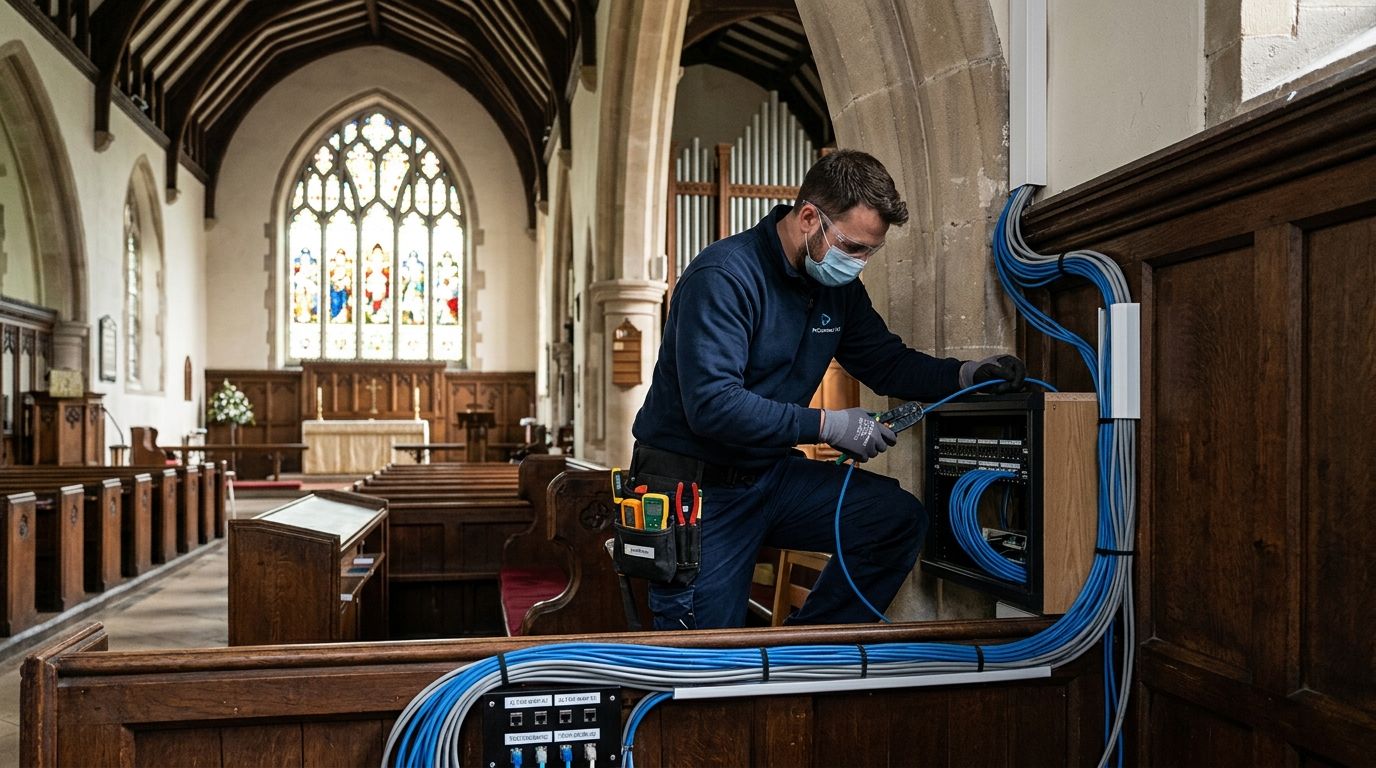
09 Sep Structured Cabling for Churches: Complete 2026 Guide
Structured cabling installation for churches runs Cat6 or Cat6A network cable, patch panels, and a wiring closet through the sanctuary, offices, and fellowship hall so phones, WiFi, security cameras, and AV all sit on one network instead of a patchwork of extension cords and consumer routers. A church's cabling job looks different from a standard office build: high sanctuary ceilings, a volunteer-run AV booth, seasonal traffic spikes on Easter and Christmas, and a security camera need that covers a children's ministry wing as much as a parking lot.
- Structured cabling installation for churches runs Cat6A through the sanctuary, offices, and children’s ministry wing on one certified network.
- Cat6A outperforms Cat6 in 2026 for churches streaming services or running more than four security cameras.
- Every cable run needs certification testing before a church trusts it for Sunday morning livestreaming.
- DBSI has handled structured cabling, phones, and cameras for New Jersey organizations for over 15 years.
Why structured cabling matters for churches
A sanctuary is not a conference room. Ceilings run 20 to 40 feet, AV equipment sits far from the network closet, and most churches only have paid staff on-site a few days a week, with volunteers running sound and cameras on Sunday morning. That combination punishes weak wiring fast: a dropped WiFi signal during a livestream, a security camera that lags on playback, or a phone system that cuts out mid-call to a grieving family.
Churches also run two different traffic patterns in the same building. Weekday office use is light – a few staff phones, email, bulletin printing. Sunday morning is the opposite: livestream upload, wireless mics, a lobby full of guest devices on WiFi, and camera feeds recording at the same time. Structured cabling installation for churches has to handle both loads on one backbone without a redesign every few years.
Security adds a layer specific to churches. Children's ministry check-in, parking lot cameras, and access control on nursery doors all depend on the same cabling plan. A business phone systems for churches and religious organizations rollout and a camera install both fail if the underlying cable cannot carry Power over Ethernet reliably.
Assess your current cabling and network needs
Start with an honest inventory before running a single cable. Most churches inherit wiring from decades of piecemeal AV and phone upgrades, and nobody on staff knows what is actually behind the walls.
- Walk the sanctuary, fellowship hall, offices, and classroom wings, noting where cameras, access points, and phones will sit
- Check existing cable category and age – Cat5 from the 1990s will not carry gigabit speeds or PoE cameras reliably
- Count planned devices: wireless access points, cameras, phones, AV encoders, digital signage
- Confirm where the internet connection enters the building and where a central network closet can live
- Flag planned expansion – a second building, a gym, a new children's wing – before wiring the first pass
Choose the right cable category for worship and office spaces
Cable category sets speed, distance, and how many PoE devices one closet switch can power before it runs out of budget.
- Cat6 carries gigabit speeds up to 328 feet and covers most office and classroom runs at lower material cost
- Cat6A supports 10-gigabit speeds with less interference on long runs – the better call for sanctuaries with multiple cameras, several access points, and a video encoder on one switch
- Fiber optic backbone cabling connects separate buildings on a campus, like a fellowship hall or gym set apart from the sanctuary
- Never mix categories on one run – a Cat6A device on Cat5e cable drops to the lower spec
For churches planning four or more wireless access points, multiple cameras, or 4K livestream encoding, Cat6A cabling for high-speed business networks is worth the extra material cost over standard Cat6 in 2026.
Plan pathways for sanctuary, fellowship hall, and offices
Pathway planning prevents the mid-project surprise of needing conduit through a load-bearing wall or a stained-glass window frame.
- Route cable through attic space or above drop ceilings in the sanctuary instead of through finished plaster
- Use conduit for exposed runs in a fellowship hall or gym where folding tables and stored equipment do damage
- Put the patch location somewhere climate-controlled – a hot attic or damp basement shortens equipment life
- Leave access points for future runs; a fully sealed wall gets torn open again at the next AV upgrade
- Coordinate with any electrical or HVAC work happening the same season
Wire for AV, security cameras, and WiFi at the same time
Running each system separately means three visits, three invoices, and three contractors blaming each other when something breaks. One structured cabling pass covers all of it.
- Drop PoE runs to every planned camera location, including entrances, parking lots, and children's ministry hallways
- Place access points for full sanctuary and lobby coverage, sized for Sunday guest device volume
- Run dedicated cable to the AV booth for soundboard, video switcher, and streaming encoder
- Include phone drops at every staff desk and any shared volunteer workspace
- Leave spare runs 10 to 20% above current device count so growth does not mean opening walls again
This is where a specialized crew earns its keep. DBSI handles phone, camera, WiFi, and AV cabling in one visit, which removes the vendor coordination problem entirely.
Test and certify every cable run
Untested cable is a guess, not a network. Certification confirms each run meets the category spec it was purchased for, before staff and volunteers depend on it.
- Test wire mapping, length, and attenuation on every run, not a sample
- Certify to the Cat6 or Cat6A standard the cable is rated for
- Document results per run, matching the cabinet labeling scheme
- Re-test after any renovation or wall work that could have nicked a cable
- Keep certification records on file for insurance and future contractors
How to test and certify structured cabling installations explains what a certification report should actually show.
Label and organize your network cabinet
An unlabeled network closet is why a five-minute fix becomes a two-hour outage during Sunday service.
- Label both ends of every cable with a matching ID scheme
- Group patch panel ports by area – sanctuary, offices, children's wing – not by whichever port was free
- Mount switches and patch panels in a rack, never stacked loose on a shelf
- Keep a printed cabinet map beside the rack for volunteers and substitute staff
- Lock the closet – church buildings see heavy foot traffic from groups and renters
Plan for future growth and holiday peaks
Churches add ministries, buildings, and equipment more often than a typical small business, and cabling sized for today's headcount runs out fast.
- Budget spare patch panel ports for at least one more camera zone and one more access point
- Size conduit for an added fiber run if a second building joins the campus
- Revisit capacity whenever attendance or campus size changes materially
- Talk to whoever runs livestream before finalizing port count – streaming needs grow faster than anything else
Comparison: cabling options for churches
| Option | Best for | Key limitation |
|---|---|---|
| Volunteer or staff DIY wiring | Very small congregations with a technical volunteer | No certification, no workmanship guarantee |
| General low-voltage contractor | A one-time AV or phone wiring job | Often unfamiliar with PoE camera load and WiFi coverage planning |
| Church AV integrator | Sanctuary sound and video systems | Frequently subcontracts data cabling rather than doing it directly |
| DBSI structured cabling installation | Churches running phones, cameras, WiFi, and AV on one network | Needs a site walk to scope multi-building or phased projects |
Verdict: a church running phones, security cameras, WiFi, and AV in one building is better served by a single structured cabling installation than by separate vendors for each system.
Get your church cabling scoped right
One visit covers phone, camera, WiFi, and AV cabling for your building.
Common mistakes churches make
- Wiring the sanctuary and forgetting entrances and parking lots – the security gap lands exactly where visitors and children move unsupervised
- Reusing decades-old Cat5 to protect the budget – it cannot carry PoE loads for modern cameras or handle gigabit WiFi traffic
- Skipping certification testing to save a day – an unverified run fails quietly, usually during a livestream or a holiday service
- Under-sizing WiFi for guest devices – a packed sanctuary on Easter overwhelms an access point sized for a normal weekend
- Treating cabling as one-and-done – a new children's wing means retrofitting cable that should have carried spare capacity from day one
FAQ
What cable category should a church use for structured cabling?
Cat6A is the better choice in 2026 for churches running multiple security cameras, several wireless access points, or livestream equipment on one network. Cat6 still works for smaller offices and classroom wings with lighter device loads.
How much does structured cabling installation for churches cost?
Cost depends on building size, cable category, and how many device drops the sanctuary, offices, and additional wings need. Ask for a site walk-through rather than estimating from square footage.
Can one contractor handle phone, camera, and WiFi cabling together?
Yes. One structured cabling pass for all systems avoids the coordination problems of separate vendors for phones, cameras, and WiFi. DBSI runs all three in a single visit.
Does a church need fiber optic cabling?
Only when the campus has more than one building, such as a fellowship hall, gym, or school separate from the sanctuary. A single-building church rarely needs fiber for internal runs.
How long does structured cabling installation take for a church?
Timeline depends on building size and whether cable runs through open attic space or requires new conduit. A site walk-through gives an accurate schedule before work starts.
What happens if cabling is not certified after installation?
Uncertified cable may carry a signal today and fail under load later, often during high-traffic events like Easter or Christmas. Certification testing catches wiring, length, and interference faults before they become outages.
Do volunteers need training after new cabling goes in?
A labeled cabinet and a printed cabinet map let volunteer AV teams troubleshoot basic issues without calling a technician. Network changes should still route through whoever manages the system.
One last thing
Church cabling rarely fails on a quiet Tuesday. It fails on Easter Sunday, when the sanctuary is full, three cameras are recording, and WiFi is carrying triple the normal device count. Structured cabling installation for churches planned for that peak, not the average Sunday, is the difference between a clean livestream and a support call during the sermon. DBSI has installed phone systems, network cabling, and security cameras for small and mid-sized organizations across New Jersey for over 15 years, and the same planning that keeps a business up and running 24/7 applies directly to a sanctuary packed on a holiday weekend in 2026.
Related guides
- Security cameras for churches
- IT support for churches and religious organizations
- How to plan network cabling for a new office space
Sorry, the comment form is closed at this time.