
10 Sep Structured Cabling for Insurance Agencies: 2026 Guide
Structured cabling installation for insurance agencies is the process of running certified Cat6 or Cat6A network cable, dedicated voice lines, and separate security camera runs so agents can work carrier portals, VoIP phones, and client files without dropped connections. An insurance office runs on phone calls and web-based systems at the same time, all day, every renewal season — the cabling plan has to hold up under that load in ways a typical retail or restaurant buildout doesn't.
- Cat6A is the right baseline for insurance agencies running VoIP, cloud policy systems, and security cameras on one network in 2026.
- Separate voice, data, and camera runs prevent the call-quality problems that show up during high-volume renewal periods.
- Skipping cable testing and certification is the single biggest cause of intermittent VoIP drops in agency offices.
- DBSI installs and certifies structured cabling for New Jersey insurance agencies, with technicians bringing over 15 years of professional experience to each job.
Why structured cabling matters for insurance agencies
An agency with six producers on the phone at once, each pulling quotes from a carrier portal while a client waits on hold, has zero tolerance for a flaky network closet. IT support for insurance agencies starts with the physical cabling — software fixes don't matter if the wire underneath can't carry the load.
Most agencies operate out of leased office space that was cabled for a prior tenant, often a decade or more ago with Cat5e or worse. That legacy wiring wasn't built for cloud-based agency management systems, multi-line VoIP, or PoE security cameras running on the same closet. Structured cabling installation in 2026 means planning for all three on one backbone, not patching around whatever is already in the walls.
Insurance work is also seasonal in bursts — open enrollment, renewal cycles, storm-related claims spikes — and those are exactly the moments an agency can least afford a network slowdown. A cabling plan built for average-day traffic fails on the worst day of the year, which is usually the day that matters most.
How to plan structured cabling installation for insurance agencies
Audit your current cabling and call volume first
Before anything gets pulled, know what's already there and what it's actually supporting. Most agencies discover their existing cable can't be identified, let alone trusted, once someone opens the closet.
- Walk the office and count every active data drop, phone jack, and camera location
- Check cable jacket markings for category rating (Cat5e, Cat6, Cat6A) — no markings usually means unknown, aging cable
- Count concurrent phone lines used during a normal renewal week, not a slow Tuesday
- Note any dead spots where agents currently use cell phones instead of desk lines
- List every device that will need a wired drop: workstations, VoIP phones, printers, cameras, Wi-Fi access points
Choose Cat6 or Cat6A based on what you're actually running
Cat6 handles 10 Gbps up to 55 meters; Cat6A holds 10 Gbps up to 100 meters and handles more electrical interference in shared conduit runs. An agency running VoIP, cloud policy management, and PoE cameras on one backbone benefits from the longer, more stable run Cat6A provides.
- Run Cat6A to any closet more than 55 meters from the main equipment rack
- Use Cat6A wherever data cable shares conduit with electrical or camera runs
- Cat6 is acceptable for short, isolated workstation drops under 50 meters with no interference sources nearby
- Budget for one spare drop per workstation location — adding agents later is cheaper with cable already in the wall
- A structured cabling specialist can spec category and count in a single site walk; agencies doing this without help usually under-provision by a third
Separate voice, data, and camera runs
Running phone, data, and camera cable through the same bundle without separation is the most common cause of crosstalk and call-quality complaints in small offices.
- Keep voice and data cable in separate bundles even when they share a conduit path
- Route camera cable on its own PoE run, away from high-voltage lines
- Label each cable type at both ends the day it's installed, not after the fact
- Terminate voice and data on separate patch panels in the rack, even if it's a small office
- If the agency runs a hosted VoIP platform, confirm the cabling plan matches the vendor's PoE and bandwidth requirements before pulling a single cable
Plan a wired backbone before layering in Wi-Fi
Wi-Fi is not a substitute for structured cabling in an insurance office — access points still need wired uplinks, and every desk phone and workstation should have a hardwired option as backup.
- Hardwire every workstation and VoIP phone as the primary connection, not Wi-Fi
- Run cable to planned access point locations even if Wi-Fi rollout happens later
- Reserve at least one spare drop per conference room for guest presentations or carrier video calls
- Plan for one access point per roughly 1,000-1,500 square feet of open office space as a starting point, adjusted for wall density
Build in redundancy for phone and claims-system uptime
A dropped call during a renewal conversation or a claims intake is a lost client relationship, not just an inconvenience. Redundant paths for critical drops cost little at install time and a lot to retrofit later.
- Run a second cable path to the front desk and any dedicated claims-intake workstation
- Pair cabling redundancy with a backup internet connection so a single ISP outage doesn't take phones down with it
- Confirm the business phone systems for insurance agencies setup can fail over to cell or a secondary line automatically, not manually
- Test failover once at install, not just on paper
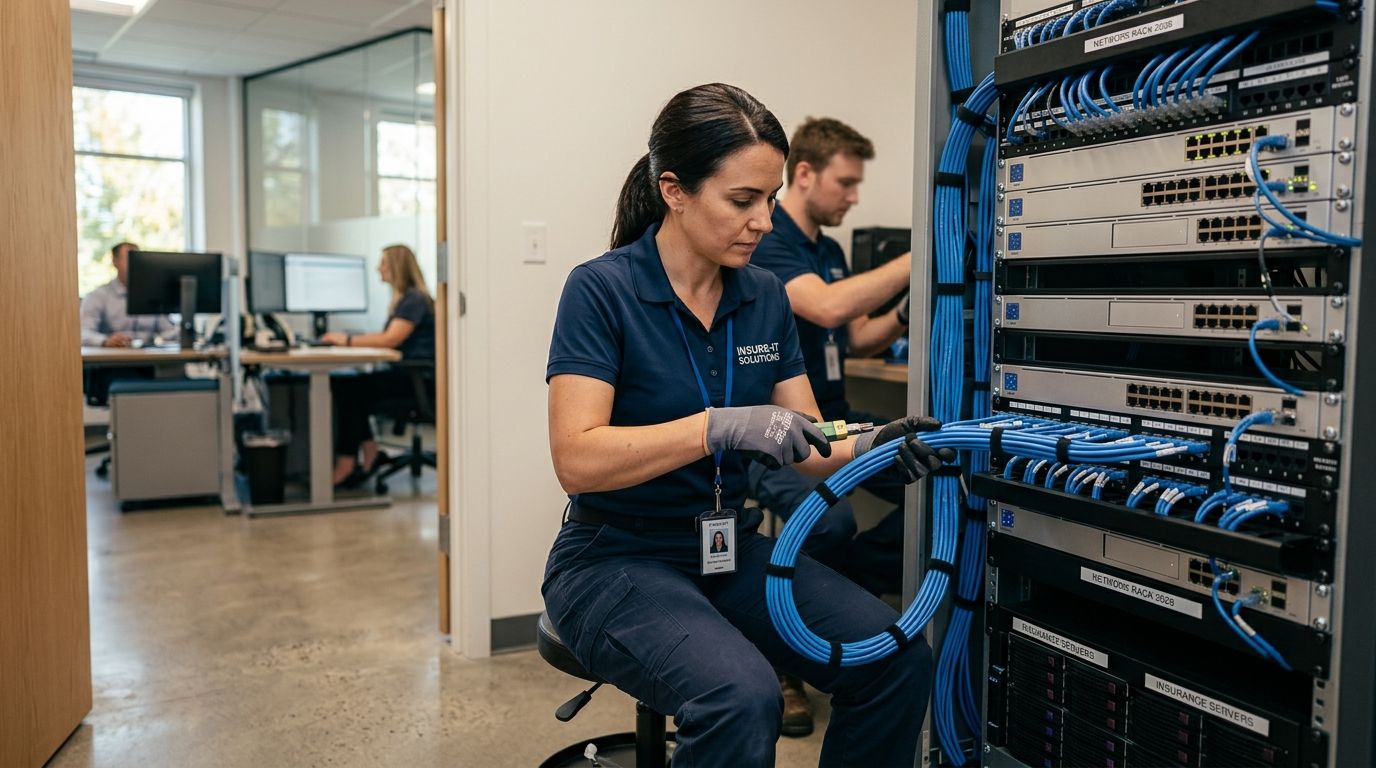
Rack and organize the equipment closet
A disorganized rack turns a five-minute fix into a half-day troubleshooting job during a busy week — and busy weeks are when agencies can least afford downtime.
- Mount a dedicated rack or enclosed cabinet instead of loose equipment on a shelf
- Group patch panels by function: voice, data, camera
- Leave rack space for growth — agencies that add producers outgrow a bare-minimum closet fast
- Label every port on both the patch panel and the switch, matched to the room map
Test and certify every run before go-live
Installed cable that hasn't been tested is a guess, not a network. Certification confirms every run meets category spec before agents start relying on it for client calls.
- Test every drop for wire mapping, length, and attenuation before terminating desks
- Keep certification reports on file — useful for warranty claims and future troubleshooting
- Retest after any office reconfiguration or furniture move that disturbs cable runs
- Don't accept a cabling job as complete without a certification report in hand
Structured cabling options for insurance agencies compared
| Option | Best for | Key limitation |
|---|---|---|
| DIY cabling | A one-room office with no phone system integration | No certification, high risk of crosstalk and code issues — Skip for anything beyond a single workstation |
| General low-voltage contractor | Basic data drops with no voice or camera coordination | Rarely plans voice/data separation or PoE camera loads together — Hold unless the job is small and isolated |
| IT generalist / MSP | Ongoing support after cabling is already in place | Cabling is usually subcontracted, adding a layer and cost — Hold for cabling-only projects |
| Structured cabling specialist | Full-office installs with VoIP, cameras, and growth planning in one plan | Requires scheduling a site walk before quoting — Buy for any multi-room agency office |
Common mistakes insurance agencies make with cabling installs
- Treating cabling as a one-time cost with no growth buffer — agencies that add two or three producers a year outgrow a bare-minimum cable count within 18 months
- Skipping voice/data separation — the crosstalk shows up as static or dropped calls exactly when call volume is highest
- Using non-plenum cable in ceiling return-air spaces — a fire code violation that gets flagged during any inspection or lease renewal
- No labeling or documentation — a claims-week outage turns into an hours-long troubleshooting job instead of a five-minute fix
- Skipping certification to save time — the agency finds out the cable fails spec only after client calls start dropping
Get your agency’s cabling assessed
A site walk shows exactly what your office needs before any cable gets pulled.
FAQ
What is structured cabling installation for insurance agencies?
It’s the process of running certified Cat6 or Cat6A cable, dedicated voice lines, and separate camera runs to support an agency’s phones, cloud systems, and security cameras on one network. A proper install separates voice, data, and camera traffic so renewal-season call volume doesn’t cause dropouts.
Do insurance agencies need Cat6 or Cat6A cabling?
Cat6A is the safer baseline for 2026 because it holds 10 Gbps out to 100 meters versus 55 meters for Cat6 and handles interference better in shared conduit. Agencies running VoIP, cloud policy management, and PoE cameras together benefit most from Cat6A.
How long does a structured cabling install take for an insurance office?
A single-suite agency office typically takes one to three days depending on drop count and whether cable runs above a drop ceiling or through walls. Multi-floor or multi-suite agencies take longer and should plan installs around off-hours to avoid disrupting client calls.
Can structured cabling support VoIP phone systems and internet at the same time?
Yes, as long as voice and data are run on separate cable bundles and terminated on separate patch panels. Combining them without separation is the most common cause of call-quality complaints in small offices.
Is plenum-rated cable required for insurance office ceilings?
Plenum-rated cable is required by fire code in any ceiling space used for HVAC return air, which covers most drop-ceiling office buildouts. Skipping it is a common violation flagged during lease renewals or fire inspections.
How much cabling redundancy does an insurance agency really need?
At minimum, a second cable path to the front desk and any dedicated claims-intake workstation, paired with backup internet so one ISP outage doesn’t take phones down too. Full redundancy across every desk is rarely necessary for a standard agency office.
What happens if cabling isn’t tested and certified?
Untested cable can pass a visual check and still fail under load, showing up later as intermittent VoIP drops or slow data transfer. Certification catches wire-mapping and attenuation problems before agents start relying on the connection for client calls.
Should an insurance agency hire an IT generalist or a structured cabling specialist?
A structured cabling specialist plans voice, data, and camera runs together in one design, while an IT generalist usually subcontracts the cabling separately. For a full-office install, going straight to a specialist avoids the coordination gap between two vendors.
One last thing
The agencies that call about network problems in 2026 almost never have a software issue — they have a cabling issue wearing a software costume. A five-year-old Cat5e run in a shared conduit with camera cable will produce the exact same symptoms as a bad VoIP provider, and most offices spend months blaming the phone system before anyone checks the wire. Test the cable first.
Related guides
- Cat6A cabling for high-speed business networks
- How to test and certify structured cabling installations
- Network rack and cabinet installation for offices
Sorry, the comment form is closed at this time.