
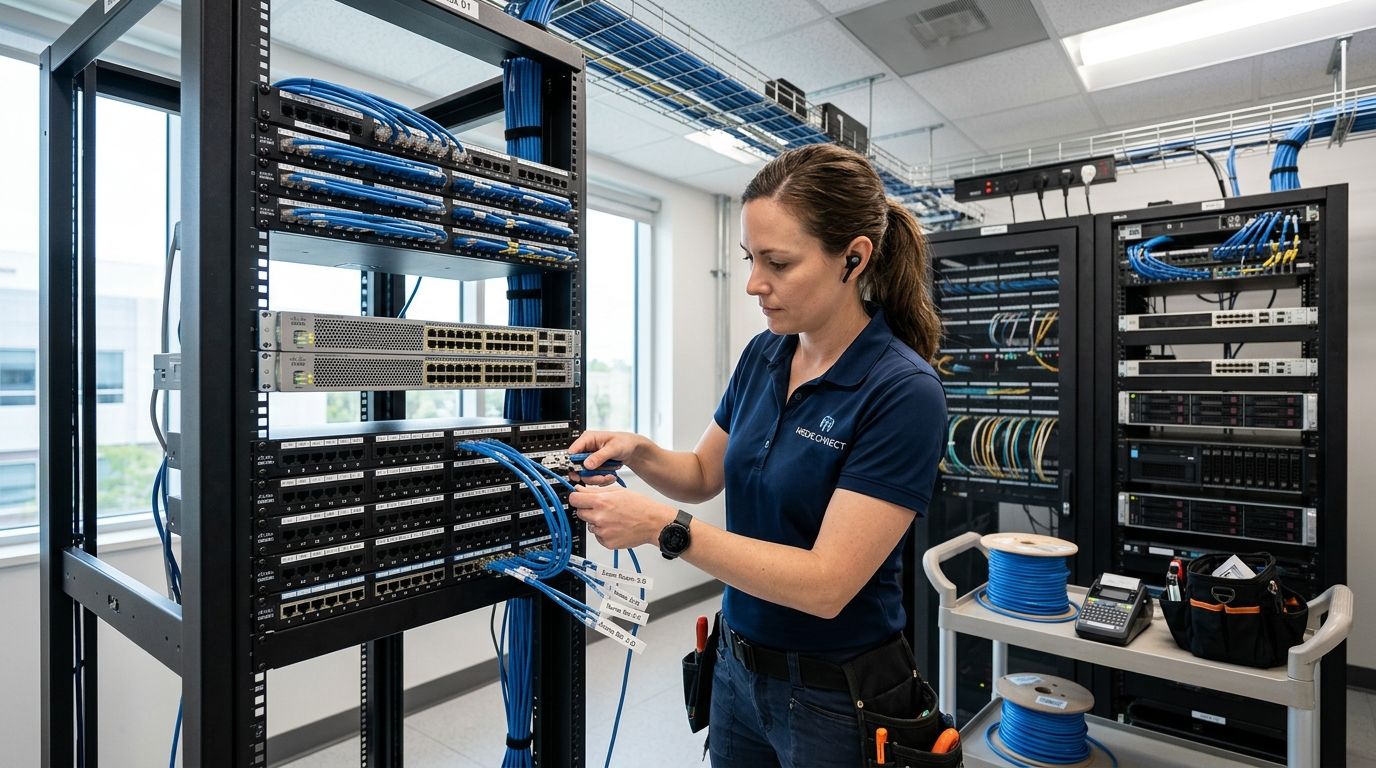
08 Sep Structured Cabling for Medical Offices: 2026 Guide
Structured cabling installation for medical offices wires every exam room, nurses' station, and back-office system onto one certified network built to run electronic health records, VoIP phones, PoE cameras, and networked diagnostic equipment without competing for bandwidth. A medical practice has different cabling needs than a standard office: more devices per room, stricter uptime expectations tied to patient care, and physical layout constraints like lead-lined walls and sterile zones that dictate where cable can and can't run.
- Structured cabling installation for medical offices in 2026 should use Cat6a as the baseline, not Cat5e or Cat6, to support PoE cameras and networked diagnostic equipment on one backbone.
- Exam rooms typically need two or more data drops each: one for the workstation, one for networked diagnostic hardware or a telehealth cart.
- Cable certification testing on every drop before go-live catches bad pulls before they cause EHR slowdowns, not after.
- Fiber backbone between wiring closets pays off mainly in multi-suite practices, not single-suite offices.
Why this matters for medical offices
A dropped connection at a law firm is an inconvenience. A dropped connection at a medical practice can mean a provider can't pull up a chart mid-visit, a telehealth session freezes, or a networked monitoring device loses its link. Cabling that was fine for a 2015 practice running paper charts and a couple of desktop computers is usually undersized for a 2026 practice running EHR software, VoIP phones, networked imaging, PoE security cameras, and guest WiFi in the waiting room, all pulling on the same closet.
HIPAA compliance also touches the network layer, not just software. Physical and technical safeguards under HIPAA's Security Rule expect controlled access to network infrastructure and documented systems, and a cabinet full of unlabeled cable with no test records works against that even when the software side is locked down. Structured cabling for hospitals and healthcare facilities follows the same core principles at larger scale, but a single-suite practice has its own version of the problem: more connected devices per square foot than the building's original cabling was designed for.
Update your room-by-room device map
Before anyone pulls cable, count what's actually going into each room. Most practices underestimate this by half.
- Exam rooms: workstation, networked diagnostic device, tablet dock
- Nurses' station: two to three workstations plus a shared printer or scanner
- Front desk: check-in kiosk, phone, card reader, scanner
- Waiting room: at least one wireless access point for guest WiFi, separate from the clinical network
- Telehealth room: dedicated high-bandwidth drop for video, plus a phone line as backup
- Network closet: uplinks for every switch, with 20-25% spare patch panel space for growth
Choose the right cable category
Cat5e is still common in older medical buildings, and it's the reason a lot of practices call about slow EHR load times. Cat6a is the right baseline for a medical office cabling project in 2026, not Cat6 and not Cat5e, because it supports 10 Gigabit speeds, higher PoE wattage for cameras and access points, and leaves headroom before the next round of equipment upgrades.
- Cat5e: fine for basic phone lines, not reliable for PoE cameras or multi-gig speeds
- Cat6: workable for small single-provider offices with light data use
- Cat6a cabling: supports higher PoE loads and 10GbE runs up to 100 meters, the safer choice for growing practices
- Fiber: worth it as a backbone between wiring closets in multi-suite buildings, not for desk-level drops
Plan pathways around clinical constraints
Medical office buildouts have physical restrictions a standard office doesn't: lead-lined walls near X-ray rooms, sterile processing areas, and infection-control rules about what can be exposed above a drop ceiling in a clinical zone.
- Route around lead-lined rooms rather than trying to core-drill through them
- Keep cable pathways out of sterile processing and instrument storage areas
- Use plenum-rated cable in any air-handling space, which most clinical HVAC returns qualify as
- Document conduit access points for the next contractor instead of burying them behind finished walls
- Schedule pathways through active exam rooms around patient hours
Separate clinical and guest network traffic
Running the waiting room WiFi on the same network segment as the EHR system is one of the more common findings in an older medical office. It's also an easy fix during a cabling refresh.
- Put clinical workstations, EHR servers, and networked diagnostic devices on one VLAN
- Put guest and patient-facing WiFi on a fully separate VLAN with no route to clinical systems
- Segment security cameras onto their own PoE switch and VLAN rather than sharing ports with staff computers
- Document which jack, patch panel port, and VLAN each drop belongs to before the project closes out
- Test the segmentation, not just the cabling — a VLAN configured wrong still leaks traffic
This is usually where a practice decides whether to handle the pull in-house or bring in a contractor. DBSI plans and installs segmented network cabling for medical offices in the Fairfield, NJ area, working around active patient hours rather than shutting a practice down for a week.
Install and label the network cabinet properly
A cabinet full of unlabeled cable is a liability during any future move, add, or change, and medical offices tend to add devices faster than other tenants because of new diagnostic equipment and provider turnover.
- Label every cable run at both ends with room and jack number
- Group patch panel ports by department or wing, not by whichever cable reached first
- Leave labeled spare ports for the next provider hire or equipment addition
- Keep a printed and digital copy of the port map in the cabinet and with practice management
Test and certify every run before go-live
Skipping certification testing is the most common shortcut on a rushed cabling job, and it's the one that shows up months later as intermittent EHR lag nobody can trace. Every run should be tested for wire map, length, attenuation, and near-end crosstalk before the practice goes live on it, with results kept on file. That documentation also matters when a compliance review asks how the network is controlled. The mechanics are covered in more depth in the guide to testing and certifying structured cabling installations.
Plan for growth before you close the walls
Medical offices add providers, telehealth carts, and diagnostic equipment more often than most office tenants, and re-opening finished walls for one more drop is expensive.
- Pull 15-20% more drops than the current headcount requires
- Leave a spare conduit sleeve between floors or wings for future fiber or high-density runs
- Size the patch panel and switch for growth, not just today's device count
- Ask what equipment the practice expects to add over the next two to three years before finalizing drop counts
Comparison: cabling options for medical offices
| Option | Best for | Key limitation |
|---|---|---|
| Cat5e | Legacy phone lines only | Can't reliably run PoE cameras or multi-gig EHR traffic — skip for new installs in 2026 |
| Cat6 | Small single-provider offices with light data use | Distance-limited for 10GbE, tight margin for a growing practice |
| Cat6a | Most medical offices adding EHR, PoE cameras, or telehealth | Stiffer cable, harder to pull through crowded conduit |
| Fiber backbone | Multi-suite practices connecting several wiring closets | Needs fiber switch ports or media converters, added equipment |
Common mistakes medical offices make
- Too few drops per exam room. One data jack per room was fine for paper charts, not for a workstation plus a networked diagnostic device plus a telehealth tablet.
- Mixing clinical and guest traffic on one network. Waiting room WiFi sharing a switch with EHR workstations is a compliance problem and a performance problem in the same move.
- No labeling or documentation. The next IT provider has no way to trace a jack back to a room without opening walls or guessing.
- Ignoring HVAC and lead-shielding constraints. Cable pulled through the wrong space near an X-ray room or sterile processing area causes rework and delays a pathway plan would have avoided.
- Treating cabling as a one-time project. A practice that adds a provider or an imaging machine two years later often re-cables from scratch because nobody left spare capacity.
Plan your medical office cabling project
DBSI designs and installs certified network cabling around active patient hours.
FAQ
What cable category is best for a medical office in 2026?
Cat6a is the standard choice for a medical office network in 2026, since it supports higher PoE loads for cameras and access points along with 10 Gigabit speeds for EHR and imaging traffic. Cat5e and Cat6 still work for light, non-clinical use but limit future growth.
How many data drops does a typical exam room need?
Most exam rooms need at least two data drops in 2026: one for the workstation and one for a networked diagnostic device or telehealth cart. Rooms with more connected equipment often need three.
Is structured cabling installation for medical offices different from a regular office?
Yes. Medical offices have more connected devices per room, stricter uptime needs tied to patient care, and physical constraints like lead-lined walls and sterile zones that dictate cable pathways.
Should guest WiFi share the same network as clinical systems?
No. Guest and patient-facing WiFi should sit on a separate VLAN with no route to EHR systems, networked diagnostic equipment, or staff workstations.
Does structured cabling affect HIPAA compliance?
Physical and technical safeguards under HIPAA’s Security Rule expect controlled, documented network infrastructure. Unlabeled cabling and undocumented network segments work against a compliance posture even when software controls are solid.
How long does a structured cabling installation take for a medical office?
Timelines depend on room count, drop count, and whether the practice stays open during the work. Pathways through clinical space usually have to be scheduled around patient hours rather than done all at once.
Is fiber backbone cabling necessary for a single-suite medical practice?
Usually not. Fiber backbone cabling between wiring closets makes the most sense for multi-suite practices or medical buildings with several tenants, not a single-suite office running copper to every desk.
Can existing cabling be reused during a medical office renovation?
Sometimes, if it tests clean on certification and meets the category the current equipment needs. Most practices renovating in 2026 upgrade to Cat6a rather than reuse older Cat5e runs.
One last thing
The detail practices skip most often isn't the cable category, it's the spare capacity. A room wired for exactly today's device count gets opened up again in eighteen months when a provider adds a diagnostic machine or a telehealth cart. Pulling two extra drops per exam room during the original 2026 install costs a fraction of a return trip to re-open finished walls.
Related guides
- Business phone systems for medical offices
- Access control systems for medical offices
- IT support for medical offices
Sorry, the comment form is closed at this time.