
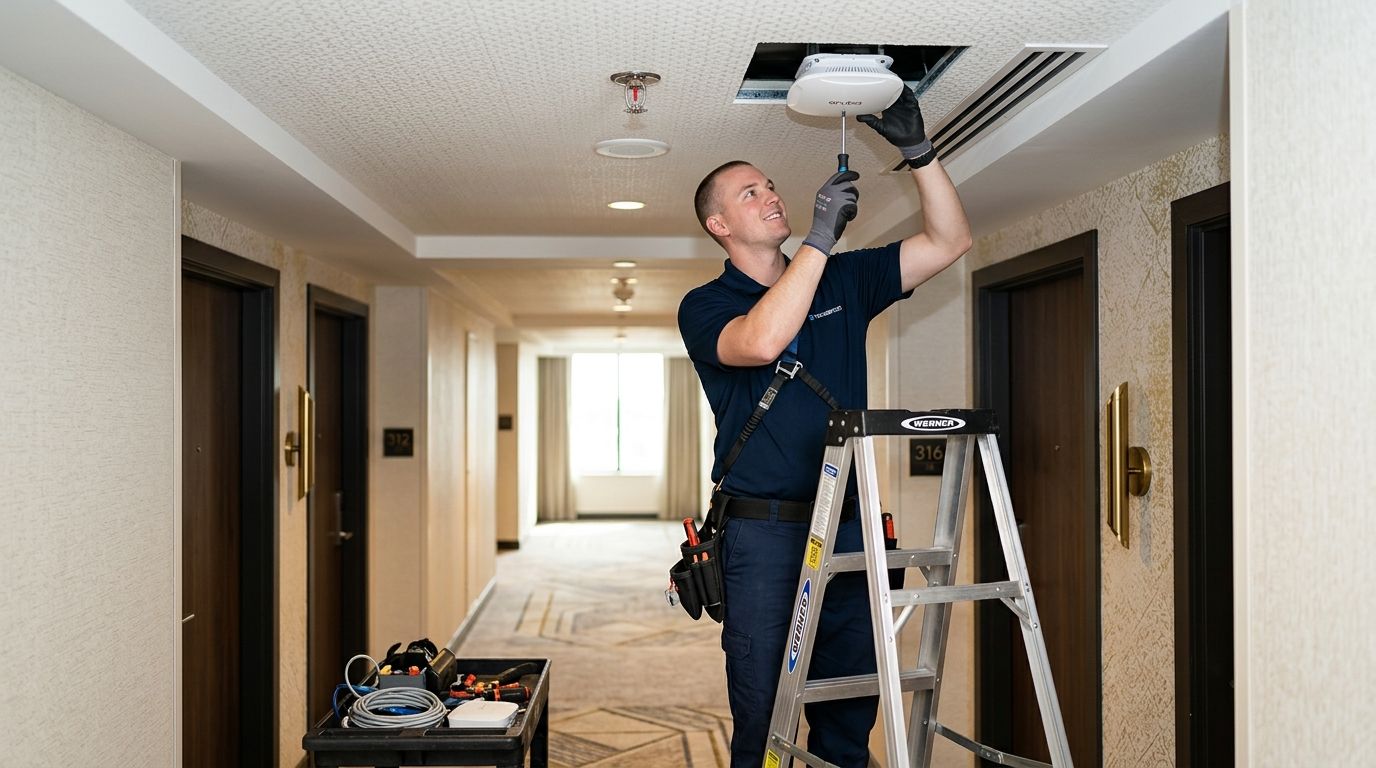
09 Sep Wireless Access Point Installation for Hotels: 2026 Guide
Wireless access point installation for hotels means surveying every guest room, hallway, lobby, and banquet space, then placing, cabling, and configuring enough access points to carry guest, staff, and property-management traffic without collapsing during full occupancy. Hotels need higher access point density and stricter network separation than a typical office building because occupancy swings nightly, every guest brings multiple devices, and front-desk systems can't share bandwidth with someone streaming a movie in room 214.
- Plan roughly one access point per 2-3 guest rooms as a baseline; concrete walls and long corridors need more.
- Guest and staff traffic belongs on separate VLANs so booking and payment data never touches the guest network.
- PoE cabling to each access point beats range extenders for reliability in a 2026 hotel install.
- DBSI installs and cables wireless access points for New Jersey hotels handling both guest and staff Wi-Fi.
- Skipping the site survey is the most common mistake, and it shows up in guest reviews within weeks.
Why wireless access point installation matters for hotels
A hotel isn't a single office floor with one Wi-Fi profile — it's dozens of separate units, each with its own walls, occupants, and device count that changes every 24 hours. Guests expect to stream video, join video calls, and connect smart TVs the moment they check in, and they'll mention weak Wi-Fi in a review before they mention it at the front desk.
Behind the scenes, the property management system, POS terminals, keycard locks, and thermostats all need their own reliable connection, separate from whatever 40 guests are doing on the guest network that night. Getting wireless access point installation for hotels wrong doesn't just mean slow Wi-Fi — it means staff systems competing with guest streaming for the same bandwidth, or worse, sharing the same exposed network.
DBSI has over 15 years of experience cabling and installing network infrastructure for small and mid-sized businesses, and hospitality properties bring a specific set of demands: dense device counts, 24/7 uptime expectations, and a mix of guest-facing and back-of-house systems that can't be treated the same way.
“If a guest can’t stream video in their room, they’ll say so in the review before they say it to the front desk.”
How to install wireless access points in a hotel
Survey guest room and public space Wi-Fi demand
Start with a walkthrough, not a spec sheet. Concrete and rebar in hotel construction block signal far more aggressively than drywall in an office, so a plan copied from an office install will leave gaps.
- Walk every floor and note construction type — concrete block, plaster, or drywall
- Map corridor length and elevator lobby placement
- Identify banquet halls, conference rooms, and pool or patio areas separately
- Log any existing guest complaints or front-desk tickets about dead zones
- Note where PMS terminals, POS stations, and keycard readers already sit
Set access point density and placement per floor
Once the survey is done, density decisions get concrete. A hallway of standard guest rooms needs a different plan than an open lobby or a 200-person ballroom.
- Plan roughly one access point per 2-3 guest rooms along a standard corridor
- Mount corridor APs above ceiling tile at consistent intervals, not just at room doors
- Size banquet and meeting room APs for peak concurrent devices, not average occupancy
- Use outdoor-rated access points for pool decks, patios, and parking areas
- Keep AP placement away from elevator shafts, mechanical rooms, and metal ductwork
Segment guest, staff, and property systems onto separate networks
This is the step hotels skip most often, and it's the one with the biggest downside. Guest Wi-Fi and the systems running the front desk should never share a network segment.
- Put the guest SSID on its own VLAN, isolated from internal traffic
- Keep PMS terminals on a dedicated, locked-down VLAN
- Segment POS and payment terminals separately for PCI-related network hygiene
- Put keycard locks, thermostats, and other IoT devices on their own management VLAN
- Rotate staff Wi-Fi credentials on a schedule, separate from the guest password
Run PoE cabling to every access point
Range extenders and mesh add-ons patch symptoms; cabling fixes the cause. A wired access point handles more concurrent guest devices without the signal loss and latency spikes that come with hopping wireless-to-wireless.
- Run Cat6 or Cat6a to each planned access point location
- Power access points over PoE switches instead of adding electrical drops
- Route cable through existing shafts and above-ceiling pathways to avoid re-opening guest corridors
- Label and test every cable run before mounting hardware
- Leave slack at each drop for future AP relocation or upgrades
Configure the guest captive portal and bandwidth controls
A branded login screen is only half the job. Bandwidth rules decide whether one guest streaming 4K video on three devices slows down the whole floor.
- Build a branded captive portal tied to guest checkout dates
- Set per-device bandwidth caps so no single guest saturates a floor
- Prioritize staff and PMS traffic ahead of guest streaming during peak hours
- Set session timeouts that expire automatically at checkout
Test coverage floor by floor and close dead zones
A survey done before furniture and drapes go in isn't the final answer — fabric and upholstery absorb signal too. Retest after the room is fully furnished.
- Walk every guest room and hallway with a signal meter after furnishing
- Verify pool deck, patio, and parking lot coverage separately from indoor readings
- Load-test meeting rooms with the expected number of concurrent devices
- Recheck coverage seasonally if outdoor furniture, landscaping, or renovations change
Plan for firmware updates and ongoing management
A hotel network doesn't stop needing attention once installation wraps. Controllers need patching, and someone needs to be watching for outages before a guest calls the front desk about it.
- Use a centralized controller to manage access points across every floor
- Schedule firmware updates during low-occupancy overnight windows
- Set up remote monitoring so outages get flagged before check-in rushes
- Revisit AP density as the property adds rooms, event space, or amenities
Get hotel Wi-Fi that handles full occupancy
DBSI surveys, cables, and installs wireless access points for New Jersey hotels.
Comparing wireless access point options for hotels
| Option | Best For | Key Limitation |
|---|---|---|
| Consumer mesh Wi-Fi kits | Small motels under 20 rooms on a tight budget | No guest/staff segmentation, limited PoE support — Wait unless the property is very small |
| ISP-provided router/modem combo | Single-building properties with light Wi-Fi demand | One flat network, easily overloaded at full occupancy — Skip for anything beyond a handful of rooms |
| Professional commercial AP install | Full-service hotels needing guest/staff segmentation and PoE cabling | Requires a site survey and cabling before a plan is final — Buy for most properties |
| Enterprise campus Wi-Fi platform | Large resorts or multi-building hotel groups | Higher setup complexity, needs dedicated IT staff to manage day to day — Buy for large portfolios only |
A hotel with fewer than 20 rooms and a tight budget can sometimes get by on consumer mesh gear. Past that size, business Wi-Fi built for restaurants and hospitality properties needs the segmentation and density planning consumer gear was never built to handle.
The verdict: for a full-service hotel in 2026, a professionally surveyed and PoE-cabled access point install is the only option that keeps guest streaming and front-desk systems from fighting each other — and DBSI handles that survey-to-cabling work for New Jersey properties.
Common mistakes hotels make with wireless access point installation
- Copying an office layout onto guest floors — uniform AP spacing built for drywall cubicles ignores concrete walls between rooms and leaves dead spots mid-corridor.
- Skipping guest/staff segmentation — running front-desk and PMS traffic on the same network as guest devices puts booking data one login screen away from any guest.
- Under-provisioning banquet and conference space — a ballroom booked for a 200-person conference needs dedicated AP capacity sized for that event, not a single ceiling unit meant for guest rooms.
- Ignoring pool decks and parking lots until guests complain — outdoor coverage gaps show up in online reviews long before they show up as a support ticket.
- Delaying firmware updates — an unpatched controller is the easiest entry point into a network that stores guest payment and ID data.
Properties handling security on the same cable pathways should look at how security cameras for hotels get wired alongside network infrastructure, since camera runs and AP cabling often share the same conduit and ceiling routes.
FAQ
How many wireless access points does a hotel need?
Plan roughly one access point per 2-3 guest rooms along a standard corridor in 2026 hotel builds. Open lobbies, banquet halls, and pool decks need separate, higher-capacity access points on top of that baseline.
Should hotel guest Wi-Fi and staff Wi-Fi be on the same network?
No, guest and staff Wi-Fi should sit on separate VLANs. Mixing them puts PMS, POS, and keycard systems on the same network any guest can log into.
What cabling do hotel access points need?
Most hotel access points run on Cat6 or Cat6a cabling powered through PoE switches. This avoids adding separate electrical drops at every AP location.
How much does wireless access point installation cost for a hotel?
Cost depends on room count, existing cabling condition, and how many access points a site survey calls for. A property-specific survey is the only way to get an accurate number.
Can existing hotel cabling support new access points?
It depends on what is already in the walls, since older Cat5e runs often cannot support the throughput newer access points need. A cable audit during the survey phase answers this before installation starts.
Does hotel Wi-Fi need PoE switches?
Yes, PoE switches power access points over the same cable that carries data, which avoids running separate electrical lines to ceiling-mounted hardware. This is standard for commercial AP installs in 2026.
What is the difference between mesh Wi-Fi and a wired access point install for hotels?
Mesh systems hop signal wirelessly between nodes, which loses strength with each hop and struggles under heavy device counts. A wired access point install runs cable to each AP, giving every access point full bandwidth instead of a shared, degraded signal.
Do hotel access points need to be replaced when the property adds rooms?
Not always, since a well-planned install leaves room for added access points without recabling the whole floor. It does need a fresh coverage check whenever room count or event space changes.
One last thing
Concrete and rebar block Wi-Fi signal more aggressively than office drywall, which is why a hotel corridor often needs an access point in nearly every hallway pocket instead of every other one like a typical office floor plan. Skipping that detail during the survey phase is the single biggest reason a 2026 hotel Wi-Fi install ends up with dead zones the week after opening — and retrofitting APs into finished guest corridors costs far more than planning them in during the 2026 cabling phase.
Related guides
- Business phone systems for hotels
- Wireless access point installation for offices
- How to reduce Wi-Fi dead zones in a large building
Sorry, the comment form is closed at this time.