
08 Sep Wireless Access Point Installation for Schools (2026)
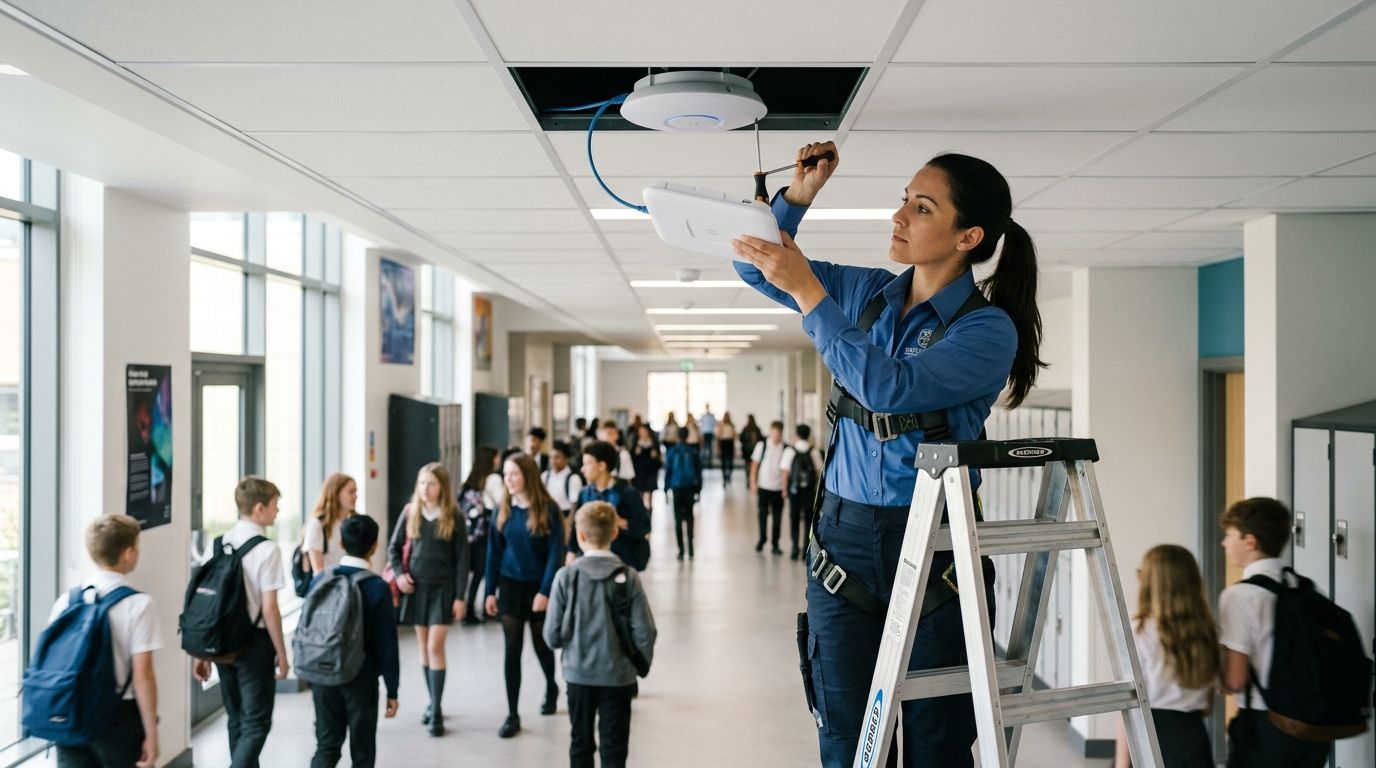
Wireless access point installation for schools means placing, powering, and configuring enough access points across classrooms, gyms, cafeterias, and outdoor areas so every device on campus gets reliable coverage during testing windows, class changes, and after-school programs. A district building has different constraints than an office: cinder block walls, metal lockers, hundreds of concurrent 1:1 devices, and E-Rate funding cycles that reward planning over guesswork. Get the design wrong and you get dead zones in the gym during standardized testing and a helpdesk queue full of "the Wi-Fi is down" tickets by 9 a.m.
- Wireless access point installation for schools needs 1 AP per classroom minimum, not a few APs bolted to hallway ceilings.
- PoE switches and cabling capacity, not the access points themselves, are usually the bottleneck in older school buildings.
- DBSI recommends a coverage and capacity survey before any hardware purchase in 2026 — guessing AP count wastes budget.
- Segmenting student, staff, and guest traffic on separate SSIDs cuts helpdesk tickets tied to bandwidth-heavy devices.
- Cloud-managed access points let one IT admin monitor coverage across every building from a single dashboard.
Why wireless access point installation matters for schools
A school building runs more concurrent connections per square foot than almost any commercial office. A single classroom with 25 students on Chromebooks, plus a teacher's laptop, an interactive whiteboard, and a couple of streaming devices, can push 30+ simultaneous connections through one access point. Multiply that across 40 classrooms plus the gym, cafeteria, and library, and under-planned Wi-Fi collapses under its own weight by mid-morning.
Building materials make it worse. Cinder block and concrete walls — standard in most school construction — cut wireless signal range sharply compared to drywall offices, which is why a design that works in an office building often fails in a school with the same square footage. The real limiter in 2026 is usually the cabling and switch infrastructure feeding each access point, not the AP hardware itself. Network cabling for schools and educational facilities covers what that backbone needs to look like before AP placement gets decided.
A school that skips the coverage survey and buys access points by guesswork ends up re-cabling and re-mounting hardware within two years — plan capacity once, correctly, in 2026.
Update your coverage and capacity plan
Start with a walkthrough of every space that needs Wi-Fi, not just classrooms.
- Walk each floor and mark rooms with concrete or cinder block walls that need dedicated access points, not shared coverage
- Count peak concurrent devices per room, including 1:1 student devices, staff laptops, and smart boards
- Flag gyms, cafeterias, and auditoriums separately — they need higher-density AP placement than a standard classroom
- Note outdoor areas (athletic fields, bus loops, parking lots) that need coverage for security cameras or event Wi-Fi
- Turn staff dead-zone complaints from the past school year into a starting checklist
Map access point placement room by room
Don't rely on a single AP to cover multiple rooms through walls. One AP per classroom is the default in 2026 school designs.
- Place one access point per standard classroom, ceiling-mounted and centered in the room
- Add two to four APs in gyms, cafeterias, and auditoriums depending on square footage and ceiling height
- Mount APs away from metal lockers, HVAC ducts, and fluorescent fixtures that cause interference
- Specify outdoor-rated access points for bus loops, stadiums, and parking areas separately from indoor units
- Confirm coverage isn't blocked by trophy cases, fire doors, or built-in shelving
Upgrade the cabling backbone before AP install
Every access point needs a Category 6 or better cable run back to a switch, and that switch needs enough uplink bandwidth to handle dozens of APs carrying video and testing traffic at once.
- Run Cat6 or Cat6a to every AP location, even where current AP density is lower than the final plan
- Keep horizontal cable runs inside the 100-meter limit, adding an intermediate distribution frame where needed
- Check that existing IDF and MDF closets have room for additional patch panels and switch capacity
- Label every cable run at both ends so troubleshooting doesn't require re-tracing wires later
- Test and certify every new run before mounting hardware — see how to test and certify structured cabling installations
Size PoE switches for real power draw
Access points pull real power over Ethernet, and an underpowered switch drops APs during peak load — usually during a fire drill or a testing window, not a quiet afternoon.
- Total the wattage draw of every planned access point and compare it against switch PoE budget, not just port count
- Choose PoE+ (802.3at) or PoE++ (802.3bt) switches if any APs support Wi-Fi 6E or higher bands
- Leave 20-30% headroom in the PoE budget for future AP additions or cameras on the same switch
- Distribute switches across IDF closets instead of running everything from one central switch
- Confirm UPS battery backup covers switches so Wi-Fi survives short power blips during the school day
Segment student, staff, and guest traffic
One flat network means a compromised student device or a bandwidth-heavy streaming session slows staff systems and testing platforms building-wide.
- Create a separate SSID and VLAN for student 1:1 devices with content filtering applied at the network level
- Put staff devices on a separate VLAN with access to internal shared drives and printers
- Add a guest SSID for visitors, substitutes, and vendors that never touches the internal network
- Isolate security cameras and access control hardware on their own VLAN, away from general Wi-Fi traffic
- Apply bandwidth caps per SSID during testing windows so streaming doesn't compete with test platforms
Install and mount to spec
Mounting height, orientation, and enclosure choice affect coverage more than most IT teams expect.
- Mount ceiling APs flush or in a low-profile enclosure to reduce tampering and accidental damage
- Use tamper-resistant mounting hardware in high-traffic hallways and gyms
- Route power and data cables through conduit or above drop ceilings, never exposed in student areas
- Confirm firmware is current before going live, and schedule auto-updates for after hours only
- Document every AP's location, MAC address, and switch port in an asset list before handoff
Test coverage and tune channels
A newly installed system needs a walk-test with real devices, not a signal-strength reading taken from the install ladder.
- Walk every classroom and common area with a phone or tablet running a Wi-Fi analyzer
- Check channel overlap between adjacent APs and adjust 2.4GHz and 5GHz channel plans to cut interference
- Load-test a simulated peak period — all classrooms online at once — before the first day of school
- Re-test outdoor coverage in real weather and daylight, not from an indoor walk-through
- Remediate any room testing under target signal strength before staff report problems
Plan for ongoing management and documentation
Wireless access point installation for schools isn't a one-time project. It's an asset that needs monitoring, firmware updates, and records for funding cycles.
- Set up cloud-based management so one dashboard shows every AP's status across every building
- Keep an updated inventory of AP models, install dates, and warranty status for audit trails
- Schedule quarterly coverage re-checks as enrollment or classroom layouts change
- Keep a change log for firmware updates and configuration changes tied to security compliance
- Pair Wi-Fi documentation with your IT support provider so outages get triaged fast instead of diagnosed from scratch
Comparing installation approaches for schools
| Option | Best for | Key limitation |
|---|---|---|
| Consumer mesh kit | Very small single-building private schools | No PoE switch integration, weak coverage through cinder block, no central multi-building management |
| Big-box IT reseller | Schools wanting hardware fast without a design phase | Rarely includes a coverage survey; often over- or under-provisions AP count |
| Managed local installer (DBSI) | K-12 and private schools needing cabling, PoE switches, and APs designed as one system | Requires an on-site survey before quoting, which takes longer than a shelf purchase |
| Cloud-only enterprise Wi-Fi vendor | Large multi-campus districts standardizing across many buildings | Licensing and management overhead that's overkill for a single-building school |
DBSI is best for New Jersey schools that need the cabling, PoE switches, and wireless access points designed and installed as one system rather than bought piecemeal.
Get a school Wi-Fi coverage plan
On-site survey covering cabling, PoE switches, and access point placement for your buildings.
Common mistakes schools make
- Buying APs before checking the cabling. Schools spend the budget on new Wi-Fi 6E access points, then find the existing cabling and switches can't deliver the power or bandwidth to run them.
- Treating the gym like a classroom. One AP covers a 900-square-foot classroom fine; the same AP in a gymnasium with bleachers and a metal roof leaves half the space dead.
- Skipping network segmentation. Flat networks let one infected student laptop or a streaming session degrade Wi-Fi for the entire building during the school day.
- Forgetting outdoor coverage. Bus loops, athletic fields, and parking lots get ignored until a camera system or an event needs Wi-Fi out there and nothing reaches.
- No documentation for funding renewals. Schools that don't track AP inventory, install dates, and configuration changes struggle to justify the next round of infrastructure requests.
FAQ
How many access points does a school need?
Most K-12 classrooms need one access point per room as the 2026 standard, with two to four additional APs in gyms, cafeterias, and auditoriums depending on square footage. A coverage survey confirms exact counts for cinder block or concrete construction.
Is wireless access point installation for schools different from office Wi-Fi?
Yes. Schools have denser device counts per room, thicker construction materials, and outdoor coverage needs like bus loops and athletic fields that most office deployments never face. Traffic segmentation for students, staff, and guests is also a bigger requirement than in a typical office.
Do schools need PoE switches for access points?
Yes. PoE switches power access points over the same cable that carries data, so no electrician is needed at every AP location. Switch PoE budget has to match total AP wattage draw with headroom for future additions.
Can a school reuse its existing network cabling for new access points?
Older Cat5e cabling can carry basic Wi-Fi 5 access points but limits performance for Wi-Fi 6 and 6E hardware and won’t support higher PoE power classes. Cat6 or Cat6a is the standard recommendation for new or upgraded AP runs in 2026.
How long does wireless access point installation take for a school building?
Timeline depends on the number of buildings, the condition of existing cabling, and whether a coverage survey is already done. A single-building school with sound cabling moves much faster than a multi-building campus needing new runs and PoE switch upgrades.
Should student devices and staff devices share the same Wi-Fi network?
No. Separate SSIDs and VLANs for students, staff, and guests are standard practice in 2026 school network design. That keeps content filtering, bandwidth caps, and security policy independent for each group.
What causes Wi-Fi dead zones in school buildings?
Cinder block walls, metal lockers, and HVAC ductwork block wireless signal far more than drywall, creating dead zones when APs are spaced for a typical office layout. A room-by-room walk test with a Wi-Fi analyzer identifies which spaces need an added access point.
Who installs wireless access points for schools in New Jersey?
DBSI installs and supports wireless access points, network cabling, and IT services for schools and businesses in the Fairfield, NJ area. The same team handles the cabling and PoE switch work that the access points depend on.
One last thing
The biggest cost overrun in school Wi-Fi projects isn't the access points. It's discovering mid-install that the IDF closets don't have enough PoE switch ports or power budget for the AP count the coverage survey actually calls for. Confirm switch and cabling capacity during the same walkthrough that sets AP placement, not after the hardware order is placed.
Related guides
- How to reduce Wi-Fi dead zones in a large office
- Access control systems for schools
- Security cameras for schools and daycare centers
Sorry, the comment form is closed at this time.