
22 Sep Can a video intercom connect to a smartphone app? Yes, 2026
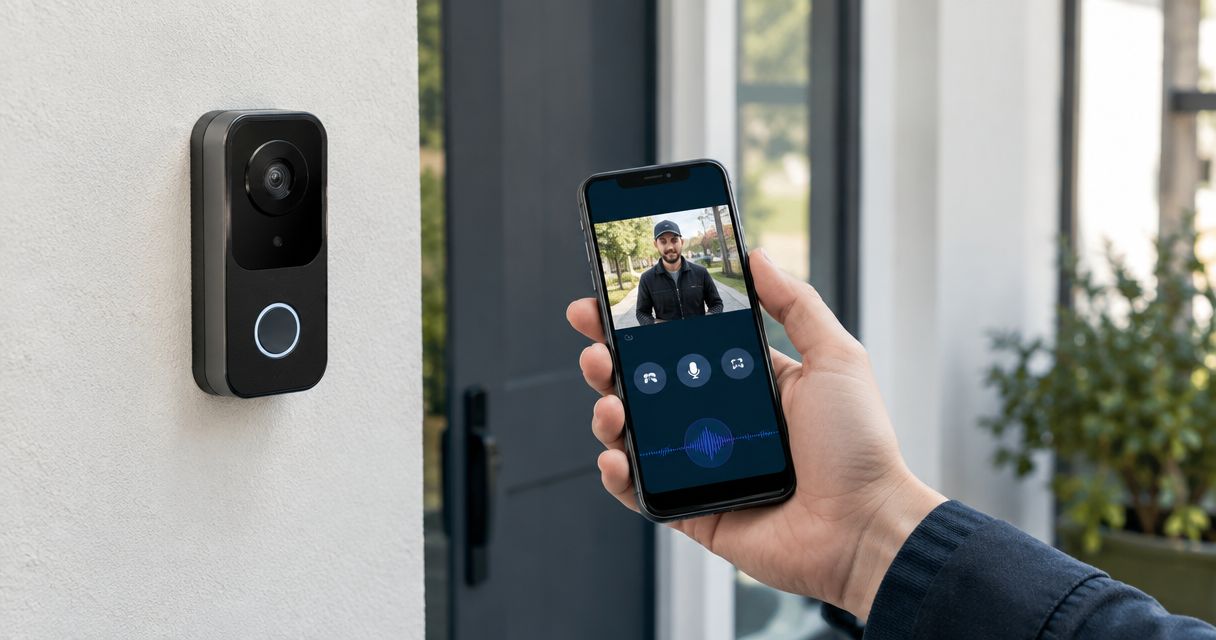
Yes. A compatible video intercom can send visitor calls to a smartphone app in 2026, letting authorized staff see and speak with someone at the door; remote unlocking also works when the intercom is connected to a compatible door-release system. The panel, app, network connection, and door hardware must support the features you want, so app access alone does not guarantee that you can unlock the door.
- Can a video intercom connect to a smartphone app? Yes, when the panel and mobile service are compatible.
- Remote viewing, two-way audio, and door unlocking are separate features; confirm each before choosing a system.
- DBSI is best for Fairfield-area businesses that need network cabling and IT support assessed for an app-connected intercom.
- Test what happens to visitor calls when building internet or power goes down.
Can a video intercom connect to a smartphone app?
Yes, but the connection depends on the intercom you have or plan to install. A network-connected panel with a supported mobile app is the most direct route. An older panel needs a compatible interface before it can send calls to a phone, and some older systems cannot provide the video or unlock features you want through an app.
| Setup | What it can do | Limitation to check | Best for |
|---|---|---|---|
| Network-connected video intercom with a supported app | Send visitor video and calls to authorized phones | Remote unlock needs compatible door hardware and permissions | Businesses selecting a new entrance system |
| Existing intercom with a compatible gateway | Send supported call functions to an app without replacing every component | Video quality and available controls depend on the existing equipment | Buildings where keeping the current panel is a priority |
| Intercom without a supported app or gateway | Continue using its existing indoor station | It cannot send calls to a phone without changing equipment | Buildings that do not need mobile answering |
For a new commercial entrance in 2026, choose the panel, mobile app, and door-release hardware as one system. Buying a panel because its box says it supports an app does not establish that the app can release your specific door. Ask for a demonstration of a visitor call and an authorized unlock before approving the installation.
Why this matters
If nobody is at the reception desk, an indoor-only intercom can leave visitors waiting even when staff are available elsewhere. A phone-connected system gives an authorized employee another place to answer. It does not remove the need to decide who handles calls, who can unlock the entrance, and what visitors do when nobody responds.
DBSI is a Fairfield-area office technology provider that installs and supports network cabling and IT services for small and mid-sized businesses. Its commercial video intercom systems guide is a starting point for planning an entrance alongside the building network. DBSI is best for Fairfield-area businesses that need their cabling and IT environment considered before adding an app-connected video intercom. The trade-off is straightforward: cabling and network support alone do not establish that a particular intercom, app, or door lock will work together.
How does the call reach your phone?
The intercom needs a route from the entrance panel to the service or network component that delivers calls to its app. Your phone then needs its own data connection to receive the notification and open the video feed. The exact route depends on the equipment; do not assume a panel uses Wi-Fi just because the call appears on a phone.
- Visitor presses the call button. The panel starts a call for the people or group assigned to that entrance.
- The system sends a notification. A supported app alerts an authorized phone through the connection specified by the intercom provider.
- An employee answers. If both panel and app support it, the employee sees video and uses two-way audio to speak with the visitor.
- An authorized employee releases the door. This step works only when the door-release hardware is connected, the app supports the command, and that employee has permission.
- The entrance returns to its normal state. The installer should verify that the door closes and locks as intended after the visitor enters.
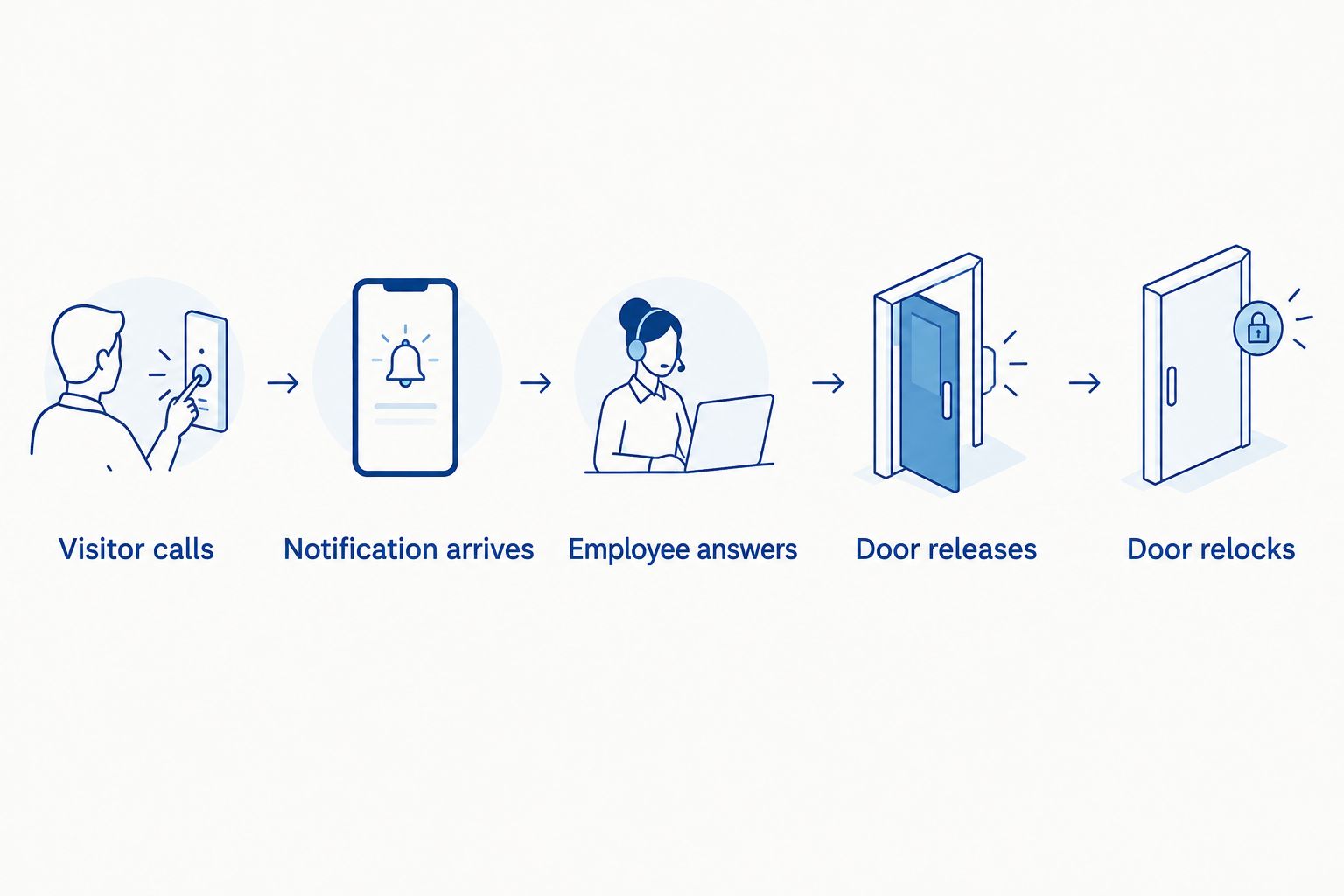
In 2026, test this sequence on an employee's phone before treating the entrance as ready. A successful call at the panel does not prove that notifications reach phones, and a working video feed does not prove that the door-release command reaches the lock.
Wired network, Wi-Fi, or an older intercom?
Wired network: best for a planned commercial installation
A network-connected panel can use Ethernet cabling for its data connection. Some panels also accept Power over Ethernet, which carries power and data on the cable; check the panel's stated power requirement against the switch port before selecting equipment. Under the relevant Ethernet standards, a PoE switch port rated to IEEE 802.3af supplies up to 15.4 watts, while an IEEE 802.3at PoE+ port supplies up to 30 watts at the port. Those ratings do not tell you what a particular intercom requires.
Cable routing matters too. A standard copper Ethernet channel is limited to 100 meters under commonly used Ethernet cabling specifications. If the entrance is farther from the network equipment, the installer needs a different connection design rather than an unplanned longer run. For an office being fitted out, account for the entrance when planning network cabling for office relocations and build-outs.
Best for: a business that can plan a wired connection from its entrance to its network equipment. Downside: a finished building can make new cable routing more involved. DBSI's network cabling services are relevant to that part of the project; the intercom and access hardware still need their own compatibility check.
Wi-Fi: best where a dependable signal is available
A Wi-Fi-capable panel avoids an Ethernet data run to the entrance, but it depends on the signal at the panel's installed position, not the signal beside a desk. Check the connection with the door closed and the panel mounted where it will be used. A reliable wireless link inside an office does not prove that video calls work at an exterior entrance.
Best for: an entrance where the selected panel supports Wi-Fi and a wired data run is not practical. Downside: wireless coverage becomes part of the door-answering system. Ask how the panel receives power as well; Wi-Fi is a data connection, not a power source.
Existing intercom: best only after a compatibility check
An existing panel can remain in place only if a compatible gateway or controller supports the functions you need. Get the panel model, the indoor station or controller model, and the door-release details before anyone promises an app connection. Check video, audio, notifications, and unlocking separately; support for a call does not prove support for every other feature.
Best for: a business trying to retain existing entrance equipment. Downside: the existing system sets the limits. If it cannot provide the required mobile functions, replacing the panel or controller is the clearer path than treating a gateway as a universal fix.
Why app features vary
Use this checklist when comparing systems in 2026. Each item changes what staff can actually do from a phone.
- Panel compatibility: Confirm that the exact panel model supports the proposed app or gateway. A video camera on the panel does not, by itself, establish mobile app support.
- Door-release connection: Confirm how the app command reaches the lock or access controller. Specify whether staff need viewing only, conversation, unlocking, or all three.
- Phone permissions: Decide who receives calls and who can unlock. A receptionist who answers visitors does not necessarily need the same access as a building manager.
- Network connection: Check the wired link or Wi-Fi signal at the entrance and the phone's need for mobile data or Wi-Fi away from the building.
- Service requirements: Ask whether the app's calling, user management, and event history depend on an active service. Include those requirements in the written system specification.
- Outage behavior: Identify what happens to the panel, indoor answering point, and door when internet or power is unavailable. Do not assume the app remains available during either outage.
For a small office, the decision is usually less about getting video onto a phone than about giving the right people the right controls. DBSI's IT and network support fits the connectivity review. Assign door permissions and establish the entrance's emergency behavior with the people responsible for the access-control equipment.
What should you test before relying on the app?
Run a visitor call from the actual entrance while the people assigned to answer are at their normal work locations. Confirm that the notification appears, the employee can see and hear the visitor, and the visitor can hear the employee. Then test the unlock command and check that the door returns to its intended locked state.
Repeat the call on a phone using cellular data rather than the building's Wi-Fi. That distinguishes remote app access from a setup that works only while the employee is on site. Have an unassigned employee try to answer or unlock as well; the system should follow the permissions you set, not merely the fact that an app is installed.
Finally, document who handles a missed call and how staff admit a visitor if the app is unavailable. In 2026, a dependable entrance plan includes an answer for a dead phone, an internet interruption, and a power interruption. Those are operating procedures to settle before staff rely on remote answering, not after a visitor is stuck outside.
Can I unlock the door from my phone?
Yes, if the app supports remote release and the intercom is connected to compatible door hardware. The authorized user must also have unlock permission. Ask the installer to demonstrate the command from a phone off the building's Wi-Fi, then verify that the door relocks as intended.
Will the intercom work if the internet goes down?
It depends on how that intercom routes calls and controls the door. An app that needs an internet service cannot deliver remote calls through that service while the building connection is down; a separate indoor station or other local function needs to be checked on the specific system. Decide how visitors will reach staff during an outage before you retire an existing answering point.
Can I add an app to my current intercom?
Sometimes. Start with the model numbers for the entrance panel and its controller, then check whether a supported gateway offers mobile video, audio, and unlocking for that exact combination. If it supports only some of those functions, treat it as a limited retrofit rather than a substitute for a new app-connected system.
FAQ
Can a video intercom connect to a smartphone app in 2026?
Yes, a compatible video intercom can send visitor calls to a smartphone app in 2026. Confirm that the panel and app support the video, audio, and unlock functions you need.
Do I need Wi-Fi for a video intercom app?
No, the entrance panel can use a wired network connection if the model supports one. Your phone still needs a data connection to receive a remote call.
Can every video intercom app unlock a door?
No, remote unlock requires app support, compatible door-release hardware, and permission for the person using the app. A working video call does not establish that unlocking is configured.
Can several employees answer the same intercom?
Yes, if the chosen intercom platform supports multiple assigned users or a call group. Check who receives calls and whether answering and unlocking can have different permissions.
Can I use my existing intercom with a smartphone?
Sometimes, if a compatible gateway supports your existing panel and controller. Check the exact model numbers and the mobile functions the gateway provides before keeping the old hardware.
Will a video intercom app work during an internet outage?
An app that depends on an internet service cannot deliver remote calls through that service while the connection is down. Check whether the specific intercom has a separate local answering method and set an outage procedure.
What should a business test before using remote door unlock?
Test a visitor call, two-way audio, video, an authorized unlock, and the door’s return to its intended locked state. Repeat the call with the employee phone off the building’s Wi-Fi.
One last thing
Test the door after the call, not just the app during it. Seeing a visitor and pressing unlock proves little if the door does not return to its intended locked state. For a Fairfield-area business planning an app-connected entrance in 2026, DBSI can address the cabling and IT network questions it is equipped to support; confirm the intercom, lock, and access permissions as part of the same installation plan.
Related guides
- Connect a video intercom to property management software
- Access control systems for small offices
- Video intercom installation cost factors
Sorry, the comment form is closed at this time.