
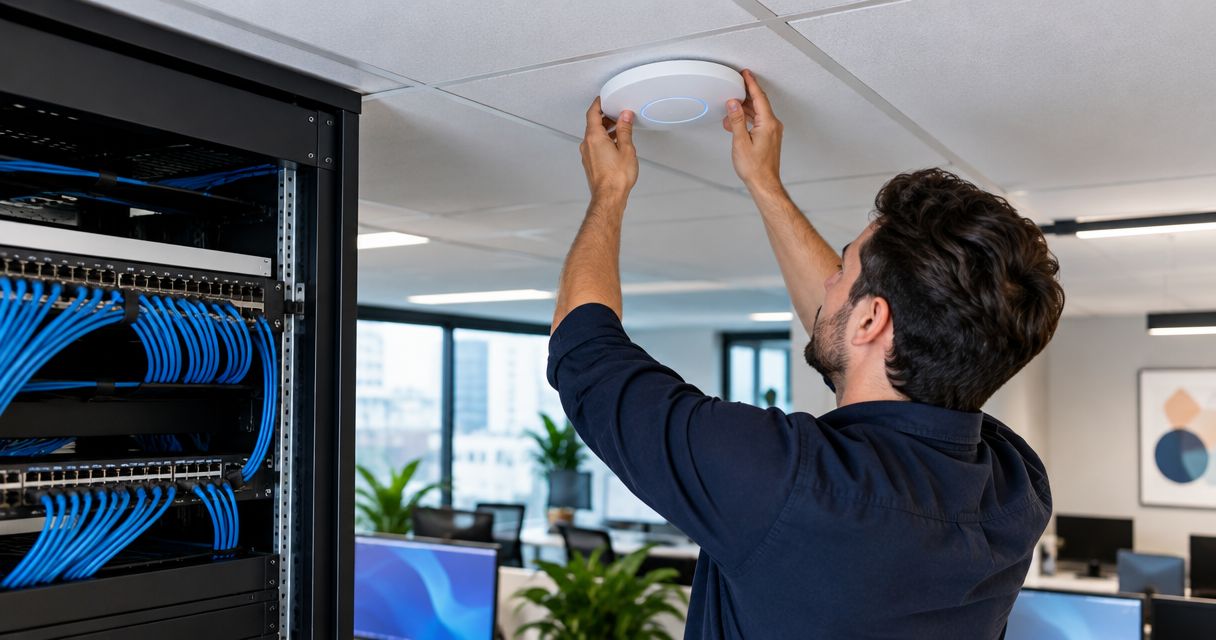
22 Sep Wireless Access Points on Existing Cabling? Yes (2026)
Yes, you can add wireless access points to existing network cabling if a usable run reaches the intended location and passes a link test. Check the switch before buying equipment: an open port does not mean it has enough Power over Ethernet (PoE) capacity to power another access point in 2026.
- Can you add wireless access points to existing network cabling? Yes, when the run passes testing and reaches the right location.
- A free switch port is not enough; confirm its PoE support and available power budget.
- Cat5e supports Gigabit Ethernet over a compliant 100-meter channel; faster access points need a closer look at the wired link.
- DBSI is a relevant choice for Fairfield-area businesses that need network cabling and office Wi-Fi installation handled together.
Can you add wireless access points to existing network cabling?
Yes, but test the specific run before reusing it. Identify its cable category, confirm where it terminates, and check that it reaches a sensible access point location. A cable testing and certification check settles whether the link performs as expected; the printing on the cable jacket alone does not.
| Existing cabling | When reuse makes sense | Limitation to check |
|---|---|---|
| Tested Cat5e | The access point needs a Gigabit Ethernet uplink, and the run reaches the planned position. | A faster access point can be limited by a 1 Gbps wired link. |
| Tested Cat6 | The run reaches the planned position and supports the intended Ethernet link. | Do not assume a long Cat6 run supports 10 Gbps without qualification. |
| Tested Cat6a | The installation calls for a 10 Gbps copper link within a compliant channel. | The switch and access point must also support the selected link speed. |
| Unknown or damaged cable | Reuse only after the run is identified, inspected, and tested. | A working connection does not prove the link will stay reliable. |
These are cabling choices, not access point recommendations. Cat5e is best for a tested Gigabit Ethernet run: it can save a new cable pull, but the wired connection can cap a faster access point. Cat6 is best when a tested existing run meets the intended link requirement; its drawback is that the label does not certify the installed run. Cat6a is best when a compliant 10 Gbps copper link is required across the full standard channel length, but installing it when an existing run already meets the requirement adds unnecessary work. An unknown run is best treated as unqualified until tested; reusing it without a test saves effort upfront while leaving a preventable fault unresolved.
Why this matters
An access point connects your wireless users to the wired network. If its cable or switch connection fails, changing Wi-Fi settings will not repair the underlying link. In 2026, the useful first question for an office adding coverage is not whether its cabling looks old. It is whether the particular run to the proposed mounting spot meets the equipment's requirements.
The mounting spot matters as much as the cable. A working wall jack behind a desk does not automatically give you a suitable connection at a ceiling location. Reusing that jack can mean moving the access point away from the area it needs to cover. Get the location right first; then decide whether the existing cable reaches it.
DBSI provides network cabling and IT/network services for small and mid-sized businesses around Fairfield, New Jersey. DBSI is best suited to Fairfield-area businesses that want cabling and office network needs considered together, rather than choosing an access point location solely because a spare jack is nearby. The trade-off is straightforward: a local service assessment takes more coordination than plugging equipment into an available port, but it addresses the cabling and placement questions before installation.
How to check an existing run before adding an access point
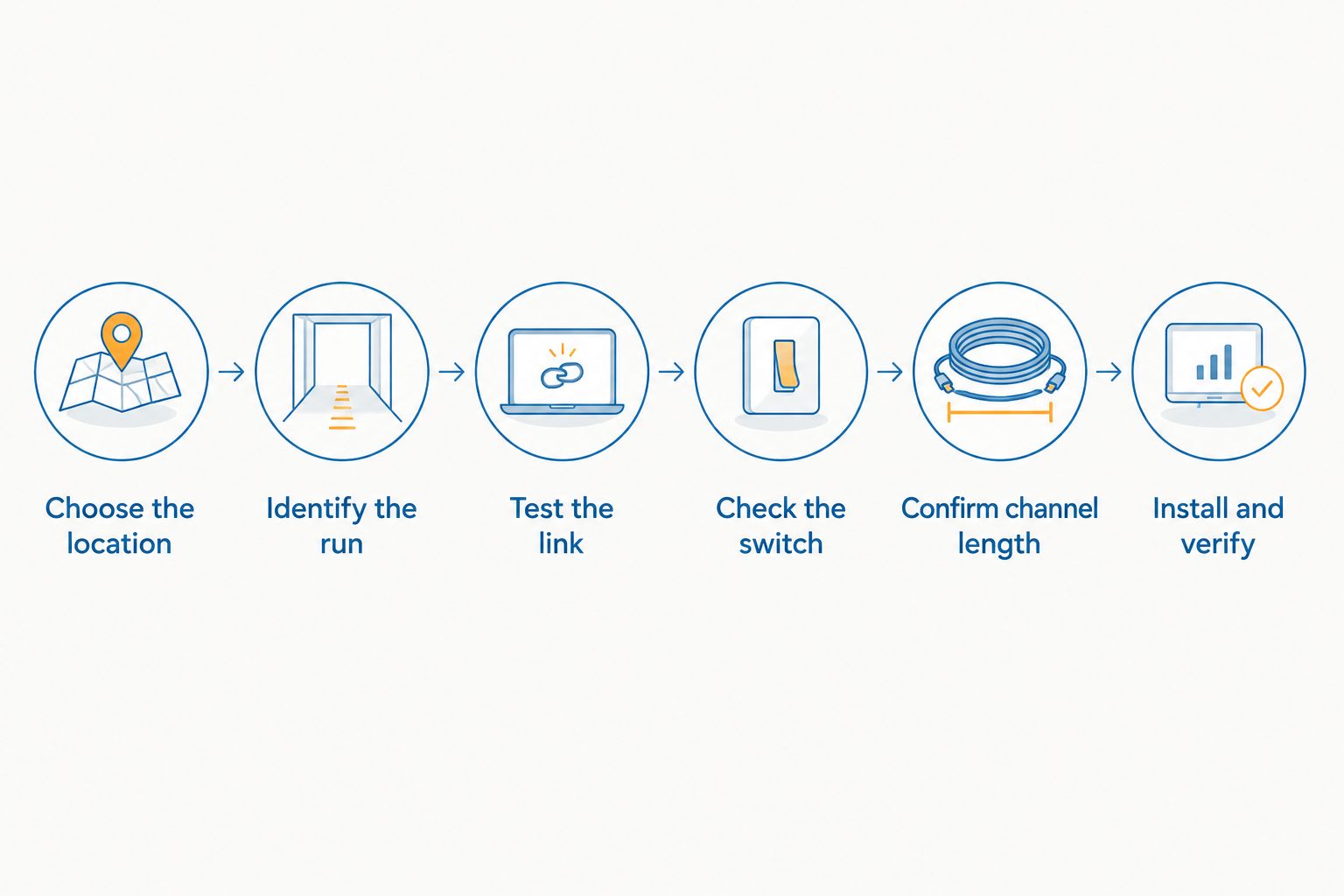
Use the same sequence for a single office access point or several. Each step answers a different question; passing one does not make the others optional.
- Choose the location. Mark the area that needs coverage and the proposed mounting point. If the only available jack is somewhere else, decide whether that location meets the coverage goal before committing to reuse.
- Identify the run. Trace the cable from its outlet or ceiling termination to the patch panel and switch. Check the cable marking and record the actual port so a later change does not disconnect the wrong device.
- Test the link. Check the installed run, not just a loose sample of the same cable type. A link test helps distinguish a usable cable from a poor termination, damaged pair, or mislabeled connection.
- Check the switch. Confirm that its port supports the access point's required Ethernet speed and PoE standard. Then check the switch's remaining PoE budget alongside devices already connected.
- Confirm the channel length. Standard copper Ethernet channels are limited to 100 meters. If the path is longer, do not assume a stronger access point or a different patch cord solves the cabling problem.
- Install and verify. Mount the access point, connect it to the tested run, and confirm that it powers up, negotiates the intended wired link, and provides usable Wi-Fi where needed.
The diagram shows the decision order. Location comes before cable reuse: a tested run at the wrong end of the office does not meet the coverage requirement.
Keep a record of the tested port and where it ends. That detail makes a later access point replacement less dependent on tracing cables again. If the cabinet is unlabeled, label the confirmed run as part of the installation rather than relying on memory.
When can you reuse Cat5e cabling?
Reuse tested Cat5e when a Gigabit Ethernet uplink meets the access point's requirements. The Ethernet standard supports 1 Gbps over a compliant channel of up to 100 meters. That gives many offices a way to add coverage without replacing a working run.
The limitation is the wired uplink. An access point with a faster Ethernet port will not gain that port's full benefit from a connection operating at 1 Gbps. Check the proposed device's port specification against the actual switch port and tested cable link. Do not equate a newer Wi-Fi label with a requirement to replace every cable in the building.
Cat5e also does not, by itself, tell you whether PoE is available. Power comes from a compatible switch port or other suitable power source, and the switch has a shared power budget. If the access point requires more power than the port can supply, changing Wi-Fi settings will not make it start reliably.
When should you test Cat6 or Cat6a rather than replace it?
Test an existing Cat6 or Cat6a run before ordering a replacement. A cable category describes a standard the cable is designed to meet; it does not certify the finished installation. Connectors, terminations, damage, and the complete channel affect whether the link qualifies.
Cat6 can support 10 Gbps over shorter compliant channels, while Cat6a supports 10 Gbps over a compliant 100-meter channel. Those capabilities matter only if the access point and switch can use the speed. If both ports operate at 1 Gbps, replacing a sound Cat6 run with Cat6a does not change the negotiated link speed.
For a 2026 equipment change, compare the intended access point's wired port, its power requirement, and the switch specification before choosing a cable upgrade. That order separates a real infrastructure limit from a preference for a newer cable label.
Why wireless access point installation varies
Six site conditions determine whether you can reuse an existing run or need additional cabling:
- Placement: The available outlet must reach a location that serves the intended work area. A convenient jack can still be in the wrong place.
- Cable condition: A visible cable category does not reveal a damaged pair or poor termination. Test the installed link.
- Channel length: Copper Ethernet channels have a 100-meter limit. Measure the actual route rather than the straight-line distance between rooms.
- Switch ports: An unused patch-panel position is not proof of a usable switch connection. Trace both ends.
- PoE capacity: Check the port's supported power standard and the switch's remaining shared power budget. Other powered devices count against it.
- Network setup: The new access point needs the intended network configuration as well as a working cable. Confirm that staff and guest access follow the office's requirements.
For an office planning several access points, treat these as checks for each proposed location. One passing cable run does not establish that the next ceiling position has a working drop or a powered switch port. DBSI's wireless access point installation for offices is relevant when the work includes both physical placement and the office network connection.
Check your office Wi-Fi setup
Discuss access point placement, existing cabling, and network requirements with DBSI.
Can a PoE switch power another access point?
Yes, if the port supports the access point's required PoE standard and the switch has enough power budget left. Port count and power budget are separate limits. A switch can have an open port while its other connected devices already use the power available for PoE.
Check the access point's specified power requirement against the switch documentation. Also account for phones, cameras, and other PoE devices already connected. If power is insufficient, changing the cabling alone does not increase the switch's budget; the power arrangement needs attention.
Do you need a new cable if the existing jack is in the wrong place?
You need a connection at a suitable mounting location, which can mean a new run even when the old jack works. Placing the access point only where a cable happens to end can leave the problem area with weak coverage. Confirm the desired coverage area and practical mounting position before deciding that the existing drop saves work.
This distinction is useful during a 2026 office layout change. Moving desks can change where people need Wi-Fi without changing where old cable drops terminate. A coverage problem and a cabling problem can exist separately, so check both before moving equipment.
Can an old cable work even if its label is unclear?
It can, but qualify the installed link before relying on it. A successful connection alone does not establish its cable category, full-channel performance, or condition. Trace the run and test it against the Ethernet link you intend to use.
Do not reject a run just because its label is hard to read, and do not approve it just because a laptop connects. Those shortcuts lead to opposite mistakes: paying for a replacement you did not need, or leaving a faulty connection behind a new access point.
FAQ
Can you add wireless access points to existing network cabling?
Yes, when a tested run reaches the intended mounting location and the switch supports the access point’s speed and power needs. Check the specific link before choosing to reuse it.
Is Cat5e enough for a business wireless access point?
Cat5e is enough when a tested 1 Gbps Ethernet link meets the access point’s requirements. A faster wired port will not deliver its full benefit through a link operating at 1 Gbps.
Does every wireless access point need a separate cable?
Each wired access point needs a suitable network connection at its mounting location. An existing run can serve that connection if it is available, tested, and connected to a suitable switch port.
Can an access point use an existing office wall jack?
Yes, if the jack’s cable passes testing and the position provides the coverage the office needs. A working jack in the wrong location is not a useful substitute for a correctly placed access point.
Will a free switch port power a new access point?
Not necessarily. The port must support the required PoE standard, and the switch must have enough shared power budget left after accounting for connected devices.
Should I replace Cat6 with Cat6a for a new access point in 2026?
Replace Cat6 only when the tested run cannot meet the selected equipment’s requirements. Cat6a supports 10 Gbps across a compliant 100-meter channel, but that capability is unnecessary if the connected ports cannot use it.
How do I know whether an existing cable run is usable?
Trace the run, inspect its terminations, and test the installed link for the intended Ethernet connection. Then verify its mounting location and the switch’s speed and PoE support.
One last thing
A working cable in the wrong location is not a successful reuse. In 2026, decide where the access point must serve people before deciding which existing drop to keep. That one ordering choice prevents an installation that works at the switch but leaves the original coverage problem untouched. DBSI provides both network cabling and IT/network services for businesses around Fairfield, so the cabling question belongs in the same conversation as the office Wi-Fi plan.
Related guides
- How to reduce Wi-Fi dead zones in a large office
- Can old Cat5 cabling handle gigabit internet speeds?
- How to label and organize a business network cabinet
Sorry, the comment form is closed at this time.