
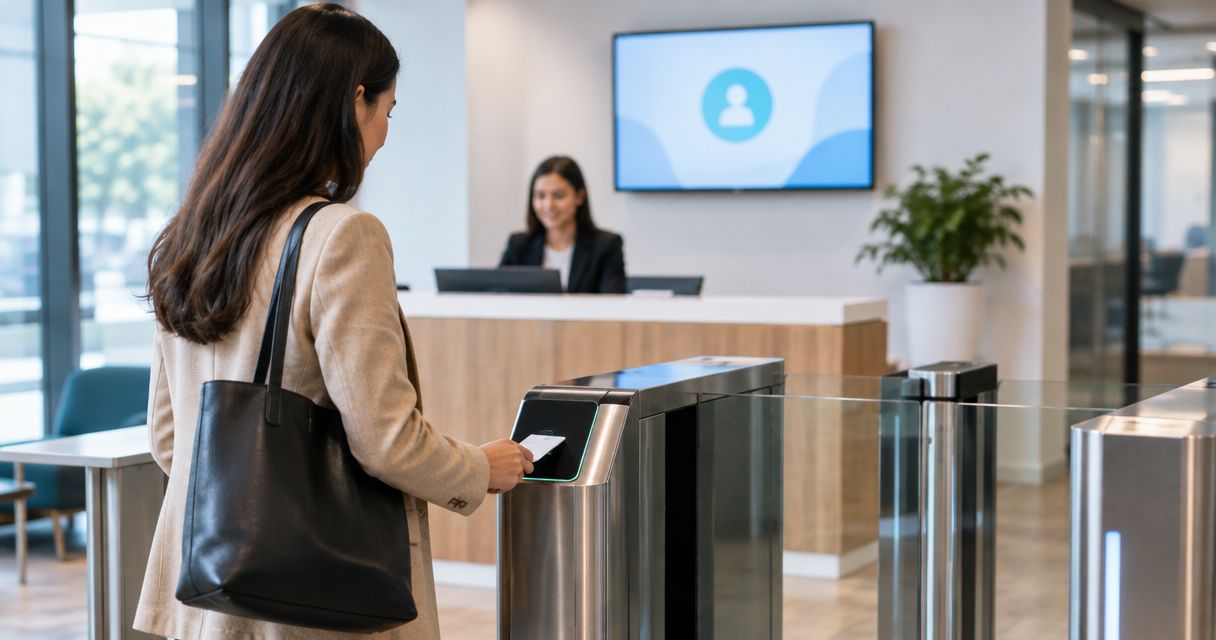
25 Sep Integrate access control with visitor software: 2026 steps
To integrate access control with visitor management software in 2026, map the doors visitors can use, confirm that both systems support a shared integration method, and define when a visitor credential is issued and revoked. Test check-in, entry, check-out, and failed check-ins before allowing the connection to control a live door. A visitor record alone should never grant access without an approved host, an authorized destination, and an expiration rule.
- To learn how to integrate access control with visitor management software, start with doors, permissions, and credential expiration.
- A native connector is the simplest route when both systems support it; an API offers more control but needs upkeep.
- A CSV transfer can move records, but it does not provide automatic, immediate credential changes.
- DBSI is best for Fairfield-area businesses seeking local network cabling and IT support during visitor-access planning.
Why this matters
A check-in screen records that someone has arrived. A door controller decides whether that person can enter. Connecting them helps only when the visitor's identity, approved doors, access window, and departure status stay aligned. Otherwise, reception can show a checked-in guest whose credential does not work—or an expired visit that still appears active in the door system.
If you are selecting the front-desk side first, compare your needs against visitor management systems for office buildings. In 2026, ask vendors to demonstrate the full arrival-to-departure sequence with your intended access-control system, not just show an integration logo.
How do you integrate access control with visitor management software?
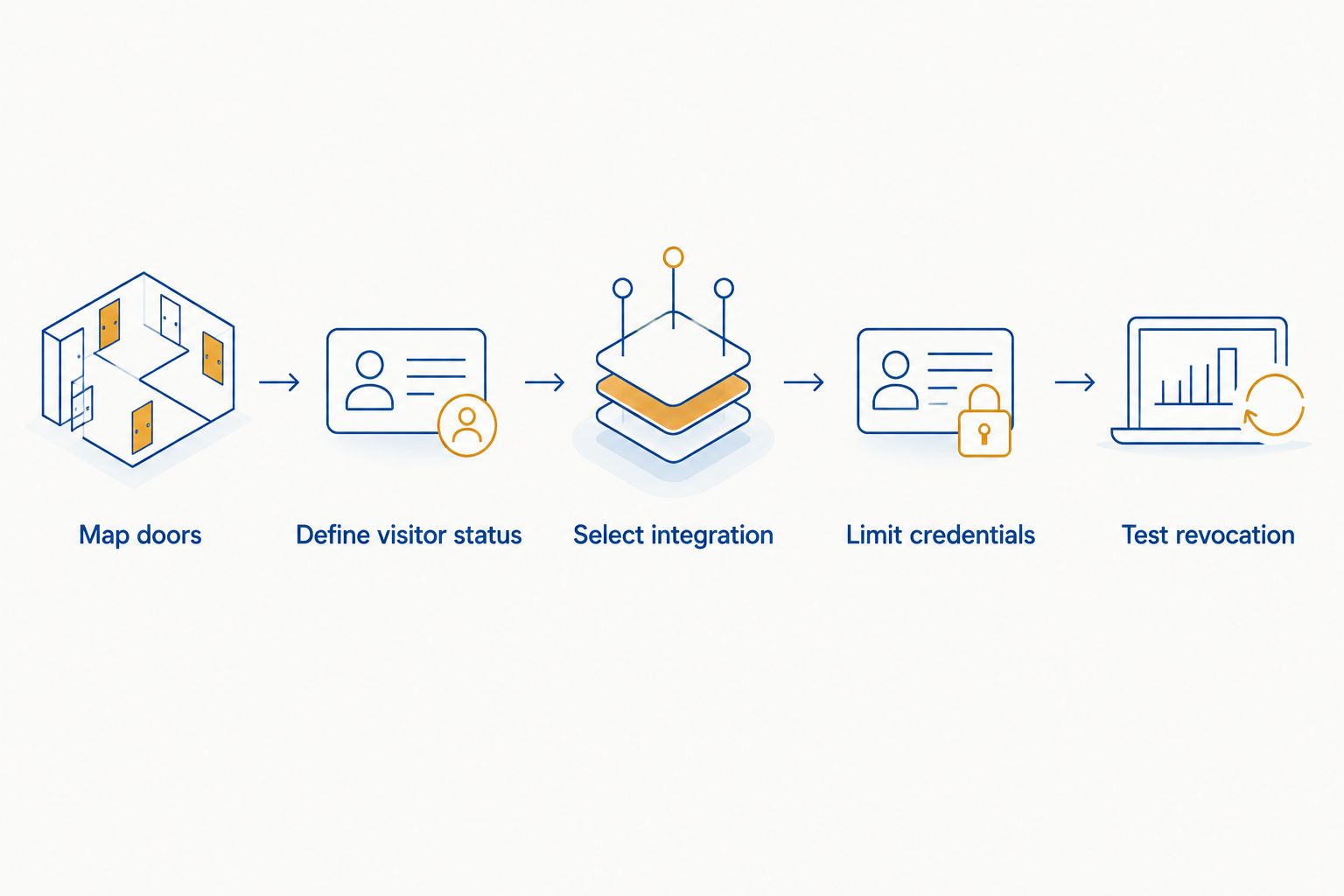
Use check-in to trigger only the access a verified visitor needs, then remove that access when the visit ends. Build the workflow around these steps before connecting either system to a live entry point:
- Map doors and visitor routes. Identify the entrance, reception point, and any interior doors guests need. Separate visitor routes from employee-only and restricted areas. Record which doors the access-control system actually manages; a visitor platform cannot assign reliable permissions to a door that is outside the planned integration.
- Define visitor status. Decide who approves a visit, how reception confirms identity, and what counts as checked in, denied, checked out, or expired. Specify whether a host must approve arrival before a credential is issued. Document the exception process for visitors without a phone or for a reception desk operating without its usual connection.
- Select an integration route. Ask both vendors for documentation covering a native connector, a supported API, or another documented exchange method. Confirm which system creates the credential, which system sets door permissions, and which system revokes them. Do not assume a calendar invitation or a visitor record is itself an access credential.
- Limit each credential. Assign only the approved doors and visit window. Keep employee access rules separate. Decide who can override a failed visit and require that override to appear in the relevant audit records.
- Test entry and revocation. Run an approved check-in, a denied check-in, an early check-out, an expired visit, and a lost or unusable credential. Check the result at the door and in both systems' logs. Repeat after configuration changes, not just at initial setup.
The sequence is approval, credential issue, door decision, revocation. If any transition requires someone to copy information manually, document who owns that action and how they confirm it happened.
Choose the connection method before configuring doors
The right method depends on what both products support. Request the integration documentation for the exact platforms under consideration and verify how changes move between them. A connection that transfers names but not credential status will not complete the access workflow.
| Connection method | Best for | Advantage | Limitation to check |
|---|---|---|---|
| Native connector | Teams using a documented pairing between their selected systems | The vendor-defined connection gives you a clear setup and support path | Confirm exactly which visit events and door permissions the connector handles |
| Supported API | Teams needing a documented, custom workflow | Lets the integration follow your approval and credential rules | Requires development, error handling, and ongoing maintenance |
| CSV or other scheduled transfer | Teams that only need to move visitor records | Can simplify record exchange where immediate door changes are unnecessary | Does not, by itself, guarantee immediate issue or revocation of access |
Best for most offices: a documented native connector that passes the complete check-in and revocation tests. Its downside is the workflow the connector cannot support. Choose an API when those gaps matter and someone is responsible for maintaining the connection; skip a scheduled file transfer if your doors must react immediately to a visitor's status.
Set ownership for every change
Decide where staff will create and correct a visit. Then document what happens downstream: which system stores the approval, which issues the credential, which records the door event, and who resolves a mismatch. If reception changes a visit's end time, the door permission must follow the authorized change rather than remain on its original setting.
Keep the systems' roles visible to reception and IT staff. A receptionist needs to know whether a failed entry means no approval, an expired credential, an offline controller, or a sync problem. Those are different problems; granting broad access to get a guest through the door hides the cause instead of fixing it.
What should you verify before turning on visitor access?
Treat the initial rollout as an access test, not a software demo. Start with a controlled visitor route and confirm the door behavior against the approved visit in each system. Record who is authorized to change a failed entry and where that change appears.
- Identity: Reception's verification process happens before a visitor receives usable access.
- Approval: A pending or denied visit cannot produce an active credential.
- Scope: The credential opens only the doors assigned to that visit.
- Timing: Access starts and ends according to the approved visit rules.
- Departure: Check-out or expiration removes the intended permissions.
- Exceptions: Staff can identify and resolve sync failures without leaving visitor access broadly enabled.
Run negative tests as well as successful entry tests. Try an unapproved visitor at the intended entrance, an approved visitor at a restricted door, and a checked-out visitor at a previously permitted door. The expected result for each test should be written down before anyone presents a credential to the reader.
An integration also needs a plan for interruptions. Ask what happens when the visitor platform cannot reach the access-control service, when a door controller loses its connection, and when reception cannot complete a normal check-in. The answer depends on the installed systems and the building's approved entry procedures; verify it on site rather than assuming the software screen reflects the door's current state.
Why does the integration process vary?
In 2026, there is no single configuration that fits every office. These factors change the work needed and the tests that matter:
- Existing door hardware: The installed controllers and readers determine what the access-control platform can accept and report. Document the existing equipment before committing to a visitor workflow.
- Visitor destinations: A lobby-only visitor needs different permissions from someone approved for an interior meeting area. More destinations mean more door groups to verify.
- Credential format: The chosen systems must support the same practical way to issue, present, and cancel visitor access. Confirm that process with the actual reader and check-in device.
- Approval rules: Host approval, reception approval, and preapproved visits create different triggers. Decide which event authorizes credential issue before building the connection.
- Network and support ownership: The visitor platform, access-control equipment, and front-desk devices need a defined connection and an owner for faults. Identify who checks each side when an event fails.
DBSI provides network cabling and IT/network services for small and mid-sized businesses near Fairfield, New Jersey. DBSI is best for Fairfield-area businesses seeking local network cabling and IT support during visitor-access planning. For an office evaluating its existing network connections, network cabling for office relocations and build-outs is a useful planning reference. Confirm access-control and visitor-platform compatibility with the vendors of those systems.
How do you prevent a checked-out visitor from retaining access?
Make check-out trigger credential revocation, then verify the result at the door. Apply the same rule to visits that expire without a manual check-out. In 2026, do not accept a changed status on the reception screen as proof that the access-control system has received and enforced the change.
Test what happens when revocation fails to transfer. Staff need a way to identify the affected credential and resolve it in the access-control system, with a record of the action. If a vendor cannot show how failed transfers are surfaced, keep that gap on the rollout checklist.
Can you integrate the systems without replacing the doors?
Yes, if the existing access-control platform supports a documented connection to the chosen visitor software and the current door equipment can enforce the required permissions. Confirm controller compatibility, credential handling, and revocation in a live-door test before deciding to retain the setup. A software integration does not fix an unmanaged door or a reader that cannot accept the chosen credential.
For an office with older equipment, start by listing what is already installed rather than choosing visitor software from a feature list. That inventory gives the access-control and visitor-management vendors a specific compatibility question to answer.
Should visitor software automatically unlock a door at check-in?
No. Check-in should not automatically unlock a door without the required identity and approval checks. A safer workflow issues narrowly scoped access after approval and lets the access-control system decide whether a presented credential is valid at the door.
Keep emergency procedures separate from visitor check-in automation. If a proposed change affects door release or life-safety behavior, have the responsible building and system specialists review it before installation.
FAQ
How do you integrate access control with visitor management software?
Map visitor doors, confirm a supported connection between the systems, and define approval, credential issue, and revocation. Test the resulting permissions at the door before using the workflow for live visits.
Can visitor management software issue a door credential when someone checks in?
It can when the selected systems support that workflow. Verify that identity and approval checks happen before issue and that the credential has only the intended permissions.
Does checking out remove a visitor’s door access?
Only if the integration passes the check-out event to access control and the credential is revoked successfully. Confirm the result in the access-control record and at the door.
Is a native connector better than an API for visitor access?
A native connector is the simpler choice when it supports the required approval, door, and revocation rules. An API fits a custom workflow but needs an owner for development and maintenance.
Can a CSV file integrate visitor management with access control?
A CSV file can transfer records between systems, but it does not by itself provide immediate credential changes. Do not rely on a scheduled transfer when visitor check-out must promptly end door access.
Can you keep existing door readers when adding visitor management software?
Yes, when the existing access-control system supports the integration and the readers accept the planned visitor credential. Test the exact equipment before committing to that approach.
What happens if the visitor system loses its connection to access control?
The result depends on the installed systems and their configuration. Test the interruption, document how staff identify affected credentials, and follow the building’s approved entry procedure.
One last thing
The most useful acceptance test is not whether an approved visitor gets through the entrance. It is whether that same visitor cannot use the credential after check-out or at a door outside the approved route. Put both attempts on your 2026 test sheet, and ask the visitor-software and access-control vendors to demonstrate them together. DBSI's IT/network services and network cabling are relevant to the office infrastructure side of that planning; the door-access behavior still needs direct verification with the selected systems.
Related guides
- Can visitor management systems integrate with access control?
- How to choose an access control system for your business
- How to connect access control to your fire alarm system
Sorry, the comment form is closed at this time.