
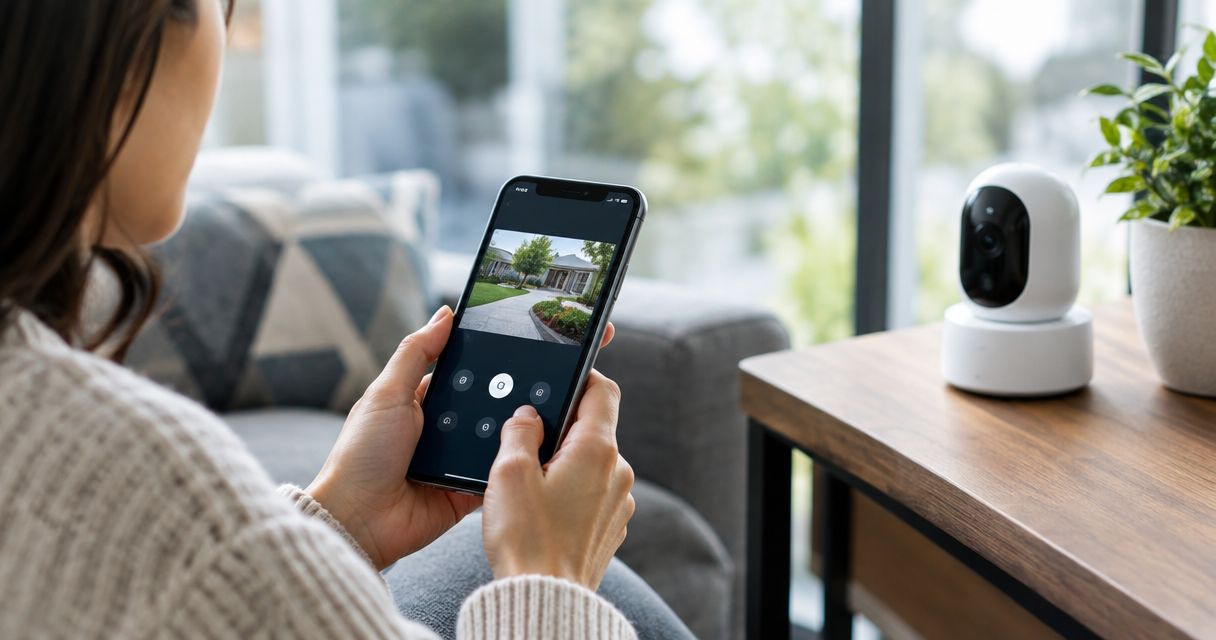
21 Sep Can Security Cameras Be Monitored Remotely From a Phone? 2026
Yes, security cameras can be monitored remotely from a phone in 2026 as long as the system pairs a network-connected camera or recorder with a mobile app and a working internet connection. Cloud-based commercial systems push live and recorded video straight to a phone from anywhere with a signal, while older NVR or DVR setups need remote-access configuration on the business network before a phone can see anything. The camera hardware isn't the part that trips businesses up — bandwidth limits, app permissions, and who gets viewing rights across multiple sites are what actually determine whether remote monitoring works the way an owner expects.
- Security cameras can be monitored remotely from a phone through a cloud app or a configured NVR/DVR connection.
- Cloud-based systems stream live and recorded video straight to a phone with no extra network setup.
- On-premise NVR/DVR systems need port forwarding or a VPN configured on the business network for phone access.
- PoE cameras paired with cloud storage give the most reliable remote monitoring for offices in 2026.
- Bandwidth usage and app permissions, not the camera hardware, decide whether phone monitoring works well.
Why remote phone monitoring matters
A camera system that only plays back footage on a monitor in the back office isn't protecting anything after hours. Business owners want to check a loading dock at 11pm from their couch or confirm a shipment arrived while sitting in a client meeting across town.
That's the whole point of remote monitoring security camera systems built for commercial use in 2026 — the footage follows the owner, not the other way around. The gap between "technically possible" and "actually reliable" is where most small business installs fail, usually because nobody accounted for upload speed or set viewing permissions correctly during setup.
Can Security Cameras Be Monitored Remotely From a Phone?
The short answer is yes, but how well it works depends entirely on which type of system is running behind the scenes. Here's how the three common setups compare for phone access in 2026:
| Monitoring Method | How Phone Access Works | Best For | Verdict |
|---|---|---|---|
| Cloud-based camera system | App connects directly to the manufacturer's cloud servers; no on-site network changes needed | Single-location retail, offices, medical practices | Buy |
| NVR/DVR with remote access | Requires port forwarding or a P2P relay configured on-site before the app can reach the recorder | Businesses replacing an existing wired camera system | Hold — needs setup work |
| Business VMS platform | Centralizes multiple camera locations into one login; admin controls who sees what | Multi-location businesses, franchises, property managers | Buy |
Cloud-based systems win on simplicity. NVR/DVR setups can absolutely be monitored from a phone, but somebody has to configure the network correctly first, and that step gets skipped constantly on DIY installs.
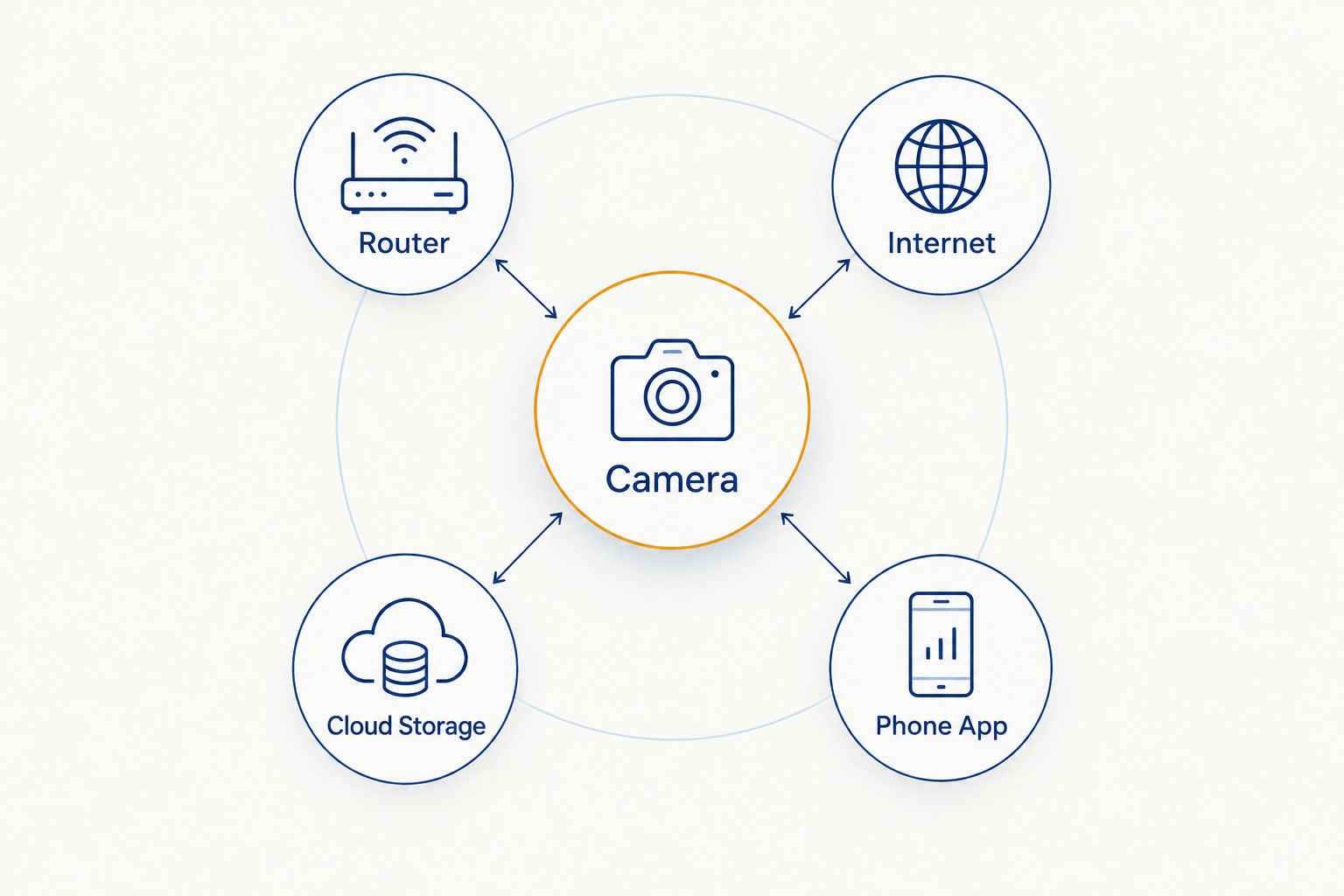
How the connection actually flows
Cloud-Based Cameras: The Simplest Phone Access
Cloud cameras record to the manufacturer's servers (or a business-grade cloud video platform) and the phone app pulls footage from there, not from a box in the building. That means no port forwarding, no static IP, and no VPN client to install on staff phones.
The tradeoff is ongoing cloud storage, and businesses that skip evaluating cloud video storage for security cameras before buying often get surprised by how fast footage retention adds up across a dozen cameras. Buy — for most single-site businesses in 2026, this is the least friction between an event happening and a phone showing it.
NVR/DVR Systems: Remote Access Takes Setup
An on-premise NVR or DVR records locally and can absolutely serve video to a phone, but it needs either port forwarding on the business router or a peer-to-peer cloud relay turned on during setup. Skip that step and the app works fine on the office Wi-Fi and shows nothing the moment someone leaves the building.
This is the setup that generates the most support calls for phone access, not because the cameras are unreliable but because the network side got half-configured. Hold — workable, but only with the network configuration done correctly the first time, not patched together later.
Business VMS Platforms: One Login for Every Location
A video management system sits above individual cameras or recorders and gives one login that can see every site a business operates. A property manager checking three buildings, or a retail chain checking six stores, needs this layer instead of six separate apps.
Permissions matter here more than anywhere else — a VMS lets an owner give a manager access to one location's cameras without handing over the rest. Buy — for anything beyond a single site, a unified login beats juggling separate apps per location.
Why remote monitoring setup varies
A handful of factors decide whether phone access is smooth or frustrating on any given install:
- Upload bandwidth at the site — a camera can only send video as fast as the business internet connection allows, and multiple high-resolution streams compete for the same upload pipe
- Camera resolution and bitrate — higher resolution looks better but eats more bandwidth per stream, which slows remote playback on weaker connections
- Cloud vs. local storage — cloud-stored footage streams to a phone from outside servers; locally stored footage on an NVR has to travel back through the business network first
- Number of simultaneous viewers — several staff pulling up live feeds on their phones at once can strain both the camera's processor and the network connection
- PoE network setup — cameras wired through PoE camera setup run power and data over one cable, which simplifies the network side that phone access depends on
- App permissions and user accounts — every phone with access is a potential entry point, so who gets an account matters as much as the camera hardware
Get remote camera monitoring set up right
Network configuration is the part that usually gets skipped.
Do security cameras need internet to be viewed on a phone?
Yes, security cameras need an internet connection to be viewed on a phone from outside the building — without it, footage stays trapped on the local recorder or camera storage. A camera can still record locally during an internet outage; it just can't push that footage to a phone until the connection comes back.
Can you watch multiple camera locations from one phone app?
Yes, multiple camera locations can be watched from one phone app when the business runs a cloud-based system or a VMS platform designed for multi-site access. Standalone NVR/DVR systems tied to a single building typically need a separate app connection per location unless they're centralized under one platform.
Is remote camera monitoring secure over public Wi-Fi?
Remote camera monitoring is reasonably secure over public Wi-Fi because reputable apps encrypt the connection between the phone and the camera's cloud servers or recorder. The bigger risk is usually a weak or shared account password, not the Wi-Fi network itself — two-factor authentication on the camera app closes most of that gap.
FAQ
Can security cameras be monitored remotely from a phone without Wi-Fi?
Security cameras can be monitored remotely from a phone using cellular data instead of Wi-Fi, as long as the phone has a data connection and the camera system is already online. Wi-Fi isn’t required on the viewing end, only on the camera’s end.
What’s the best way to monitor security cameras remotely for a small business in 2026?
A cloud-based commercial camera system is the most reliable way to monitor security cameras remotely for a small business in 2026, since it skips the network configuration an NVR/DVR setup requires. Multi-location businesses get more value from a VMS platform with centralized logins.
Do all security camera brands offer phone apps?
Most commercial security camera systems sold in 2026 include a phone app, but the quality and features of that app vary widely between manufacturers. Checking app reviews and permission controls matters as much as checking the camera specs.
Can employees monitor cameras from their personal phones?
Employees can monitor cameras from personal phones if they’re given an app login, but most businesses restrict this to managers or owners for security reasons. A VMS platform makes it easier to grant limited, revocable access instead of sharing one master login.
How much bandwidth does remote camera monitoring use?
Remote camera monitoring bandwidth depends on camera resolution and how many streams run at once — higher resolution and more simultaneous cameras use more upload bandwidth. Businesses running a dozen or more high-resolution cameras should confirm their internet plan’s upload speed before assuming smooth remote access.
Can you get alerts on your phone when a camera detects motion?
Yes, most commercial camera systems in 2026 support push notifications to a phone when motion or a specific event is detected. This is separate from live viewing and works even when nobody is actively watching the feed.
Do older analog security cameras support remote phone monitoring?
Older analog security cameras generally don’t support remote phone monitoring on their own — they need to run through a network-connected DVR that has remote-access features enabled. Without that DVR upgrade, analog footage stays local to the building.
One last thing
The camera brand matters less than most business owners assume — the network configuration behind it is what determines whether phone monitoring actually works when it's needed. A $200 camera on a properly configured PoE network with correct app permissions will outperform a premium camera bolted onto a network nobody set up for remote access. Get the network right first in 2026, and the camera choice becomes a much smaller decision.
Related guides
- Choosing commercial security cameras for your business
- Is cloud video storage worth it for security cameras
- Automatically alert security on after-hours motion
Sorry, the comment form is closed at this time.