
23 Sep How Long to Install Access Control at an Office (2026)
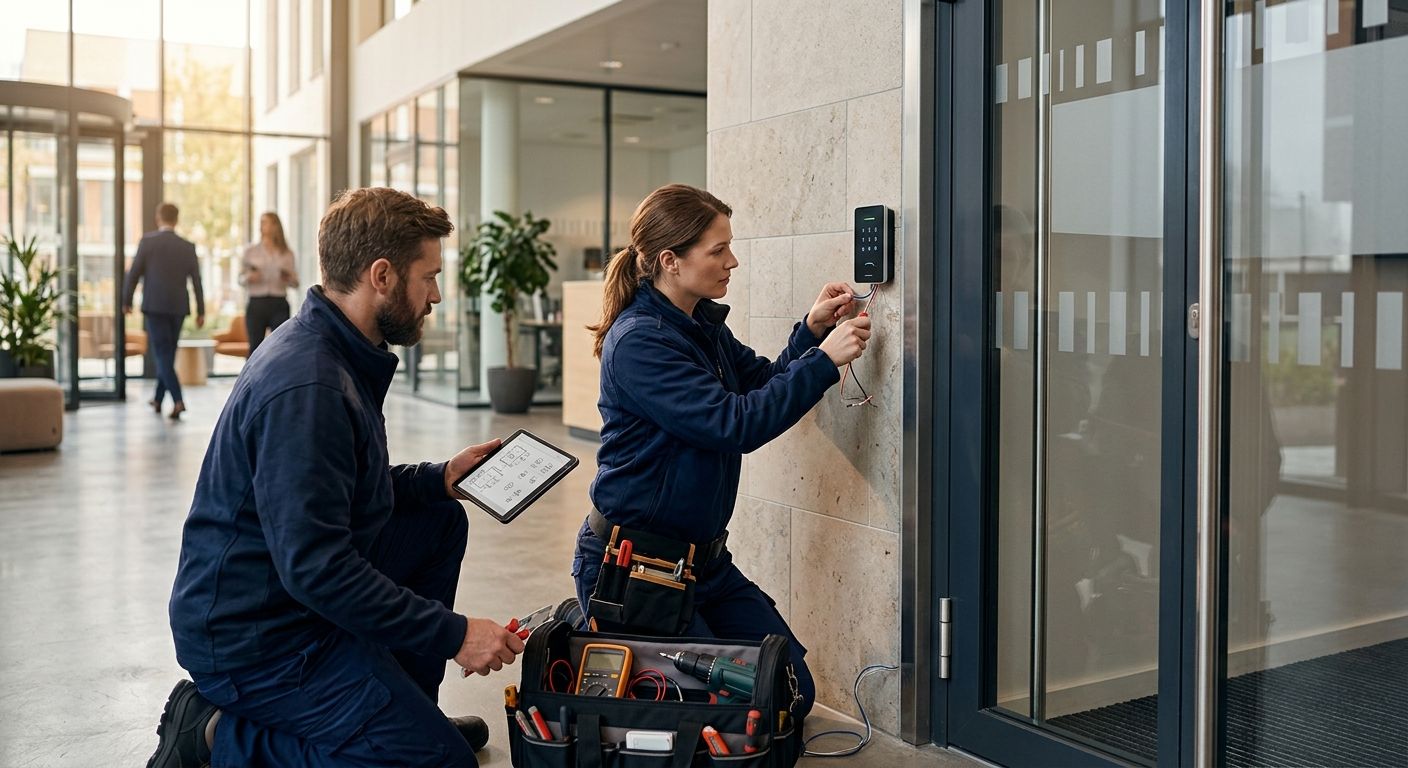
Installing access control at an office with existing wiring takes about 1 day for a single door, 1 to 3 weeks for a full office buildout that needs new cabling, and 3 to 6 weeks for a multi-floor or multi-building rollout in 2026. The number a contractor quotes upfront usually covers hardware and wiring only — credential enrollment and employee badge onboarding typically add several more days before every door actually works for every employee.
- A single-door office install takes about 1 day; a multi-floor rollout with new cabling runs 3 to 6 weeks in 2026.
- Existing cabling cuts install time by more than half compared to pulling new wire to every door.
- Credential enrollment and badge onboarding add several days after hardware passes testing.
- Mobile and biometric credentials take longer to enroll per person than a keycard batch import.
- Phased installs let occupied offices keep working while doors are swapped one section at a time.
Why this matters
Office managers usually ask about installation time only after a break-in, an insurance audit, or a new lease clause that requires key control. The decisions made before the technician shows up — choosing the right access control system, ordering readers and credentials, and scheduling an electrician if a panel needs new power — often take longer than the physical install itself.
That's the part most timelines leave out. A quote for "3 days" can turn into three weeks of waiting if the reader model is backordered or the office hasn't decided between keycards and mobile credentials yet.
How long does it take to install access control at an office?
Installation time comes down to two variables: whether cabling already exists at each door, and how many doors need hardware. Here's the typical breakdown for a 2026 install:
| Scope | Installation time | What happens on site |
|---|---|---|
| Single door, existing cabling | 1 day | Swap door hardware, mount reader, wire into existing panel, test |
| 2 to 5 doors, existing cabling | 2 to 4 days | Install multiple readers, expand panel capacity, program credentials |
| Full office buildout, new cabling | 1 to 3 weeks | Pull cable runs, mount panels, install readers, configure software |
| Multi-floor or multi-building rollout | 3 to 6 weeks | Riser and backbone cabling, panel per floor, integration testing |
The jump from days to weeks almost always traces back to one thing: does low-voltage cable already run to that door, or does someone have to open a wall to put it there.
Single-door retrofit: 1 day
A front door or server room with an existing electrified strike or maglock is a same-day project in most cases. The technician swaps the lock hardware, mounts the reader, wires it into an existing panel or a small standalone controller, and tests the credential before leaving. This is the fastest and most common request for a single-suite office.
Small office, 2 to 5 doors: 2 to 4 days
Add reception, a server room, and a couple of interior doors and the job stretches to 2 to 4 days. Most of the added time goes to panel programming and testing every credential against every door, not the physical mounting work.
Full office buildout, new cabling: 1 to 3 weeks
When walls need to be opened to run cable to each door, the schedule shifts from days to weeks. Access control installation costs per door climb here too, since cable-pull labor is the largest line item on most estimates. A full-floor office with 6 or more doors and no existing low-voltage wiring runs 1 to 3 weeks from start to finish.
Multi-floor or multi-building rollout: 3 to 6 weeks
A corporate office spanning multiple floors, or a campus with several buildings, needs riser cabling between levels, a panel per floor or building, and integration testing with fire alarm and video systems before go-live. Plan on 3 to 6 weeks, staged so no floor loses access for more than a day at a time.
Why installation time varies at an office
- Existing cabling vs new pulls — a door with low-voltage wire already in the wall installs in a fraction of the time a new run takes.
- Number of doors and readers — each additional door adds mounting, wiring, and credential-testing time.
- Credential type — keycards and fobs enroll fast in a batch import; mobile credentials and biometric readers take longer per person.
- Integration requirements — connecting access control to fire alarm systems, video surveillance, or a visitor management platform adds testing time before handoff.
- Occupied vs vacant space — installs in a working office are staged in phases to avoid locking staff out, which stretches the calendar even when the labor hours stay the same.
- Panel and server placement — a multi-floor building needs a panel per floor or a centralized server with riser cabling, which adds coordination time.
Get a realistic install timeline
A walkthrough of your Fairfield, NJ office turns these ranges into an actual schedule.
Related questions
Does access control installation disrupt daily office operations?
A well-planned installation does not shut down an office — most jobs are staged door by door so staff keep working while other sections are wired. Larger buildouts follow the same logic used for installing without disrupting an office: work happens after hours or floor by floor rather than all at once.
How long does it take to onboard employees after access control installation?
Credential onboarding typically adds several business days after hardware passes testing, since every employee needs a badge, fob, or mobile credential issued and tested at their assigned doors. The process is faster with a batch import from an existing HR list — see onboarding employees with new credentials for how that batch step works.
Is mobile credential access control faster to install than keycards?
The hardware install time is the same for mobile and keycard readers, but mobile credentials take longer to roll out to employees since each person has to download an app and pair a phone. A keycard batch import is usually the faster path to a fully onboarded office in 2026.
FAQ
How long does it take to install access control at a small office?
A small office with 2 to 5 doors and existing cabling takes 2 to 4 days in 2026. A single door alone is often a same-day job.
Does access control installation require rewiring an existing office?
Only if low-voltage cable isn’t already run to the door. Offices with existing cabling skip the cable-pull step entirely, which is the biggest time saver on the schedule.
How long does it take to get access control credentials working after installation?
Credential enrollment usually adds several business days after hardware testing is complete, longer for mobile or biometric credentials than for keycards.
How much does access control installation cost per door?
Cost per door depends heavily on whether new cabling is required, since cable-pull labor is typically the largest line item on the estimate.
Can access control be added to an existing office building without major construction?
Yes, most retrofits use existing electrical and low-voltage pathways where possible, and only open walls where a new cable run is unavoidable.
Is biometric access control slower to install than keycard access control?
The hardware mounting time is similar, but biometric systems take longer to enroll because each employee has to register a fingerprint or face scan in person.
How long does a multi-floor access control rollout take?
A multi-floor or multi-building rollout takes 3 to 6 weeks in 2026, driven mostly by riser cabling and per-floor panel installation.
One last thing
The install date on the contract is rarely the date employees stop using keys. Credential enrollment, badge printing, and testing every door against every user routinely adds days to a project that looked "done" the moment the last reader was mounted — budget for that gap before promising a go-live date to staff.
Related guides
- Can structured cabling be installed without disrupting an office?
- How to onboard employees with new access control credentials
- Access control systems for small offices
Sorry, the comment form is closed at this time.