
10 Sep Structured Cabling for Auto Dealerships: 2026 Guide
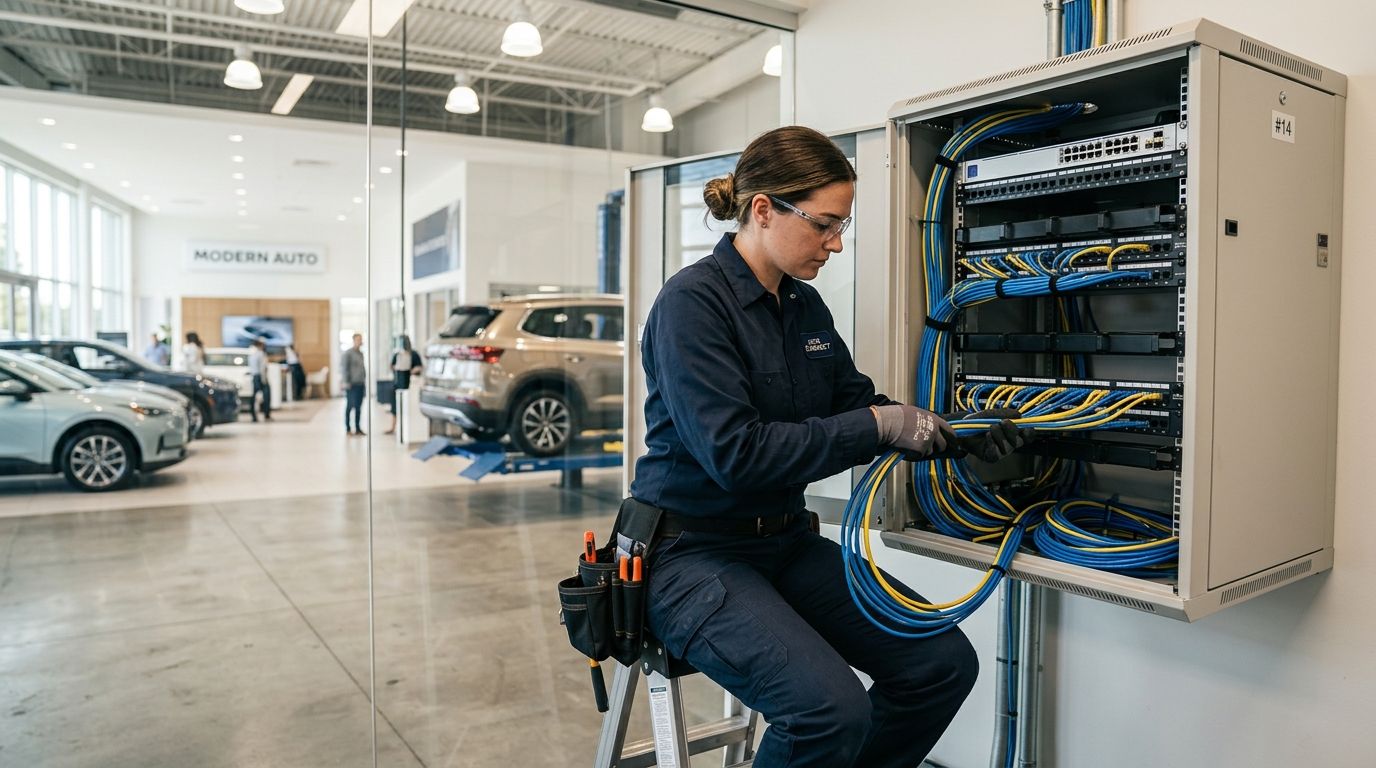
Structured cabling installation for auto dealerships means running Cat6a copper and fiber backbone lines that carry phones, PoE cameras, door access control, and Wi-Fi across a showroom, service bays, and parts department on one unified network. A dealership's cabling has to survive different environments in the same building: climate-controlled offices next to a service floor with metal racking, hoists, and electrical interference. Getting it wrong shows up as dropped calls at the sales desk and grainy camera footage in the shop.
- Structured cabling installation for auto dealerships needs Cat6a minimum — Cat5e can’t carry PoE cameras and access control reliably in 2026.
- Showroom, service bays, and parts department each need separate cable runs because of interference and different device loads.
- A fiber backbone between showroom and service buildings stops network bottlenecks as dealerships add EV charging bays and digital signage.
- Untested, uncertified cable runs are the most common cause of dealership network callbacks after installation.
- DBSI designs and terminates dealership cabling with capacity built in for cameras, access control, and guest Wi-Fi.
Why structured cabling installation matters for auto dealerships
A typical dealership runs more connected devices per square foot than most retail businesses: point-of-sale terminals, DMS workstations, VoIP phones at every sales desk, PoE security cameras covering the lot and showroom, door access control at parts and service entrances, and guest Wi-Fi for the customer lounge. Add a growing number of EV service bays with diagnostic equipment tied to the network, and old wiring built for phones and a handful of desktop PCs runs out of headroom fast.
Dealerships also span multiple structures — showroom, service center, sometimes a separate body shop — often built at different times with different cabling standards patched together. That's where IT support for auto dealerships usually starts: tracing what's actually in the walls before anyone can plan an upgrade. Structured cabling installation for auto dealerships fixes that by standardizing every run under one plan, one labeling scheme, and one test standard.
Map your dealership's network zones
Before any cable gets pulled, walk the property and define zones by function and load, not just by room.
- Showroom floor: sales desks, digital signage, customer Wi-Fi
- Service write-up and bays: technician workstations, diagnostic tool network drops, PoE cameras
- Parts department: inventory scanners, POS terminals, door access control
- F&I offices: phones, workstations, higher security requirements for financial data
- Lot and perimeter: PoE cameras, license plate recognition if in use, gate or barrier controls
Each zone gets its own drop count and cable path planned separately, because a service bay full of interference-generating equipment needs shielded or carefully routed cable that a quiet F&I office does not.
Choose the right cable category for each zone
Cat5e still shows up in older dealership buildings, but it caps out well below what PoE cameras and modern access control need to run reliably alongside phone and data traffic on the same switch.
- Cat6 works for standard desks, phones, and light data use in offices
- Cat6a is the baseline for zones running PoE cameras, access points, or door controllers — it handles higher power draw with less interference
- Shielded Cat6a for runs near service bay lifts, compressors, or fluorescent lighting ballasts
- Fiber for any run beyond the 100-meter copper limit or between separate buildings
- Skip Cat5e for new installs entirely — it's a false economy once PoE devices get added later
More on the category difference and where each one belongs is covered in the Cat6a cabling guide for high-speed business networks.
Plan pathways and conduit before drywall closes
Dealership renovations move fast, and cabling is often an afterthought squeezed in after walls go up. Plan pathways during the construction or renovation phase, not after.
- Identify conduit routes between the showroom and any detached service or parts building
- Reserve overhead cable tray space in the service bay ceiling, above the reach of lift equipment
- Route away from parallel electrical runs, HVAC, and compressed air lines to cut interference
- Leave pull-string in empty conduit for future expansion
- Confirm fire-rated pathways where cabling crosses between fire zones
Run backbone cabling between buildings
Dealerships rarely fit in one building. A fiber backbone connecting the showroom's main distribution frame to the service center's network closet keeps every building on one managed network instead of separate, disconnected systems.
- Single-mode fiber for longer backbone runs or paths exposed to outdoor conditions
- Multi-mode fiber is sufficient for shorter indoor backbone runs
- Size the backbone for future buildout — a body shop addition or new EV service bay shouldn't require re-trenching
- Terminate fiber in a rack-mounted patch panel, never a loose splice box
Details on planning building-to-building runs are in the fiber optic backbone cabling guide.
Terminate and label every drop
Unlabeled cabling is the reason a service call to fix one dead port turns into an hour of tracing wires in the ceiling. Every drop gets a unique ID that matches the patch panel and the wall plate.
- Label both ends of every cable run at the time of termination, not after
- Use a consistent naming convention tied to zone (SB-01 for Service Bay 1, PD-03 for Parts Department drop 3)
- Document the labeling scheme in a printed and digital cabinet chart
- Color-code patch cables by function — cameras, phones, data — for faster troubleshooting
- Keep a running as-built diagram updated after every change
Test and certify every run
A cable that looks fine and passes a basic continuity check can still fail under load once cameras and phones are live. Every run needs certification against the category standard it's rated for — Cat6a runs tested to Cat6a spec, not just "it works."
- Test insertion loss, return loss, and near-end crosstalk on every copper run
- Certify fiber runs for attenuation and length before handoff
- Keep certification reports on file — they matter for warranty claims and future troubleshooting
- Retest any run disturbed during later construction or equipment moves
The full certification process is covered in how to test and certify structured cabling installations.
Build in capacity for cameras, access control, and Wi-Fi
Dealership networks grow every year — more cameras on the lot, access control on parts and service doors, guest Wi-Fi in the lounge. Cable for what the dealership will need in three years, not just what's installed in 2026.
- Run one to two spare drops per zone during initial installation
- Size PoE switches with 20-30% power headroom above current camera and access control draw
- Plan a VLAN structure for cameras, guest Wi-Fi, and POS traffic before cutover
- Coordinate cabling for security camera systems for auto dealerships at the same time as the general cabling plan, not as a separate later project
“If a service bay camera drops framerate during the afternoon rush, undersized or untested cabling is usually the reason.”
Comparison: cabling options for dealership networks
| Option | Best for | Key limitation |
|---|---|---|
| Cat6 | Standard office desks and phones | Not the right pick for high-density PoE camera and access control loads |
| Cat6a | Showroom, service bays, parts department, most PoE devices | Costs more upfront than Cat6 |
| Shielded Cat6a | Runs near lifts, compressors, and heavy electrical equipment | Requires proper grounding to work as intended |
| Single-mode fiber | Backbone between separate buildings | Needs professional termination equipment; not for desktop drops |
Common mistakes dealerships make with structured cabling
- Wiring the service bay like an office. Interference from lifts and compressors degrades unshielded Cat6 runs that would work fine in a quiet F&I office.
- Treating cameras and cabling as separate projects. Installing cabling first without accounting for camera count and placement means re-pulling cable later.
- Skipping certification to save time. A run that fails under real load after cutover costs more in downtime than the testing would have.
- No spare capacity. Dealerships add EV bays, signage, and access control points faster than most cabling plans account for.
- Ignoring the building gap. Showroom-to-service-center connectivity gets patched with a consumer-grade wireless bridge instead of a proper fiber backbone, and it becomes the network's weakest point.
Get dealership cabling done right
Plan showroom, service bay, and multi-building cabling in one project.
FAQ
What cable category is best for auto dealership networks in 2026?
Cat6a is the baseline for 2026 dealership networks because it handles PoE cameras, access control, and Wi-Fi access points without the interference issues Cat5e or standard Cat6 run into under load.
Do dealerships need fiber between the showroom and service building?
Yes. If the showroom and service center are separate structures, a fiber backbone keeps both buildings on one managed network instead of relying on a wireless bridge that becomes a bottleneck as camera and device counts grow.
How much cabling capacity should a dealership plan for future growth?
Plan one to two spare drops per zone and 20-30% extra PoE switch power headroom, since dealerships regularly add cameras, access control points, and EV service infrastructure after the initial buildout.
Why does service bay cabling need to be shielded?
Lifts, compressors, and heavy electrical equipment in service bays generate interference that degrades unshielded cable performance, so shielded Cat6a is the safer choice for runs near that equipment.
What happens if structured cabling isn’t tested and certified?
Untested cabling can pass a basic continuity check but fail once cameras, phones, and access control run on it at once. That is the most common cause of dealership network callbacks after installation.
Can existing dealership cabling be reused during a renovation?
Older Cat5e runs can sometimes be reused for basic phone lines, but any zone running PoE cameras or access control needs new Cat6a to handle the power and data load reliably.
How does structured cabling connect to security camera and access control planning?
Cabling, camera placement, and access control should be planned as one project, since drop counts, PoE capacity, and pathway routing all depend on where cameras and door controllers end up.
How long does a dealership cabling installation take?
Timing depends on drop count, building layout, and whether the work happens during a renovation or in an occupied dealership. A site walk is the only way to get an accurate schedule.
One last thing
The most overlooked spot in dealership cabling plans is the gap between the showroom and the service building — it's the connection most likely to get patched with a temporary fix that becomes permanent. A proper fiber backbone there, sized for 2026 device counts and beyond, prevents the slow network creep that shows up as dropped calls and laggy camera feeds two years later.
Related guides
- Structured cabling installation for medical offices
- Door access control systems for auto dealerships
Sorry, the comment form is closed at this time.